AI copilots are real-time AI assistants that work alongside your support agents to handle repetitive tasks, suggest responses, and automate workflows — making your team faster and more accurate without replacing human judgment.
That matters because every conversation about AI in support seems to carry the fear: "Will this replace my team?" When it comes to copilots, the answer is clear (95% of leaders plan to retain human agents). These tools enhance human work, not erase it. They handle the repetitive parts so your agents can focus on complex issues that need empathy, nuance, and problem-solving.
For customer support teams especially, AI copilots can make your operations simpler, smoother, and more successful — while keeping people at the center.
What is an AI copilot?
An AI copilot is an AI system that helps you complete a variety of tasks in real time. AI copilots are used across industries but, looking at AI in customer support specifically, a copilot could help by providing insights, offering recommendations, or automating responses.
Technically, AI copilots use generative AI and large language models (LLMs) to understand the context of a situation and craft helpful responses:
- Natural language processing (NLP) to interpret what you’re saying
- Machine learning (ML) to learn from interactions and improve over time
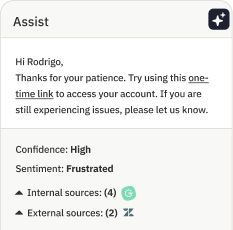
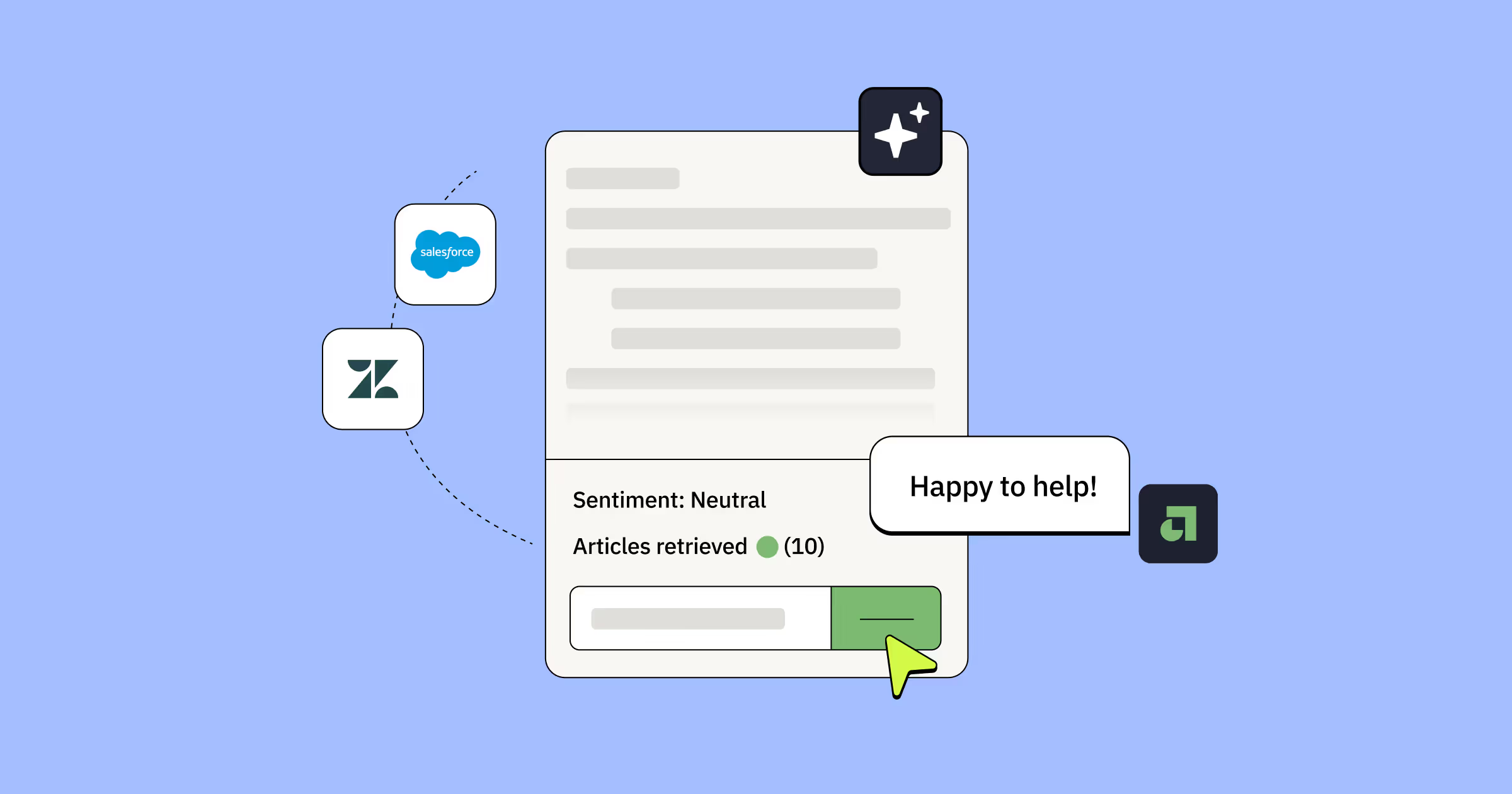
For example, you could set up an AI copilot that considers a customer’s inquiry and then automatically suggests relevant responses to your support agents.
Think of an AI copilot as a digital virtual assistant (in fact, you might also hear a copilot called an “AI assistant”). It’s a tool that can help you simplify your decision-making processes, streamline time-consuming workflows, and tackle even your most complex tasks.
Why do companies use AI copilots?
Companies use AI copilots to scale support operations without scaling headcount at the same rate — with 91% of leaders under executive pressure to implement AI for improving both agent productivity and customer satisfaction in the process.
The business case is straightforward:
- Saving time: Copilots handle repetitive tasks so agents can focus on more complex issues that need a human touch.
- Improving accuracy and consistency: With standardized and brand-aligned responses, copilots can reduce errors and keep messaging consistent across agents.
- Boosting customer satisfaction: Copilots allow for faster responses and more personalized support, which improves customer experience, loyalty, and satisfaction rates.
- Scaling support: Copilots allow companies to handle higher ticket volumes without needing to hire and grow the team at an aggressive rate.
Those are the high-level benefits that explain why companies are enlisting the help of AI technologies. But let’s take a closer look at a few use cases that explain how customer support teams are putting these tools to work.
Real-time customer response assistance
AI copilots provide support agents with suggested responses based on previous interactions, common FAQs, and the current context of the conversation. For example, if an agent is answering a question about shipping policies, the copilot can instantly suggest the most relevant and up-to-date response.
Agent performance monitoring and coaching
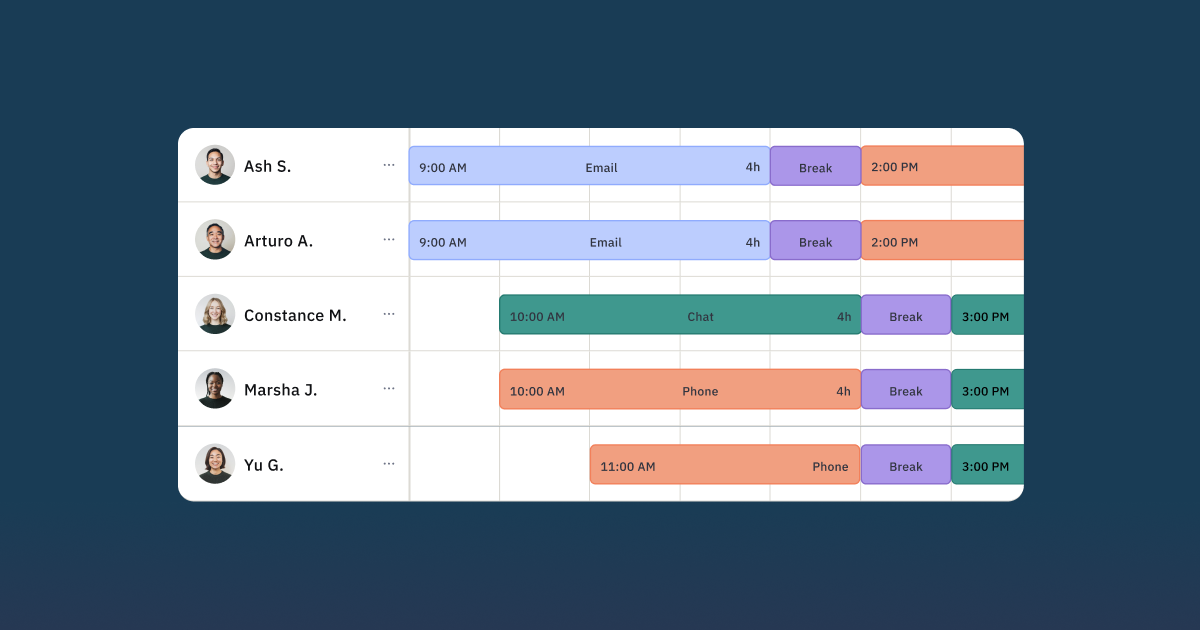
Customer support managers can use AI copilots to track performance metrics (such as response time or customer sentiment). If an agent’s performance dips, the copilot flags the potential issue for the manager to step in and provide necessary training or coaching.
Automated escalation
Copilots can rely on keywords or sentiment analysis to automatically identify issues that should be escalated. If a customer expresses frustration or uses a specific term, the copilot alerts the manager or automatically escalates the case to a more experienced agent.
How can AI copilots help boost customer experiences?
AI copilots benefit your support team — but they're equally valuable for customers who get faster, more personalized help.
Here's how AI copilots improve the customer experience:
- Faster resolution times: Suggested responses and real-time assistance help agents address questions faster, eliminating long hold times and agent transfers.
- Personalized interactions: Copilots analyze customer profiles, purchase history, and past support interactions to give agents tailored insights for every conversation.
- Proactive problem solving: Copilots analyze customer feedback in real time to spot patterns and common complaints, helping companies address issues before they escalate.
The impact of AI apps and copilots on the customer experience isn’t all anecdotal. Those who use Assembled's AI Copilot report doubling agent productivity while maintaining or even increasing CSAT.
Differences between AI copilots, chatbots, and AI agents
AI copilots, chatbots, and AI agents all use artificial intelligence to streamline support — but they serve fundamentally different roles in your operation.
The key difference: copilots assist your human agents behind the scenes, chatbots interact directly with customers using predefined scripts, and AI agents handle full customer conversations with advanced reasoning.
AI copilots are advanced systems designed to work alongside human agents and assist them with tasks like generating responses, providing recommendations, and surfacing relevant information from large datasets.
Key distinction: While chatbots interact directly with customers, copilots operate behind the scenes — helping agents work faster and more accurately.
Chatbots
Chatbots Unlike copilots, chatbots are programmed to interact with customers directly, usually via text or chat interfaces.
They can handle straightforward questions like checking order status or sharing business hours. But chatbots lack the depth and adaptability for complex interactions.
Best use case: Routine, high-volume inquiries that follow predefined scripts or conversation flows.
AI agents
AI agents are customer-facing like chatbots — but far more sophisticated.
They use natural language processing and machine learning to handle nuanced conversations, answer complex questions, and escalate to humans when needed.
Best use case: High-volume or mid-level complexity support that requires reasoning beyond simple scripts.
Need a quick comparison between these three types of AI tools? This chart breaks down the major differences to know:

How to choose an AI copilot for your business
To choose the right AI copilot, focus on matching its capabilities to your specific support operation rather than simply picking the most popular tool.
Here are five questions to help you evaluate which copilot fits your team:
What is your primary need or goal?
It’s easy to get overwhelmed when evaluating AI tools, so start by zooming out to determine your main business need. Why do you need an AI copilot? What problems will this solve?
While it might seem like an overly basic step, it will help you stay focused on your primary use case and only consider solutions that meet that need.
What teams or functions does this copilot serve?
Remember that AI copilots are a broad category that includes a variety of industries and use cases. For example, there’s GitHub Copilot, a code completion tool specifically to help software developers write code. Or there’s Salesforce’s Einstein Copilot that’s embedded in the Salesforce CRM and helps salespeople by summarizing records and generating custom communication.
Those tools are excellent — but that doesn’t mean they’re relevant. Look for a copilot (like Assembled) that’s specifically built for customer support teams so you can get the features and capabilities that are most beneficial to you.
What regulations do you need to abide by?
Certain industries like healthcare or financial services are highly regulated. Consider any industry-wide or company-specific data protection, privacy, and security policies to ensure the potential copilot complies with those regulations.
What integrations do you need?
Your support team likely already has at least a few tools that you regularly use and love. Understandably, you want your AI copilot to fit in seamlessly with the tools you already have.
Take a close look at the AI copilot’s integrations to confirm it will play nicely with the apps and solutions that are already part of your customer support tech stack.
What is your budget?
Your AI copilot will come at a cost. Your exact price tag will depend on your desired features and the size of your team, so it’s important to know what you need and how much you’re able to spend to get it. Ironing out your budget ahead of time will help you narrow down your potential options right from the get-go.
How to develop a governance framework for AI copilots
A governance framework is your plan for using AI copilots ethically, responsibly, and effectively — covering everything from data privacy to quality standards to team responsibilities.
Without one, enthusiasm can overpower good judgment. Teams succeed when they take an intentional, structured approach to introducing and managing AI systems.
Here are three steps to build your governance framework:
- Establish your internal policies: Define how the AI copilot will interact with sensitive data, including:
- Privacy policies: How customer and company data is protected
- Security policies: Access controls, data handling practices, and security protocols
- Define standards of excellence: Much like any other change you roll out to your team, you want to know what success looks like. Set quality and performance standards for your AI copilot (like benchmarks for response accuracy, customer satisfaction, and efficiency) to ensure it satisfies your goals and values.
- Assign roles and responsibilities: Your AI copilot isn’t entirely hands-off, so identify the team members responsible for managing, monitoring, and updating the copilot. Clearly define these roles so everybody knows who’s responsible for what.
Training your customer service representatives to use AI copilots
Effective AI copilot training turns these tools from novelty to necessity — teaching agents how to prompt, contextualize, and improve the system through daily use.
This goes beyond basic onboarding. Your training should cover:
- Effective prompting techniques: The copilot's output is only as good as the input. Teach agents how to write clear, specific prompts that provide context and clarify task requirements.
- Feeding context to the platform: Show agents how to share relevant customer information, past interactions, and specific details to get tailored, accurate responses.
- Providing consistent feedback: Copilots improve through use — but only if agents offer clear feedback. Train your team to contribute to this feedback loop, improving the system while fostering ownership.
That’s not an exhaustive list — and your chosen copilot may have existing training tips and resources to get your team up to speed on your specific solution. Successfully rolling out an AI copilot requires both technical training and change management strategies. However, the above key training areas will help you set your support team on the right course when using your AI copilot.
Use Assembled to improve your customer service operations with AI
AI copilots aren’t here to replace human agents — they’re here to make life easier. Assembled AI, an agent copilot and issue resolution engine powered by generative AI, will help your customer support agents address customer tickets faster and with more accuracy.
With features like real-time conversation assistance, automated ticketing, and personalized customer interactions, Assembled AI has all of the features you need to streamline your support workflows and reduce your response times. You’ll get contextual suggestions based on previous interactions and customer data to help you deliver a standout support experience to every customer.
AI copilots are here to transform your customer service operations in ways that benefit your team and your customers. Book a demo to see how Assembled AI can take your support team (and your customer experience) to the next level.
Frequently asked questions about AI copilots for customer service
Can AI copilots handle voice conversations with customers?
Yes, modern AI copilots are increasingly omnichannel. While many started with text-based channels like chat and email, advanced copilots can now assist agents during live phone calls. They can provide real-time transcription, suggest responses, and surface customer information, helping agents resolve voice inquiries more efficiently.
Do AI copilots work as standalone agents or only assist human agents?
The term "copilot" specifically refers to an AI tool that works alongside a human agent, assisting them rather than interacting directly with the customer on its own. This is different from an "AI agent" or "virtual agent," which is designed to handle customer conversations autonomously from start to finish. A copilot enhances the human agent's capabilities; it doesn't replace their interaction.
How quickly can an AI copilot be deployed in an existing support operation?
Deployment time can vary depending on the solution and the complexity of your existing tech stack. However, many modern AI copilots are designed for rapid integration. With pre-built connectors for popular help desks and CRMs, some copilots can be up and running in a matter of days or even hours, requiring minimal engineering resources.
What's the difference between an AI copilot and Microsoft Copilot?
"AI copilot" is a general term for any AI assistant that helps a user with tasks. "Microsoft Copilot" is a specific brand name for Microsoft's suite of AI products. While Microsoft offers a copilot for customer service, many other companies, like Assembled, provide their own AI copilot solutions built specifically for the needs of support teams. It's important to evaluate the features of each specific tool rather than focusing only on the name.