Your contact center needs support. An AI copilot is technology that empowers agents with real-time data, insights, and recommendations to deliver faster, smarter support experiences. This guide explains what contact center AI copilots are, how they benefit your operations, and how to implement them successfully.

AI copilot vs AI assistant: What's the difference?
- AI assistant: Uses automation and AI capabilities to offer help and complete tasks based on existing rules and inputs
- AI copilot: Uses contextual awareness to provide real-time support and suggestions within a specific task
Both use natural language processing, machine learning, and the power of AI. But, put simply, an assistant is an AI-driven tool while a copilot is more of a proactive, collaborative partner.
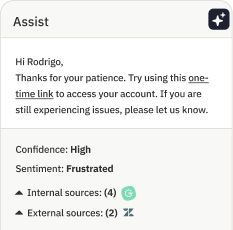
A contact center AI copilot (sometimes called an agent copilot) helps agents by providing insights, offering suggestions, and handling time-consuming tasks. Key capabilities include:
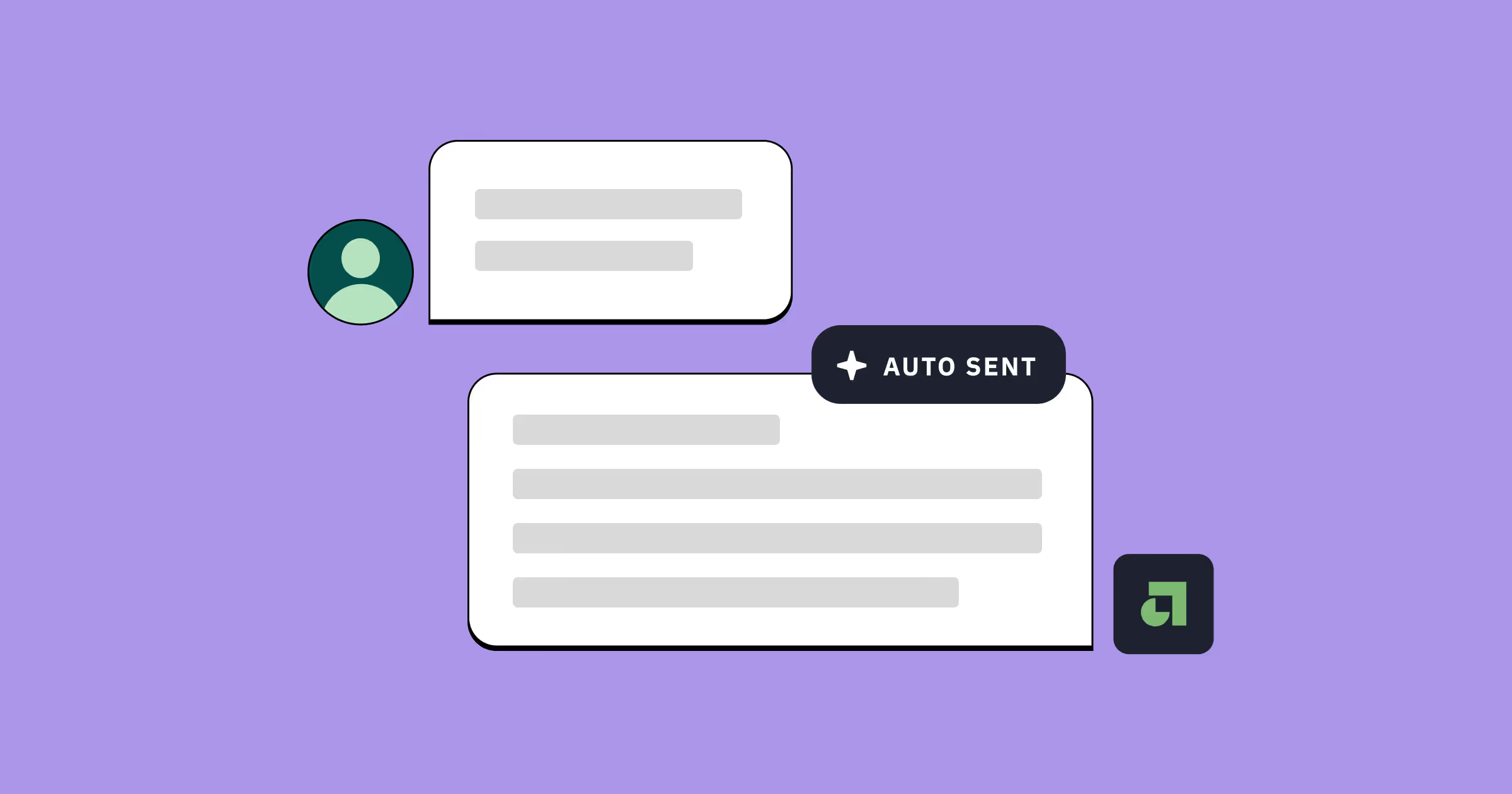
- Pre-drafting responses to customer issues and interactions
- Automating workflows like ticket categorization, routing, and follow-ups
- Providing contextual suggestions, customer history, and related resources
- Offering real-time coaching and training during customer interactions
- Tracking performance and identifying areas for improvement
The copilot isn’t just there to streamline workflows, optimize tasks, and improve operational efficiency (although, it does all of that too). It’s there to provide relevant, targeted, and contextual assistance to help agents improve customer engagement, boost customer satisfaction, and deliver an exceptional customer experience.
What are the benefits of an AI copilot for contact centers?
An AI-powered copilot delivers measurable impact across three areas: operational efficiency, customer experience, and agent experience. Here's how each works in practice.
Increased efficiency
AI copilots increase operational efficiency by helping contact center teams accomplish more in less time. The impact shows up in two key areas:
- Automating routine tasks: AI copilots handle call transcription, interaction summaries, and other mundane work — moving these tasks entirely off agents' plates, with 35% of organizations planning to automate over 60% of inbound inquiries by 2028.
- Reducing average handling time (AHT): By drafting responses, fetching information from your knowledge base, and streamlining workflows, AI copilots significantly cut the time agents spend on each interaction.
Improved customer experience
AI copilots improve customer experience by enabling faster, more personalized, and more consistent support. Rather than replacing human interaction, they enhance it in three ways:
- 24×7 availability: AI applications like chatbots and virtual agents handle basic queries around the clock using conversational AI. Customers get natural-sounding help whenever they need it.
- Better personalization: Your AI copilot analyzes customer data in real-time to provide tailored recommendations and solutions. This matters because 71% of customers expect personalized interactions, according to McKinsey.
- Improved consistency: AI agents and copilots ensure your team delivers consistent, accurate responses — reducing customer frustration and confusion.
Better agent experience
AI copilots improve agent experience by reducing burnout and accelerating skill development. Your contact center agents gain:
- Real-time guidance: Suggested scripts, knowledge base links, data-backed insights, historical context, and recommended next steps during every interaction.
- More manageable workloads: AI handles time-consuming tasks and automates entire workflows, helping combat the widespread burnout among contact center agents.
- Training assistance: New agents onboard faster with real-time performance feedback and targeted recommendations for improvement.

What are the challenges of using a contact center AI copilot?
AI copilots come with five key challenges to plan for: data security, accuracy concerns, agent adoption, system integration, and cost considerations. Here's what each involves.
Data privacy and security
Data privacy and security challenges arise because AI copilots process confidential company and customer information. Look for systems with strong security and privacy requirements — especially critical in regulated industries like healthcare or financial services.
Accuracy and understanding
Accuracy and understanding take time to develop. AI copilots can make mistakes as they learn your context and brand voice. When errors happen too frequently, agents lose trust in the system — undermining adoption.
Agent resistance
Agent resistance happens even when AI isn't replacing jobs. Learning to collaborate with a copilot changes how agents work, and that transition naturally creates pushback — even when the change improves their experience. Successfully rolling out an AI copilot requires thoughtful change management and trust-building strategies.
Integrations with existing systems
Integrations with existing systems determine how well your copilot performs. The technology works best when configured with your customer relationship management (CRM), ticketing platforms, and other core tools. Legacy systems may lack compatibility, limiting your copilot's effectiveness.
Cost and return on investment
Cost and return on investment require careful evaluation. AI copilots typically deliver cost savings over time, but the initial investment can challenge smaller teams with limited budgets, though organizations making AI progress show 50% revenue growth compared to just 8% for those lagging.
How to adopt an AI copilot for your contact center
Adopting an AI copilot successfully requires three steps: defining your goals and pain points, evaluating your current and future needs, and being selective about your provider. While implementation comes with hurdles, this framework makes them manageable.
1. Start with your goals and pain points
Start with your goals and pain points to avoid implementing technology that doesn't solve real problems. Before exploring AI copilot options, identify what you need to fix and how you'll measure success:
- Identify your pain points: What challenges need solutions? High call volumes? Long resolution times? Agent burnout and turnover?
- Set metric-driven goals: Establish clear, measurable objectives tied to your pain points — like reducing resolution times by 25% in the first quarter.
When you do this, you define criteria you can use to narrow down your options, choose the right AI copilot, and monitor if it’s actually delivering what you need.
2. Evaluate your current and future needs
Evaluate your current and future needs across three dimensions:
- Technology integration requirements: Review your CRM, ticketing platform, and communication tools. Identify which systems are non-negotiable and which integrations your copilot must support.
- Budget constraints: Determine your realistic spending limit. There's no point evaluating options you can't afford.
- Growth and scalability: Consider what you'll need next year and beyond. Will you grow your team? Add support channels? Forward-thinking selection helps you choose a copilot that scales with your business.
3. Be selective
Be selective when choosing your AI provider. The criteria you defined earlier will guide your evaluation, but also prioritize these essential capabilities:
- Natural Language Processing (NLP) for conversational understanding
- Omnichannel support for consistent experiences across all platforms
- Real-time analytics and reporting for performance tracking
- Customization options for your agentic workflows, brand voice, and policies
AI vendors make lofty promises. Cut through the hype by taking time to review options thoroughly, asking detailed questions, and testing demos or trials extensively.
An AI copilot only makes support easier when it's the right fit — and finding that fit requires careful evaluation.
Faster, smarter, and smoother support with Assembled
Ready to start your search for the right AI copilot for your contact center? Assembled offers an agent copilot and issue resolution engine powered by generative AI. Here's what it delivers:
Your support team gains:
- Real-time conversation assistance during every interaction
- Auto-drafted replies that match your brand voice
- Automated ticketing and intelligent routing
- Intuitive workflow builder for configuring targeted automations in minutes
Assembled's AI Copilot isn’t just another tool in your tech stack — it’s a context-driven, collaborative partner that empowers your contact center to deliver personalized support and top-notch customer experiences.
Book your demo today to see how Assembled can level up your support operations.
Frequently asked questions about contact center AI copilots
What's the difference between an AI copilot and a chatbot?
A chatbot is built to follow a script. It’s good at answering simple, predictable questions or deflecting conversations to a knowledge base. An AI copilot, on the other hand, is a partner for your agent. It works alongside them in real time, providing context, suggesting answers, and even automating tasks within your systems. Think of it less like a script-reader and more like a seasoned teammate who has all the data at their fingertips.
How long does it take to implement an AI copilot?
This depends on the provider and the complexity of your workflows. Some legacy systems can take months to get up and running. Modern platforms like Assembled, however, are designed for speed. Because our AI copilot integrates directly with your existing tools and learns from your real data, you can often get started in a matter of hours or days, not weeks. The goal is to see value quickly, without a heavy engineering lift.
What integrations are most important for an AI copilot?
The most critical integrations are the tools your team already lives in. Your copilot needs to connect seamlessly with your help desk (like Zendesk or Salesforce), your communication channels (chat, email, voice), and any internal knowledge bases. This allows the AI to pull customer history, understand context, and take action — like processing a refund in your billing system — without the agent having to switch tabs.
How do you measure the success of an AI copilot?
Success isn't just about speed; it's about impact. Key metrics include a reduction in average handle time (AHT), an increase in one-touch resolutions, and a lift in customer satisfaction (CSAT). You should also track the agent experience — are they adopting the tool? Is it reducing their cognitive load? The best copilots provide clear reporting on their performance, showing exactly how much time is saved and where it's making the biggest difference.
Can an AI copilot work with our existing contact center platform?
Yes, a well-designed AI copilot should be platform-agnostic. It’s designed to augment your existing systems, allowing you to enhance your setup without needing to rip and replace it. Whether you're using a modern Contact Center as a Service (CCaaS) solution or a more traditional setup, the copilot should layer on top, integrating via APIs to provide assistance directly within the agent's existing workspace.