Chat is the highest-volume automation channel in customer support — and the easiest place to quietly damage CX.
Most support teams already have some form of chat automation live. The question isn’t whether to use AI chat agents, it’s which approach actually holds up in production. Because here's the reality: chat automation compounds. A bad handoff doesn't just frustrate one customer; it creates rework for your agents, erodes trust in your automation, and makes every subsequent deployment harder to justify.
The stakes are higher than they look. Chat feels low-risk because it's fast, asynchronous, and easy to pilot. But when it breaks — when customers get stuck in loops, when context gets lost in handoffs, when "deflection" becomes a euphemism for abandonment — the damage is silent and cumulative.
To help support teams evaluate the landscape, we analyzed 10 leading AI chat agent platforms used in customer support in 2026. This comparison focuses on what actually holds up in production — resolution depth, backend actions, escalation quality, integrations, and pricing — so teams can choose a platform that improves CX instead of quietly compounding risk.
AI chat agents vs. chatbots: what's the difference?
"Chatbot" has become a loaded term for buyers. It signals rigidity, scripted flows, and the kind of frustrating loops that make customers reach for the phone.
Modern AI chat agents are different — not in theory, but in practice. Here's what separates them:
Resolution vs. deflection. Chatbots were built to deflect volume. AI chat agents are built to resolve issues. That means taking action, not just answering questions. The difference shows up in what happens after the customer asks, "Where's my order?" A chatbot tells them how to check. An agent pulls the tracking info, explains the delay, and offers a solution.
Action-taking vs. answer-generation. The best AI chat agents don't just retrieve knowledge — they execute workflows. They process refunds, update subscriptions, cancel orders, and escalate exceptions. They integrate with your CRM, order management system, and billing platform. That backend depth is what turns a conversation into a resolution.
Governed escalation vs. dead ends. Chatbots fail loudly: "I didn't understand that." AI chat agents fail gracefully. They recognize when they're out of their depth, transfer context to a human agent, and make the handoff feel seamless. The customer doesn't start over. The agent doesn't waste time reconstructing the conversation.
“Chatbot” is still a common label — but it’s no longer a useful one. In 2026, what matters is whether a platform can resolve issues autonomously, not just deflect them with scripted replies.
10 AI chat agents for customer support, compared
Not all AI chat agents are built for real support environments. Some excel at deflecting simple questions but break down when conversations get complex. Others demo impressive automation, yet create hidden CX debt in production — looping conversations, blocked escalation, lost context, or costs that spiral as volume grows.
The vendors below were selected based on how well they perform in production, not demos. We evaluated each platform on its ability to resolve real customer issues end to end, handle complex and ambiguous conversations, integrate deeply with modern support stacks, support responsible human–AI collaboration, and scale predictably without sacrificing customer experience or operational control.
Assembled
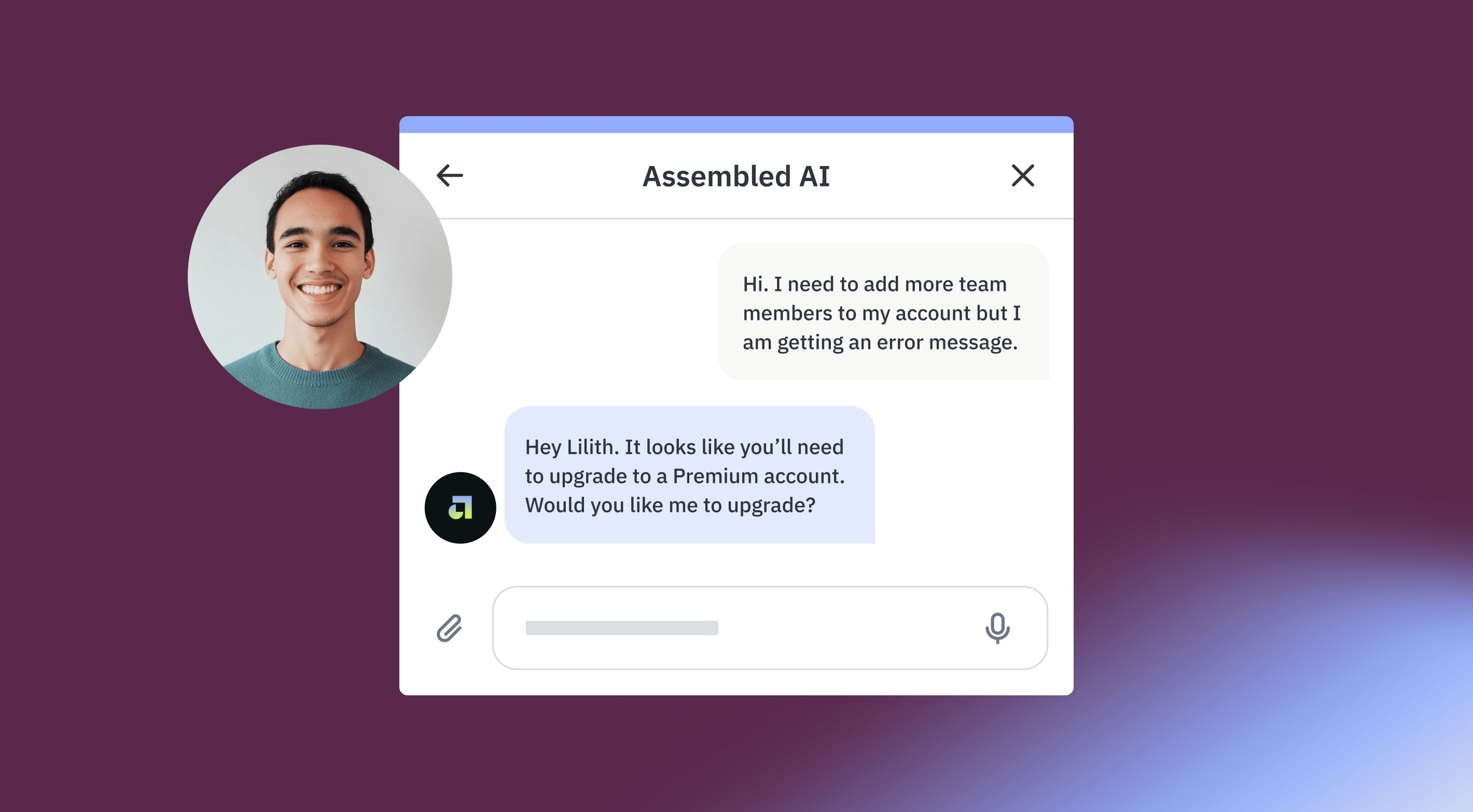
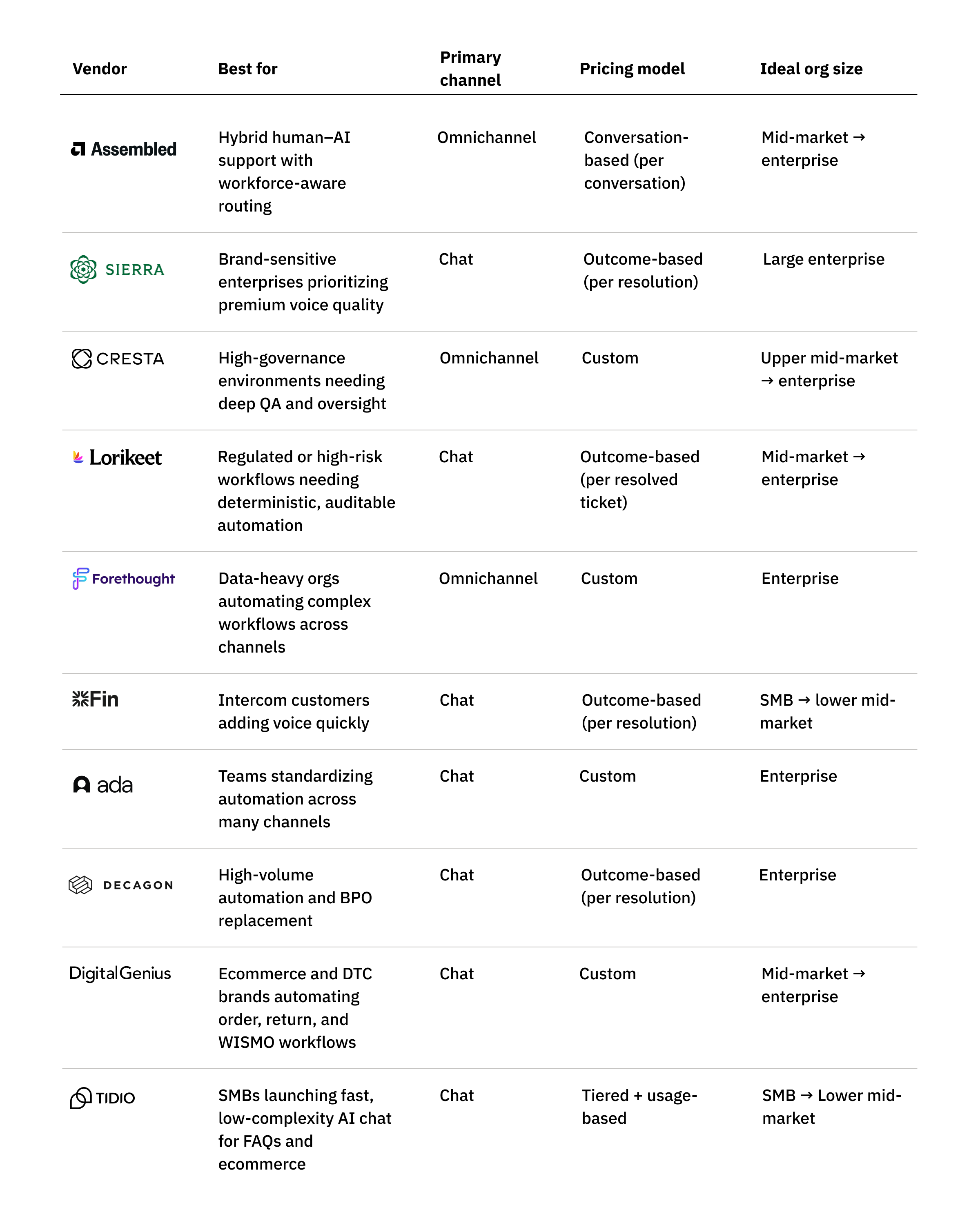
Assembled’s AI Chat Agent is not positioned as a standalone chat agent, but as part of a broader support operations approach designed to coordinate AI agents and human agents as a single workforce. Rather than optimizing for chat deflection in isolation, Assembled treats chat as one modality within an agentic system that can also span email, voice, and agent copilots — all governed by shared workflows, routing logic, and analytics. You can buy AI Agents (including chat) as a standalone product, but the product philosophy is still “automation that runs with your operation,” not a lightweight bot you bolt on and forget.
In practice, Assembled’s chat agent is built for end-to-end resolution, not just answering questions. The agent can execute real actions — refunds, order changes, account updates — through integrations with CRMs, commerce platforms, and internal tools. When escalation is required, handoffs are context-rich and workforce-aware, passing full conversation history and AI-generated summaries to human agents, with routing informed by staffing, capacity, and business hours. That workforce-aware design can materially reduce CX risk during spikes and off-hours, but it assumes teams have (or are willing to build) the operational discipline to define schedules, capacity signals, and escalation rules; without that foundation, some of the differentiation is harder to fully realize.
Key features:
- AI chat agent built as part of a unified AI + support operations platform
- Agentic, multi-step workflows that execute real backend actions (not just FAQ responses)
- No-code workflow builder for designing, testing, and iterating chat automation
- Workforce-aware escalation and routing based on capacity, schedules, and business rules
- Context-rich handoffs with full transcript, summaries, and metadata
- Shared AI “brain” across chat, email, voice, and agent copilot (“build once, deploy everywhere”)
- AI-specific QA, testing, and transparency tools that expose how responses are generated
- Enterprise-grade security and compliance (SOC 2 Type II, HIPAA, GDPR)
Pricing: AI Agents (including AI Chat) starts at $0.65 per conversation (usage-based) and can be purchased separately from WFM and other Assembled products. Pricing is sales-led and varies by volume, channels enabled, and configuration. There is no free tier, and most deployments are tailored for mid-market and enterprise customers.
Pros:
- Strong fit for teams prioritizing hybrid human–AI collaboration over pure deflection
- Capable of resolving Tier-2+ complexity through agentic, action-oriented workflows
- Workforce-aware handoffs reduce CX risk during spikes, off-hours, or staffing changes
- Unified workflows across channels reduce duplication and operational overhead
- High marks from users for tone, empathy, and brand alignment in chat interactions
Cons:
- Built for teams that want AI tightly integrated with support operations; may feel like more than needed for basic FAQ automation
- Workforce-aware routing assumes operational maturity that some teams may not yet have
- Advanced orchestration features can feel over-engineered for simple deflection use cases
- Unified human+AI analytics have a learning curve for teams new to blended reporting
- Some users report integration complexity with advanced Zendesk setups (e.g., Sunshine Conversations)
G2 rating: 4.8 ⭐️ (22 ratings)
Best for: Mid-market and enterprise support organizations that want to scale AI chat responsibly, with strong guardrails around escalation, quality, and staffing impact. Especially well suited for teams running blended human + AI operations across multiple channels, and for buyers who value operational control, experience quality, and long-term maturity over lightweight, FAQ-only automation.
Sierra

Sierra positions its AI Chat Agent as part of a premium, enterprise-grade Agent OS designed to deliver high-quality, human-like customer experiences at scale. Rather than treating chat as a lightweight deflection layer, Sierra frames it as a strategic surface for resolving complex, high-value customer issues — tightly integrated with enterprise data, workflows, and brand controls. The platform is explicitly built for Fortune 1000 environments, with a strong emphasis on trust, security, and outcome-driven performance, and is priced and operated accordingly.
In practice, Sierra’s chat agent is optimized for end-to-end resolution in high-stakes contexts, not just conversational Q&A. The agent can reason over policies, retrieve and update data in systems of record, and complete multi-step workflows such as account changes, refunds, exchanges, or eligibility checks. Chat shares a common Agent OS with SMS, email, and voice, enabling persistent context and consistent behavior across channels. That depth comes with meaningful setup and operational cost. Despite no-code tooling, initial journey design and tuning often require weeks of close collaboration, and some users report context degradation or increased latency in long, multi-turn conversations — a real CX risk for complex support interactions.
Key features:
- Enterprise AI chat agent built on Sierra’s Agent OS
- Action-oriented chat workflows that execute real tasks across systems of record
- Persistent context and shared behavior across chat, SMS, email, and voice
- Strong brand voice, tone, and policy controls for “human-like” conversations
- Agent Studio (no-code) and Agent SDK (developer) for building and managing complex journeys
- Advanced simulations, regression testing, and A/B experimentation
- Built-in human handoff with automatic summaries and routing
- Comprehensive security and compliance posture (SOC 2, HIPAA, GDPR, ISO 27001/42001, CSA STAR)
Pricing: Sierra uses premium, outcome-based, quote-only enterprise pricing. Customers pay when the AI agent achieves defined business outcomes (e.g., resolved conversations, retained subscriptions, completed transactions), rather than per seat or per API call. Specific price points are not publicly disclosed, and total cost varies by volume, channels, enabled modules (e.g., Voice, Live Assist, Agent Data Platform), and implementation scope. G2 feedback frequently cites pricing as expensive and difficult to forecast, reinforcing Sierra’s high-end market positioning.
Pros:
- Strong fit for large, brand-sensitive enterprises with complex chat workflows
- High-quality, empathetic chat interactions aligned with strict brand standards
- Deep integrations with CRMs and systems of record (e.g., Zendesk)
- Powerful tooling for testing, experimentation, and ongoing optimization
- Highly rated support and implementation partnership for enterprise rollouts
Cons:
- Premium, opaque pricing makes budgeting and ROI forecasting challenging
- Setup and journey design have a steep learning curve, even with no-code tools
- Reported context degradation or latency in long, complex chat conversations
- Platform breadth may exceed what many teams need for straightforward chat automation
- Not optimized for fast, self-serve deployment or lightweight pilots
G2 rating: 4.4 ⭐️ (14 ratings)
Best for: Large enterprises and Fortune 1000 companies that want a best-in-class AI chat experience with strict brand control, deep integrations, and outcome-driven automation — and are willing to invest in a premium platform with higher complexity, longer setup cycles, and less predictable pricing. Best suited for organizations prioritizing CX quality, trust, and strategic impact over speed to launch or cost certainty.
Cresta
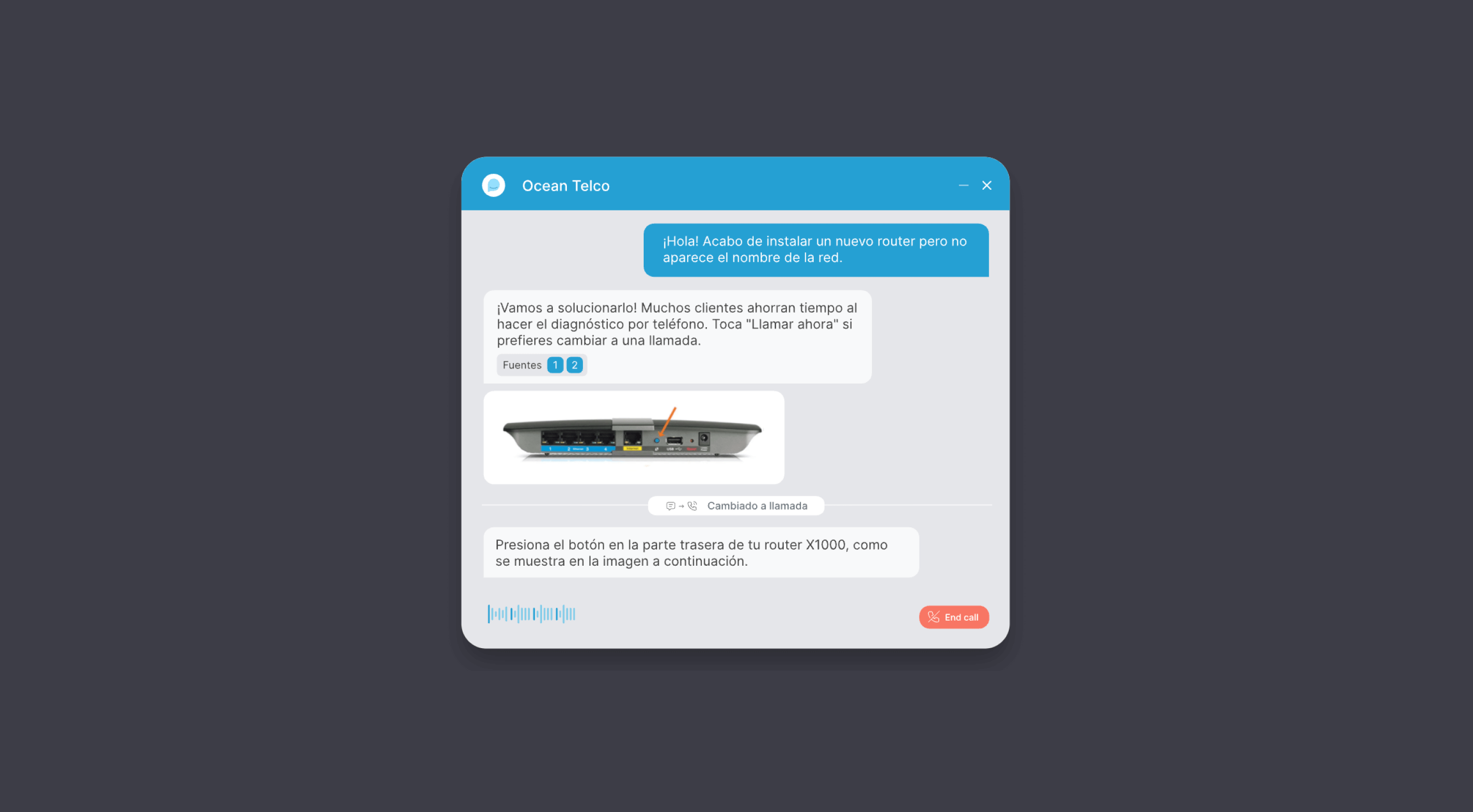
Cresta’s AI Chat Agent is best understood as one component of a broader, enterprise-grade contact center AI platform, rather than a standalone chat automation tool. The product is deeply rooted in Cresta’s origins in conversation intelligence and real-time agent assistance, and that heritage shapes how chat automation is designed, deployed, and operated. Instead of optimizing for fast deflection or lightweight self-serve bots, Cresta frames AI chat as part of a closed-loop system that spans discovery, automation, real-time guidance, quality management, and continuous optimization — a model explicitly designed for large, complex contact centers.
In practice, Cresta’s chat agent is built for high-stakes, policy-heavy interactions in enterprise environments — including fraud disputes, insurance servicing, airline disruptions, and collections. Chat automation, agent assist, and conversation intelligence all live on a single platform, enabling structured handoffs, shared analytics, and optimization driven by real production conversations. That depth comes with real trade-offs. Deployments are typically measured in weeks to months, not days, and require significant internal involvement across CX, ops, IT, and often compliance teams. Knowledge-driven responses frequently go through multiple tuning cycles to avoid generic or off-brand outputs, and ongoing performance depends on active monitoring and intervention via Cresta’s Agent Operations Center. For organizations without dedicated AI operations or analytics teams, this operational overhead can be difficult to sustain.
Key features:
- Enterprise AI chat agent designed for complex, regulated contact center use cases
- Unified platform combining AI chat agents, real-time agent assist, and conversation intelligence
- Agentic workflows capable of executing secure, multi-step tasks across enterprise systems
- Omnichannel context retention across chat, messaging, and other channels
- No-/low-code orchestration engine for defining workflows, guardrails, and escalation logic
- Real-time guidance and coaching for human agents during live conversations
- Agent Operations Center for monitoring, supervising, and intervening in AI and human interactions
- Extensive enterprise security, compliance, and Responsible AI controls (SOC 2, ISO 27001/27701/42001, PCI, HIPAA)
Pricing: Cresta uses custom, quote-only enterprise pricing. There is no published rate card or self-serve tier. Pricing typically varies based on enabled modules (AI Agent, Agent Assist, Conversation Intelligence), interaction volumes, channels, and implementation scope. Public materials emphasize ROI and outcomes rather than unit pricing.
Pros:
- Strong fit for large, complex contact centers with regulated or high-stakes workflows
- Best-in-class real-time agent guidance and conversation intelligence capabilities
- Robust governance, testing, and observability for AI chat deployments
- Unified human + AI platform enables closed-loop optimization over time
- Deep enterprise trust signals, certifications, and analyst validation
Cons:
- Implementations are resource-intensive and often take weeks to months to reach steady state
- Requires dedicated AI operations, analytics, and CX leadership involvement to operate effectively
- Knowledge-driven chat responses can require extensive tuning to avoid generic or off-brand output
- Agent Operations Center adds meaningful operational overhead that smaller teams may struggle to staff
- Quote-only pricing limits upfront cost transparency
- Overpowered for teams seeking simple FAQ or Tier-1 chat deflection
G2 rating: 4.2 ⭐️ (43 ratings)
Best for: Large enterprises with complex, regulated support environments and dedicated AI operations or CX analytics teams. Best suited for organizations willing to invest heavily in implementation, tuning, and ongoing oversight in exchange for deep governance, high assurance, and measurable CX and productivity gains. Less ideal for lean support orgs, fast pilots, transparent pricing needs, or lightweight, self-serve chat automation.
Lorikeet
Lorikeet positions itself as an action-first AI chat agent built to resolve complex, high-stakes customer issues end-to-end — not as a conversational FAQ bot or lightweight deflection layer. The company frames its product as a “universal concierge” that can understand context, follow deterministic operating procedures, and take real actions across internal systems, third-party vendors, and even human teams. Chat is the primary surface, but workflows are designed to extend across email, SMS, voice, and embedded experiences via SDK. This architecture is deliberately opinionated, favoring control and auditability over conversational flexibility.
What differentiates Lorikeet in the chat landscape is its workflow-centric, deterministic design. Rather than relying on free-form LLM reasoning or pure RAG, Lorikeet breaks automation into tightly scoped steps orchestrated via its Intelligent Graph. Each step combines procedural logic with narrowly bounded LLM calls, reducing hallucination risk and increasing auditability — a strong fit for regulated and high-risk environments. The trade-off is rigidity: teams seeking highly open-ended or free-flowing conversational experiences may find the model restrictive. Lorikeet also extends beyond the typical “single bot” approach with a team-of-agents model, where the primary chat agent can spawn sub-agents to coordinate with third parties (via email, phone, or Slack). While powerful, this coordination can introduce latency and operational complexity in time-sensitive workflows.
Key features:
- Action-first AI chat agent designed for full issue resolution, not just responses
- SOP-based workflows executed deterministically via Intelligent Graph orchestration
- Deep integrations with CX platforms (Zendesk, Intercom, Salesforce, Front) and business systems (e.g., Stripe, internal APIs)
- “Team of agents” model coordinating with third parties and internal teams during live workflows
- Unified workflows reused across chat, email, SMS, and voice (“train once, deploy everywhere”)
- Granular action permissions, gating, and auditability for risky operations
- Unlimited testing, simulations, and evaluations included across plans
- Enterprise security and compliance posture (SOC 2 Type II, ISO 27001; HIPAA BAA at Scale+)
Pricing: Lorikeet offers publicly listed, outcome-aligned pricing, which is unusual for this category. Plans are credit-based and charge only for successfully resolved tickets, with no per-seat or setup fees.
- Start: $1,500/month (paid annually), includes 18,000 credits/year
- Scale: $4,000/month (paid annually), includes 48,000 credits/year plus ongoing engineering support and HIPAA BAA
- Enterprise: Custom pricing for 20k+ tickets/month or complex requirements
There is no free tier, and the annual commitment creates a higher barrier to early-stage exploration.
Pros:
- Strong fit for complex, regulated, or high-risk chat workflows
- Deterministic architecture reduces hallucination risk and improves auditability
- True end-to-end resolution, including coordination with external parties
- Transparent, outcome-based pricing aligned to resolved tickets
- High-touch engineering support included even at lower tiers
Cons:
- No public G2, Capterra, or Trustpilot ratings; buyers must rely on vendor references and pilots
- Early-stage platform with limited third-party validation outside case studies
- Deterministic workflows can feel rigid for teams wanting more conversational flexibility
- Entry pricing and lack of a free tier raise the barrier for experimentation
- Team-of-agents coordination can introduce latency and complexity in time-sensitive use cases
- Workforce-aware routing and staffing coordination are not a core focus
G2 rating: Not available (no public G2 rating at time of writing)
Best for: Mid-market and enterprise organizations with complex, high-risk customer support workflows — especially in fintech, healthtech, energy, crypto, or public-sector environments — that need AI chat agents to take real, auditable actions. Best suited for teams that value determinism, compliance, and outcome-based pricing, and are comfortable evaluating a newer platform through pilots and direct references rather than review-site consensus.
Forethought
Forethought positions its AI chat agent as part of a broad, multi-agent CX automation platform rather than a standalone chat agent. Chat is delivered through the Solve Agent and coordinated with Discover (insights and content generation), Triage (classification and routing), and Assist (agent copilot), all sharing a common data and reasoning layer. This architecture is designed to help large, digital-first support organizations move beyond scripted bots toward agentic automation that can reason, decide, and take actions across systems — but it also introduces meaningful implementation and operational complexity.
In practice, Forethought’s chat agent is optimized for intent understanding and workflow-driven resolution. Autoflows allow the AI to identify customer intent, apply business logic, and execute multi-step actions — such as updating orders or changing account settings — rather than simply responding with knowledge base articles. When implemented well, this can materially reduce handle times and offload a significant share of chat volume. However, initial setup and Autoflow configuration often take months, not weeks, and real-world outcomes depend heavily on escalation design and governance. Public end-user feedback consistently highlights risks of conversational loops and difficulty reaching human agents when handoffs are poorly configured, making CX quality highly sensitive to ongoing tuning and oversight.
Key features:
- AI chat agent delivered through the Solve Agent as part of a multi-agent CX platform
- Agentic Autoflows for reasoning-based, end-to-end issue resolution
- Omnichannel deployment across chat, email, voice, mobile, APIs, and Slack (add-on)
- Additional agents for discovery, triage, and agent assist that share insights with chat
- Knowledge gap detection and automated article creation via Discover
- No-code coaching tools for tone, policies, and guardrails
- Enterprise security and compliance (SOC 2 Type II, ISO 27001, HIPAA-aligned, GDPR)
Pricing: Forethought offers quote-based, enterprise pricing with published plan tiers (Basic, Professional, Enterprise) but no public list prices. Pricing typically combines platform access fees with committed usage tied to ticket volume and deflection, with overage charges if limits are exceeded. Add-ons (Assist, Agent QA, Slack, advanced support, analytics API) are priced separately. Costs are frequently perceived as high, particularly for smaller organizations or lower-volume use cases.
Pros:
- Strong intent understanding and reasoning for complex chat interactions
- Unified multi-agent platform connecting chat automation, insights, and agent assist
- Seamless integrations with major helpdesks and CRMs
- Intuitive UI for day-to-day operations once deployed
- Hands-on, collaborative vendor support praised by CX teams
Cons:
- Initial setup and advanced Autoflows are time-consuming and often take months to stabilize
- End-user experience quality is highly sensitive to escalation design, with reported risks of loops and blocked access to humans
- Reporting and analytics are viewed as less flexible than some enterprise peers, which can frustrate data-driven teams
- Pricing is perceived as expensive and difficult to justify for smaller or lower-volume organizations
- Not optimized for lightweight chat automation or fast pilots
G2 rating: 4.3 ⭐️ (164 ratings)
Best for: Mid-market and enterprise support organizations that want a full CX automation platform with agentic chat at its core and are prepared to invest heavily in implementation, tuning, and governance. Best suited for teams prioritizing intent understanding and workflow-driven resolution across channels, and less ideal for buyers seeking fast deployment, lightweight automation, or highly predictable costs.
Fin by Intercom
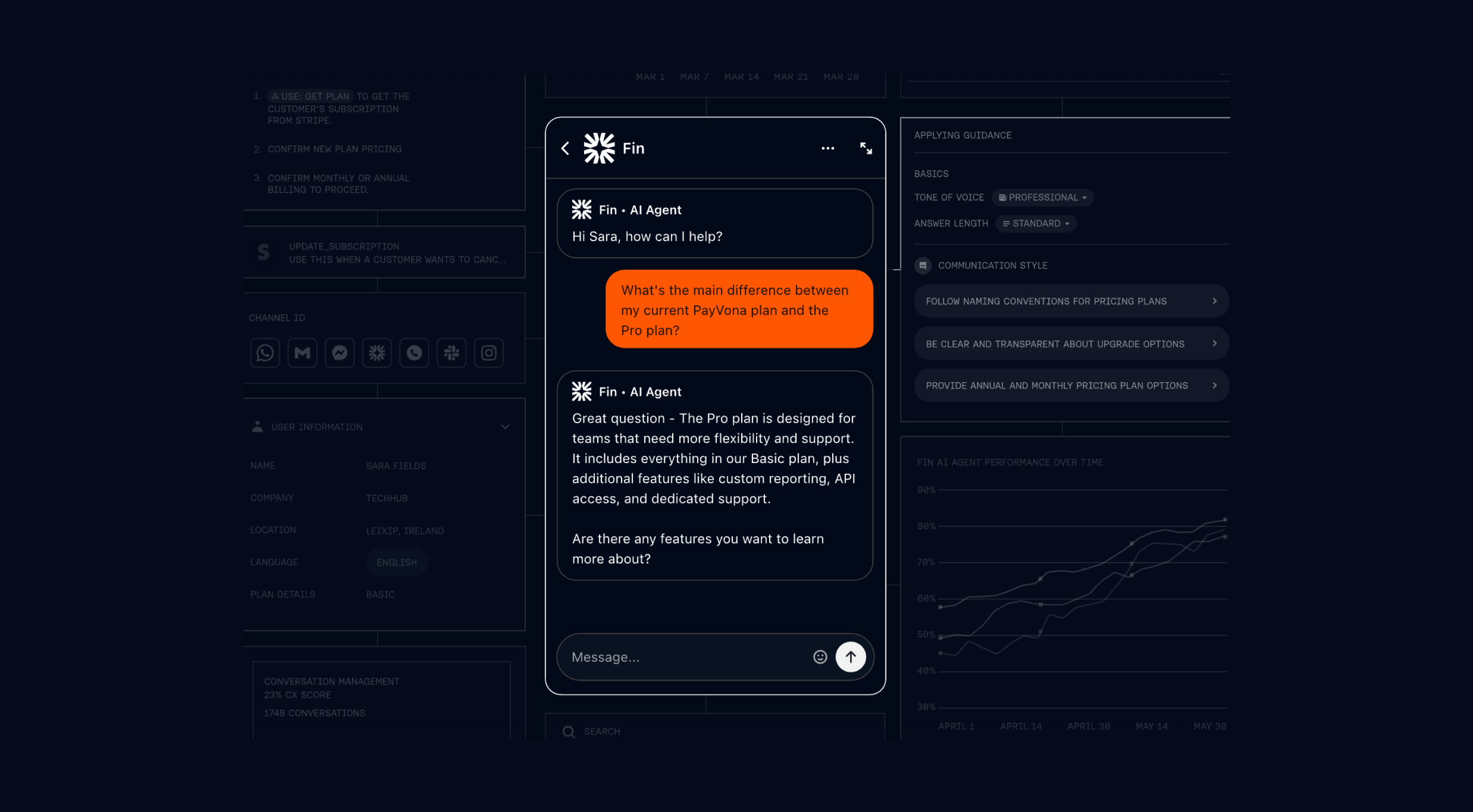
Fin is the AI chat agent from Intercom, designed to operate as a single, enterprise-grade AI agent across customer service channels, with chat as its most mature and widely adopted surface. Rather than positioning Fin as a configurable chat agent, Intercom frames it as an “expert customer agent” built to resolve complex support issues end-to-end, tightly integrated with Intercom’s broader customer service platform, data layer, and operational tooling. That tight integration enables fast deployment and strong out-of-the-box performance, but it also makes Fin best suited to teams that are comfortable standardizing on Intercom’s ecosystem.
In practice, Fin’s chat agent is optimized for complex, multi-step customer service interactions, not just Tier 1 deflection. Using Procedures — deterministic workflows combined with natural language reasoning — Fin can execute real actions through secure data connectors, such as refunds, subscription changes, order lookups, and eligibility checks, and escalate to human agents with full context when needed. Initial setup is typically fast, but achieving consistently high-quality, non-generic responses in nuanced edge cases often requires careful Procedure design and ongoing tuning. While positioned as no-code, more advanced Procedures introduce a real learning curve, especially for teams encoding complex policies or exception handling.
Key features:
- AI chat agent purpose-built for customer service and support
- Procedures for encoding complex, policy-heavy workflows with guardrails
- Secure data connectors to take real actions in systems like Shopify, Stripe, and Salesforce
- Omnichannel deployment across chat, email, messaging, voice, and APIs
- AI-driven simulations and regression testing before and after go-live
- Granular brand voice, tone, and compliance controls
- Advanced analytics including Topics Explorer and AI-based CX Score
- Seamless handoffs to human agents with full conversation context
Pricing: Fin uses resolution-based pricing, with publicly documented rates for chat at $0.99 per Fin resolution, regardless of channel, and no per-seat fees when used alongside an existing helpdesk (Zendesk, Salesforce, HubSpot, etc.). When bundled with Intercom’s own helpdesk, human agents are priced at $29 per seat per month, plus $0.99 per Fin resolution. A 14-day free trial with unlimited resolutions is available. Fin Voice and very high-volume deployments are priced via custom enterprise quotes. While transparent, the $0.99 per-resolution model can become expensive at scale and makes cost forecasting more challenging during seasonal spikes or volume surges.
Pros:
- Strong performance on complex customer service queries, not just FAQs
- Fast time to value with no-code setup and deep helpdesk integrations
- Transparent, publicly documented pricing for chat resolutions
- Robust testing, QA, and analytics tooling for ongoing optimization
- Large installed base and strong peer validation on G2
Cons:
- Pay-per-resolution pricing can feel expensive and difficult to forecast at high volumes
- Responses can feel generic or “AI-like” in edge cases without careful Procedure tuning
- Advanced Procedures introduce a learning curve despite no-code positioning
- Tightly coupled to Intercom’s ecosystem, limiting flexibility for complex or multi-platform stacks
- No native workforce management or capacity-aware orchestration layer
G2 rating: 4.5 ⭐️ (3,743 ratings)
Best for: Mid-market and enterprise support teams that want a high-performing, chat-first AI agent with fast deployment, strong integrations, and enterprise-grade tooling — and are comfortable paying a premium for resolution-based outcomes within Intercom’s ecosystem. Less ideal for organizations with complex, multi-platform stacks, strict cost predictability requirements, or a need for workforce-aware human–AI coordination.
Ada
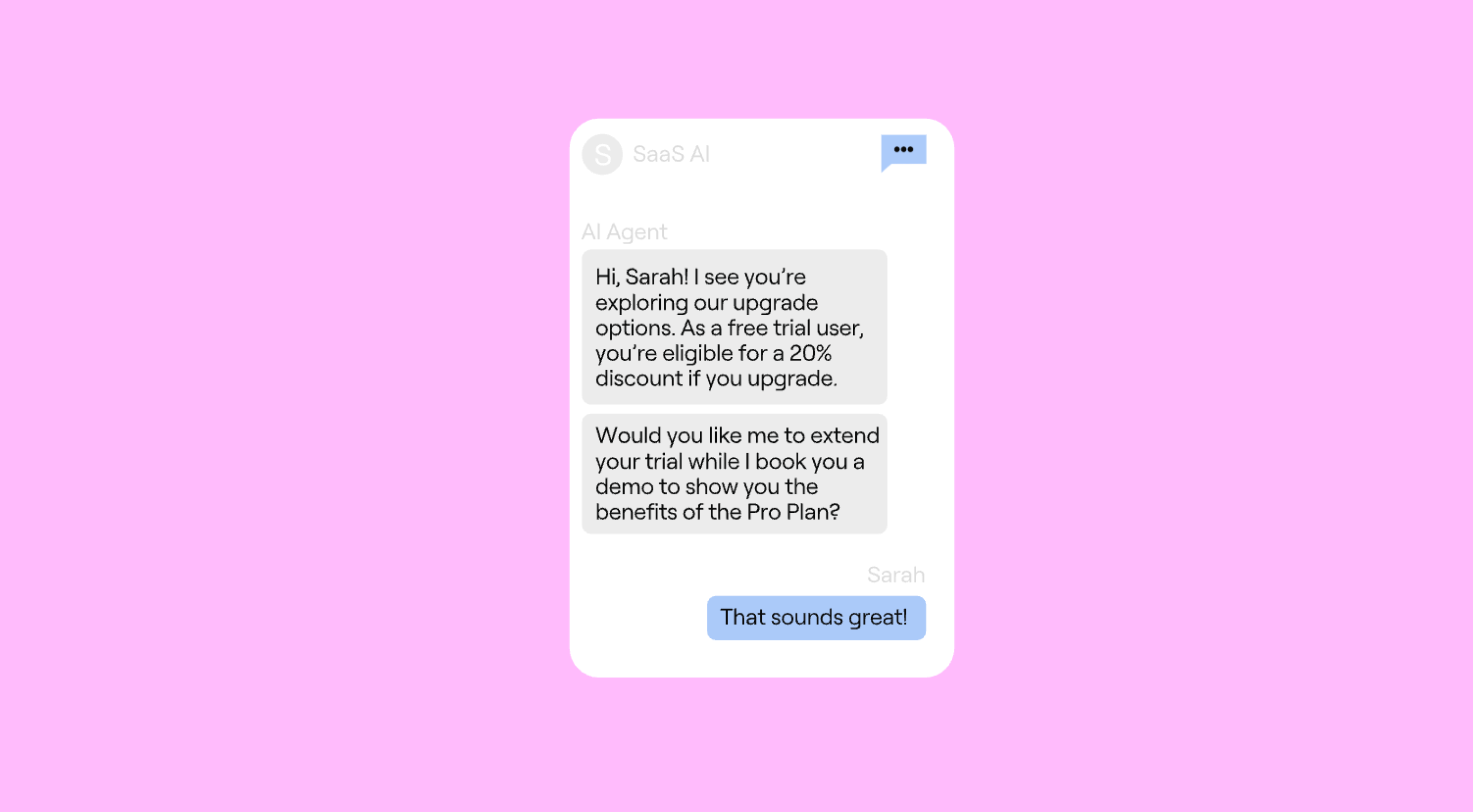
Ada is one of the most established players in enterprise AI chat, positioning itself as an AI-native customer service platform rather than a chat agent layered onto a helpdesk. Its long-standing vision is ambitious: eliminate the tradeoff between service quality and cost by having AI agents resolve the majority of customer interactions end-to-end. In practice, Ada is optimized for high-volume chat and messaging automation, with chat serving as the primary surface through which its AI “employee” operates. That scale-first orientation delivers real upside — but it also means customer experience quality is highly sensitive to how the platform is governed.
Poorly governed Ada deployments are not a theoretical risk. Public end-customer feedback frequently highlights looping conversations, blocked escalation paths, and frustration when automation fails to recognize its limits. Ada’s chat agent can resolve complete customer issues using its proprietary Reasoning Engine™ and SOP-driven Playbooks, executing multi-step workflows and real backend actions across CRM, billing, and commerce systems. But achieving that outcome depends less on the technology itself and more on disciplined conversation design, escalation rules, and ongoing tuning. Automation logic is shared across chat, messaging, email, and voice, which helps with consistency, but also means configuration mistakes compound quickly across channels.
Key features:
- AI chat and messaging agent built for high-volume enterprise customer support
- Reasoning-driven automation that follows SOP-level Playbooks (not just scripted flows)
- Omnichannel deployment across chat, messaging, email, and voice using shared agent logic
- Ability to execute real actions (account updates, billing, returns, claims, etc.)
- No-code Playbook builder designed for CX and operations teams
- Built-in coaching, analytics, and feedback loops to iteratively improve automation
- Human handoff with ticket creation, routing, and context transfer via existing CX tools
- Enterprise security and compliance posture (SOC 2 Type II, HIPAA, GDPR)
Pricing: Ada uses opaque, quote-based enterprise pricing with no published per-conversation or per-seat rates. Contracts are typically usage-based, with conversation limits and overage charges defined in order forms. There is no free tier or self-serve plan, and meaningful cost benchmarking generally requires a full sales process.
Pros:
- Proven ability to automate chat at large scale across messaging channels
- Intuitive, no-code Playbook model that many CX teams can manage without engineers
- Strong integrations with major CX and CRM platforms (Salesforce, Zendesk, others)
- Well-regarded enterprise support and customer success
- Demonstrated reductions in ticket volume and repetitive agent workload
Cons:
- End-user experience quality varies widely based on governance and configuration discipline
- Public feedback consistently cites loops, blocked escalation, and customer frustration in poorly governed deployments
- Realizing Ada’s potential requires sustained internal ownership and operational maturity
- Managing multiple bots or complex omnichannel deployments can be operationally heavy
- Enterprise-only, opaque pricing makes total cost of ownership difficult to forecast
- No native workforce management or capacity awareness — the AI does not know when human teams are overloaded, creating real CX risk during spikes or disruptions
G2 rating: 4.6 ⭐️ (169 ratings)
Best for: Large enterprises and upper mid-market organizations with very high chat and messaging volumes, and the internal maturity to invest in conversation design, governance, and ongoing optimization. Best suited for teams explicitly aiming to automate a large share of digital support and willing to accept CX risk in exchange for scale and efficiency. Less ideal for organizations prioritizing out-of-the-box chat quality, predictable pricing, or tight coordination between AI behavior and real-time workforce capacity.
Decagon

Decagon positions its AI chat agent as the front door to a concierge-style AI agent platform built for large, complex customer support organizations. Rather than framing chat as a deflection layer or a hybrid augmentation tool, Decagon is explicit about its goal: replace significant portions of human support through end-to-end automation, measurable cost reduction, and high autonomous resolution rates. Chat is the primary surface where these agentic capabilities are deployed, especially in high-volume digital environments where consistency and efficiency matter more than human–AI co-handling.
At the core of Decagon’s approach are Agent Operating Procedures (AOPs) — structured, testable logic written in natural language and reinforced with code-level guardrails. In theory, AOPs enable operations teams to define complex workflows without heavy engineering. In practice, successful deployments often rely on Decagon’s Forward Deployed Engineers and Agent Product Managers to write, test, and evolve these procedures, which can limit self-serve agility over time. The chat agent can handle multi-step, policy-heavy workflows well beyond FAQs — including refunds, account changes, and complex troubleshooting — using a shared agent architecture across chat, email, voice, and SMS. Decagon further differentiates with a strong testing, QA, and observability layer (Watchtower, simulations, experiments), though these tools are more effective at showing what happened than clearly explaining why the AI made specific decisions in ambiguous or edge-case scenarios.
Key features:
- AI chat agent built on a shared, cross-channel agent architecture
- Agent Operating Procedures (AOPs) for defining complex, multi-step workflows
- High automation coverage designed to fully resolve large volumes of chat interactions
- Built-in testing, simulation, QA, and A/B experimentation for AI behavior
- Watchtower for ongoing monitoring, compliance, and sentiment risk detection
- Multi-LLM orchestration with per-task model selection
- Cross-channel memory across chat, email, voice, and SMS
- Agent assist capabilities for human-in-the-loop workflows (strongest in Zendesk environments)
Pricing: Decagon uses quote-only, enterprise pricing. While the pricing structure is publicly described, rates are not disclosed. Customers can choose per-conversation pricing (fixed cost per inbound conversation) or per-resolution pricing (pay only for fully automated resolutions, with no charge when escalated). Volume-based discounts are available, but meaningful cost modeling requires a sales engagement.
Pros:
- Strong automation depth for complex, policy-heavy chat workflows
- High reported autonomous resolution rates in well-scoped enterprise deployments
- Robust testing, QA, and observability tooling uncommon in chat-first platforms
- Unified agent logic across chat and other digital channels reduces duplication
- High-touch implementation and ongoing collaboration with Decagon’s team
Cons:
- Platform is philosophically oriented toward replacing human support, not hybrid orchestration
- AOPs often require Decagon engineers to build and maintain, limiting long-term self-serve control
- Observability tooling does not always make AI decision-making transparent in ambiguous cases
- Agent Assist features are currently strongest in Zendesk, creating ecosystem lock-in risk
- Premium, opaque pricing makes early cost benchmarking difficult
- No native workforce management or capacity-aware routing to coordinate AI behavior with staffing constraints
G2 rating: 4.9 ⭐️ (18 ratings)
Best for: Large, digitally mature enterprises that are explicitly aiming to automate and replace a substantial portion of human chat support. Best suited for high-volume environments with well-defined, repeatable processes where deep automation, fast ROI, and strict QA controls outweigh the need for hybrid human–AI collaboration, workforce-aware escalation, or broad self-serve configurability.
DigitalGenius
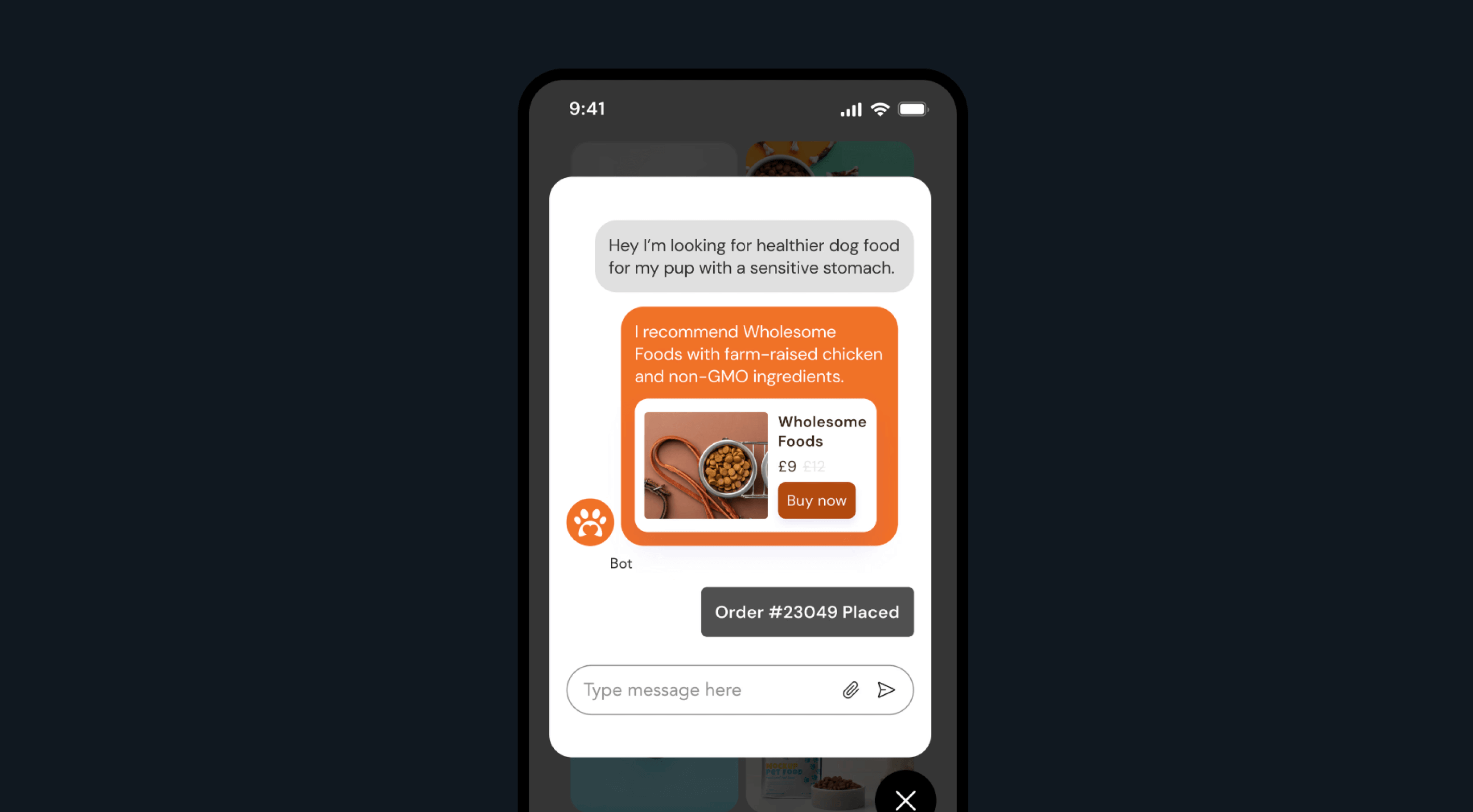
DigitalGenius is a vertical AI chat agent built specifically for ecommerce customer support — not a general-purpose AI platform. Everything about the product, from its prebuilt intents and workflows to its integrations and customer references, is optimized for high-volume retail and DTC use cases such as WISMO, returns, cancellations, warranties, and product advice. That specialization is its core advantage, but it also draws a hard line: if your support organization is not ecommerce-focused, DigitalGenius is unlikely to be a fit.
In practice, DigitalGenius’s chat agent is designed for full resolution rather than simple deflection. The AI can extract structured data from conversations, recognize products and orders, detect sentiment, and take real actions across shipping carriers, ecommerce platforms, ERPs, and payment providers — issuing refunds, generating return labels, or triggering replacements without agent involvement. Generative AI is used to produce empathetic, on-brand responses, while a visual flow builder enables CX teams to configure automation without heavy engineering. Many ecommerce brands report fast time to value and high automation rates, though the platform’s hands-on partnership model means iteration speed can depend on DigitalGenius’s involvement, which may frustrate teams that prefer full self-serve control as complexity grows.
Key features:
- AI chat agent purpose-built for ecommerce customer support
- Deep integrations with ecommerce platforms, shipping carriers, ERPs, and payment providers
- End-to-end resolution for WISMO, returns, refunds, replacements, and warranty claims
- Generative AI for empathetic, brand-aligned chat and email responses
- Visual, low-code flow builder for configuring automation
- Visual AI for warranty and damage claims using customer-submitted photos
- Proactive AI for pre-emptive outreach on delays, issues, or exceptions
- Multilingual support and global deployment capabilities
Pricing: DigitalGenius uses quote-based, sales-led pricing with no public rate card. There are no published per-conversation or per-seat prices and no self-serve or freemium tier. Pricing is negotiated based on volume, channels, and enabled modules (e.g., Care AI, Proactive AI, Purchase AI), with public materials emphasizing ROI versus hiring rather than transparent unit economics.
Pros:
- Strong ecommerce specialization drives high automation for retail-specific use cases
- Deep operational integrations enable true end-to-end resolution, not just deflection
- Fast time to value reported by many customers, with minimal upfront engineering
- Highly praised customer support and hands-on implementation partnership
- Flexible, low-code tooling adaptable to bespoke ecommerce workflows
Cons:
- Narrow vertical focus makes it unsuitable for non-ecommerce support organizations
- Multilingual performance is uneven, with reported accuracy issues outside English (notably German)
- Limited change tracking and documentation can create governance challenges as automation scales
- Hands-on partnership model can slow iteration for teams that want to move quickly and independently
- Pricing transparency is low, requiring sales engagement to benchmark costs
- No native workforce management or capacity-aware routing for hybrid human–AI operations
G2 rating: 4.7 ⭐️ (46 ratings)
Best for: Mid-market and enterprise ecommerce and DTC brands that want a specialist AI chat agent tightly integrated with their commerce, logistics, and payments stack. Best suited for teams prioritizing high automation and full resolution of retail-specific issues over cross-industry flexibility, advanced governance tooling, or self-serve iteration at scale.
Tidio

Tidio positions its AI chat agent, Lyro, as part of a broader SMB-to-mid-market customer service platform that combines live chat, help desk, automations, and AI in a single, easy-to-deploy package. Rather than targeting complex or regulated enterprise support operations, Tidio is optimized for speed to value: fast setup, high adoption, and quick automation of repetitive chat interactions. That focus makes it accessible, but it also places clear limits on how far the platform can scale before teams outgrow it.
In practice, Lyro is designed primarily for FAQ-style deflection and high-volume, repetitive chat queries using knowledge-based responses trained on help center content and support documentation. The AI is tightly integrated with Tidio’s live chat and shared inbox, enabling smooth handoff to human agents when confidence is low or escalation is required. Many teams adopt Lyro to reduce frontline workload and free agents to handle exceptions. As usage grows, however, conversation caps and AI limits become restrictive, forcing frequent plan upgrades. Teams with more complex workflows, regulatory requirements, or advanced QA needs often find the platform’s automation depth and reporting insufficient beyond early-stage use cases.
Key features:
- AI chat agent (Lyro) designed to automate repetitive customer support queries
- Knowledge-based responses trained on verified support content
- Seamless handoff from AI to human agents within a shared live chat interface
- No-code builder (Flows) for lead capture, cart recovery, and automations
- Integrated live chat, help desk, and multichannel inbox
- AI Reply Assistant to help human agents draft and polish responses
- Strong ecommerce integrations (Shopify, WooCommerce, Wix, WordPress)
- SOC 2, GDPR, and CCPA compliance
Pricing: Tidio offers public, tiered pricing with a free entry point and usage-based scaling.
- Free: Live chat and ticketing with limited conversations
- Starter: ~$24/month (annual) with basic AI and automation quotas
- Growth: ~$49/month (annual) with expanded analytics and limits
- Plus: From ~$749/month for larger teams
- Premium: Quote-based enterprise tier with pay-per-resolution pricing, resolution-rate guarantees, and managed AI
Lyro AI can also be purchased as a standalone add-on starting at ~$32.50/month for 50 AI conversations. While entry pricing is transparent, many users report billing complexity and unexpected cost increases as usage scales.
Pros:
- Extremely fast setup and low technical barrier to entry
- Effective automation of repetitive, FAQ-style chat interactions
- Broad adoption and validation across SMB and ecommerce segments
- Transparent, public pricing at lower tiers
- Well-reviewed ease of use and customer support
Cons:
- Conversation caps and AI limits become restrictive quickly as volume grows
- Pricing and billing complexity increase at scale, with reported user frustration
- Analytics and reporting are basic compared to enterprise platforms
- Not designed for complex, multi-step, or regulated workflows
- No native workforce management or capacity-aware human–AI orchestration
G2 rating: 4.6 ⭐️ (1,859 ratings)
Best for: SMBs and early mid-market ecommerce or service businesses that want to add AI chat automation quickly with minimal setup and predictable entry-level pricing. Best suited for teams prioritizing ease of use and fast deflection of repetitive questions over deep workflow automation, advanced analytics, or enterprise-scale operational control.
How to evaluate AI chat agents (what actually matters in production)
Choosing an AI chat agent isn't about feature lists or demo performance. It's about what holds up in production — when volume spikes, when edge cases emerge, when your team needs to iterate quickly.
Here's what actually matters.
Start with outcomes, not automation rate
Deflection is a misleading primary metric. It tells you how many conversations didn't reach a human agent — but it doesn't tell you whether customers got what they needed.
A "successful deflection" can still leave a customer frustrated. They might have gotten an answer, but not a resolution. They might have given up instead of escalating. The conversation closed, but the issue didn't.
What to anchor on instead: resolution quality, CSAT, and containment with context. Did the customer's problem get solved? Would they rate the experience positively? If they escalated, did the human agent have enough context to pick up seamlessly?
The hidden cost of bad deflection shows up later — in repeat contacts, in agent frustration, in eroded trust. Measure what matters: outcomes, not just closed conversations.
Test real workflows, not FAQs
Demos lie. Vendors cherry-pick use cases that show their platform at its best — simple questions, clean data, happy paths.
Real production looks different. Customers ask ambiguous questions. They change their minds mid-conversation. They have exceptions that don't fit your standard workflows.
What workflows expose real capability gaps: multi-step processes, edge cases, and exceptions. Can the agent handle a return that's past the window but within reason? Can it process a refund when the original payment method has expired? Can it escalate gracefully when it doesn't know the answer?
Test with your actual data, not synthetic examples. Look for preview modes and testing environments that let you validate behavior before going live. Structure your proof-of-concept to reveal production performance — not just demo performance.
Evaluate action-taking, not just answers
Most chat tools break at the same point: the gap between answering and doing.
Knowledge retrieval is table stakes. Any modern AI chat agent can pull an answer from your help center. The question is: can it take action?
The difference matters. A customer asks, "Can I cancel my subscription?" An answer-only agent says, "Yes, here's how." An action-taking agent says, "I can cancel that for you now. Would you like me to process it?"
Why backend integration depth determines ROI: because real automation means connecting to your CRM, order management system, billing platform, and ticketing system. It means executing workflows, not just explaining them.
What "agentic workflows" actually mean in practice: the agent can make decisions, take actions, and handle exceptions without human intervention. It's not following a script — it's solving problems.
Pressure-test escalation and failure handling
Chat fails quietly. A customer gets stuck in a loop, gives up, and never tells you. A handoff drops context, and the agent has to start over. The conversation looks "resolved" in your dashboard, but the customer is frustrated.
What good handoff actually looks like: context transfer, not cold starts. The human agent sees the full conversation history, understands what the AI already tried, and picks up exactly where the customer left off. No repetition. No frustration.
Why escalation rules need to be customizable: because every team has different thresholds for when AI should step aside. Some issues are too sensitive for automation. Some customers prefer human support. Your platform should let you define those rules — not force you into a vendor's default logic.
The cost of poor handoffs: agent frustration and duplicate work. When your team spends half their time reconstructing conversations the AI already had, automation stops being a win.
Demand pricing transparency before you commit
Hidden costs and usage-based models become unmanageable at scale. What looks affordable in a pilot can explode when you're processing thousands of conversations a day.
Per-conversation vs. per-resolution vs. per-message: each model aligns differently with your support economics. Per-conversation pricing penalizes long, complex interactions. Per-resolution pricing rewards quality but can get expensive. Per-message pricing is unpredictable.
Model your costs at 3x–5x your pilot volume before signing. Chat scales faster than you expect. A pricing structure that works at 500 conversations a month might not work at 5,000.
The questions vendors don't want you to ask: What happens when we hit overages? How do volume tiers work? What's included in the base price, and what costs extra?
Get answers in writing.
Plan for automation maturity, not a one-off deployment
Teams evolve. You start with agent assist, graduate to partial automation, and eventually deploy autonomous resolution for routine workflows.
Why starting with copilot and graduating to agents reduces risk: because you can validate quality, build trust, and refine workflows before handing full control to AI. Jumping straight to autonomous chat is tempting, but it's also where most teams stumble.
The importance of platform flexibility: as your use cases expand, you'll need to add channels, integrate new systems, and customize workflows. If your vendor can't grow with you, you'll face a painful migration later.
Why "rip and replace" is harder with chat AI than you think: because your workflows, escalation rules, and integrations are all custom-built. Switching platforms means rebuilding everything.
Evaluate whether a vendor can grow with you — or will force you to rebuild in two years.
Add Assembled to your evaluation
Chat is no longer "safe" automation. It's high-volume, high-stakes, and highly visible to customers. Vendor choice compounds over time — the platform you choose today will shape your automation strategy for years.
If you're evaluating AI chat agents for customer support, add Assembled to your shortlist. Assembled is built for teams that need production-grade automation with operational rigor and brand control. Book a demo to see how we help support teams scale resolution without compromising quality.