The work of running support well rarely announces itself. It shows up in a filter that used to hang for thirty seconds, a setting that used to require a ticket, a column that finally shows the right data. Here's what changed in August.
Business hours, now self-serve
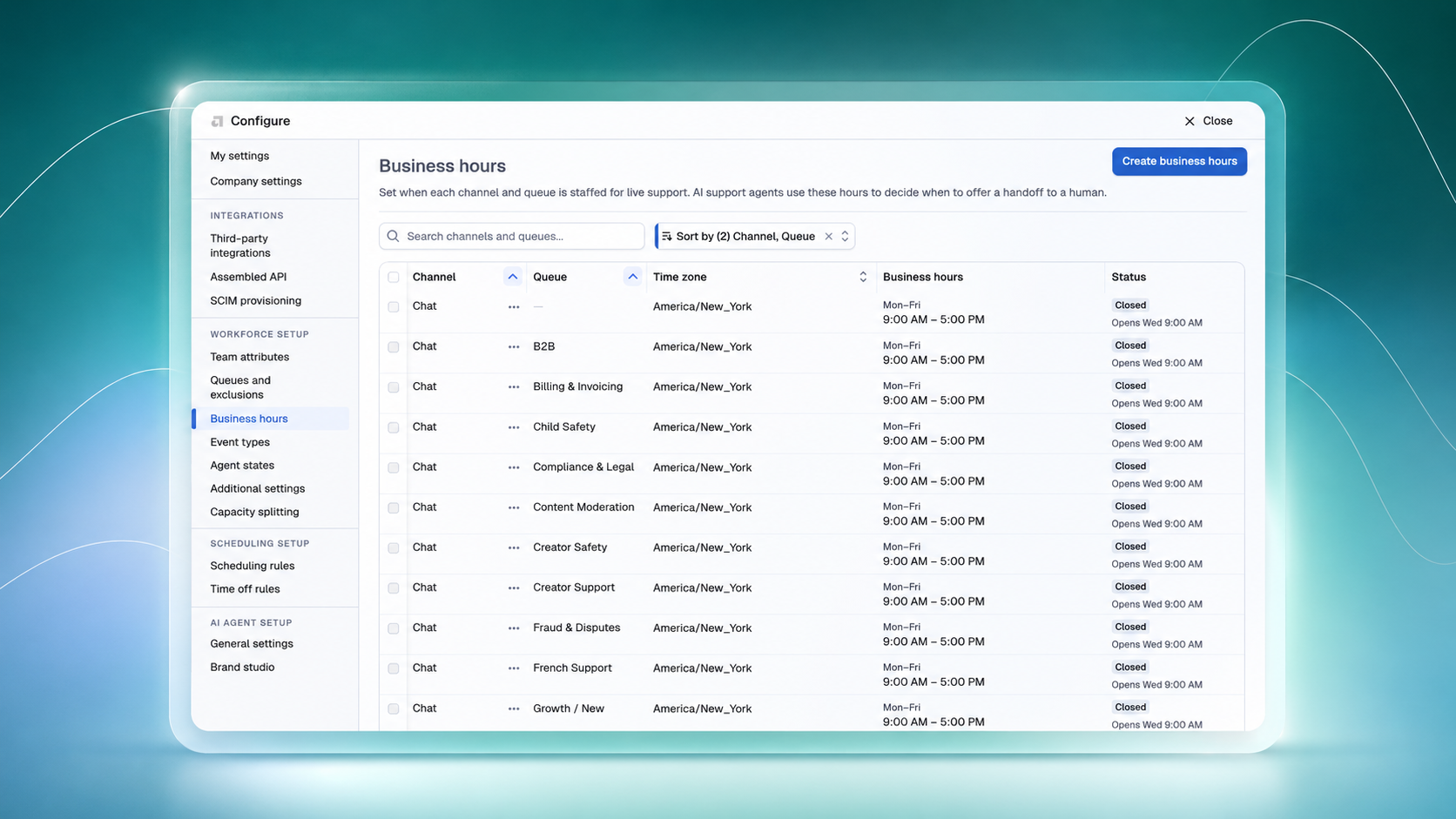
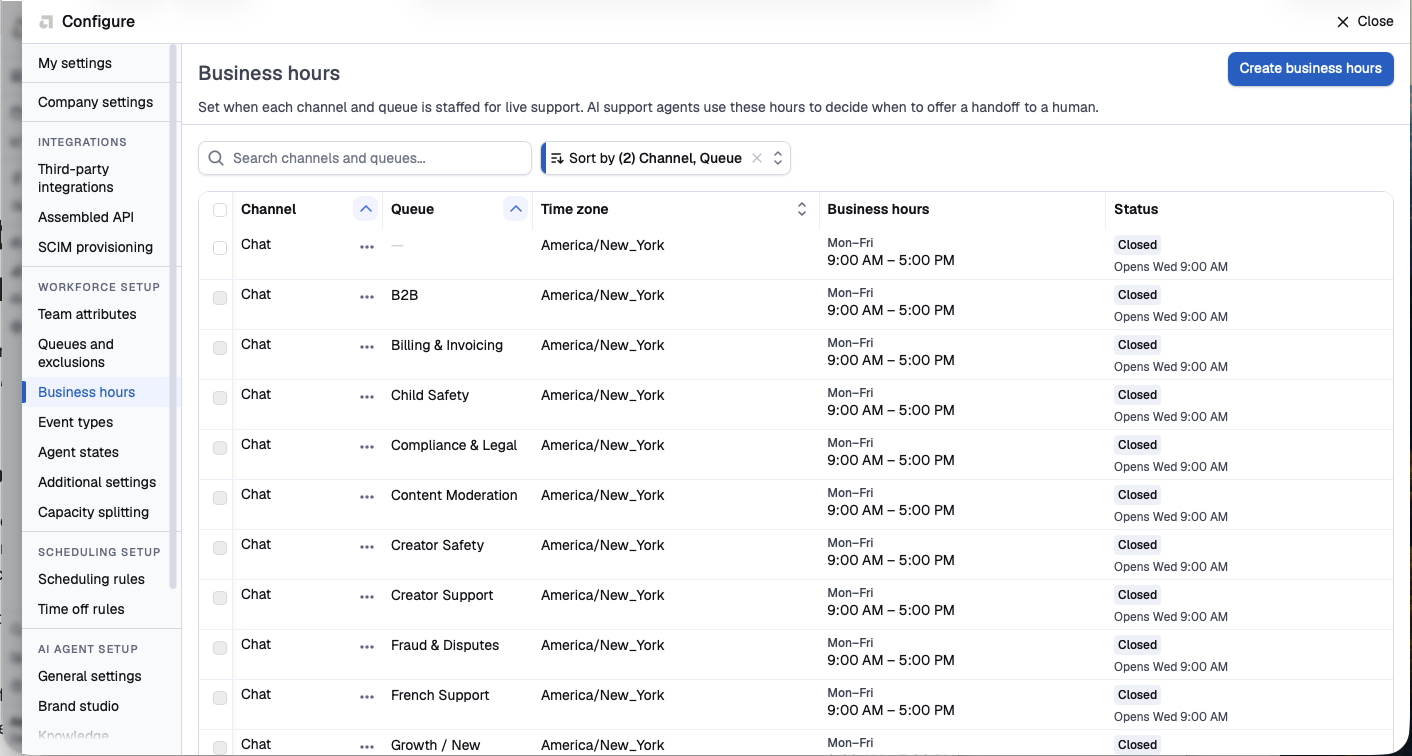
Queue and channel-level business hours have a new home in Settings, visible to admins and superadmins. Teams can add, edit, and delete their hours of operation without opening a support ticket, including bulk actions across multiple queues at once.
A few details worth knowing:
- Multiple hour ranges per day, so teams that close midday (say, 9 to 12 and 1 to 5) are covered
- Overnight shifts now work without the timezone workaround teams used before
- Deleting a rule, or many at once, happens right in the UI
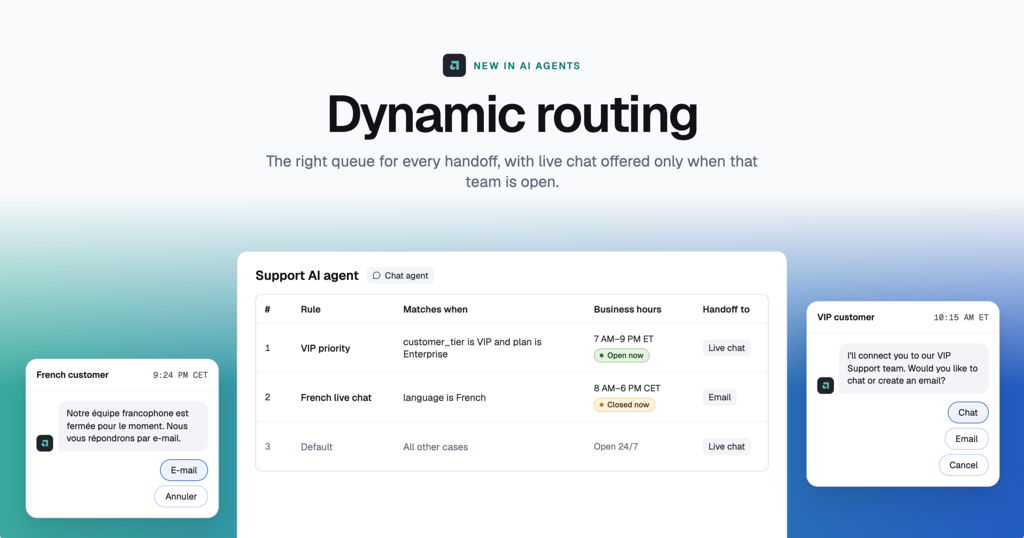
Business hours feed the AI agent's handoff decisions and the queue-aware wait time estimates customers see. When hours are accurate, live chat shows up as an option only when it's available, and wait times reflect reality instead of guesses. Before this shipped, changing those hours meant filing a ticket and waiting on our team. Now, direct control means your AI agent routes handoffs correctly without any back and forth, and it's the foundation we're building on next for smarter dynamic handoff behavior.
Learn more here.
QA review filtering, from stalled to fast
Filtering QA Review by conversation type or workflow used to mean a long wait, or no result at all, for our largest workspaces. Six of our biggest customers couldn't use the filters when they selected two or more conversation types, and the more cases a workspace had, the worse it got.
With this fixed:
- Our three largest workspaces went from timing out (30+ seconds) to under 5 seconds
- The next three went from timing out to under 4 seconds
- Two more went from 25.5 and 14.9 seconds down to under 2 seconds
For QA teams, this is the difference between filtering being a real part of a review workflow and something you avoid because it's not worth the wait. Filters that were unusable are now fast enough to reach for in the middle of a live review session, so QA leads can slice by conversation type or workflow as often as the work calls for it, not just when they have time to wait it out.
Zendesk-triggered CSAT
Until now, getting CSAT responses after a live-agent handoff meant working outside your existing Zendesk setup, or not collecting it in chat at all. Teams can now reuse their existing Zendesk trigger conditions to send native CSAT surveys directly in Assembled chat once a conversation hands off to a live agent. Responses are recorded on the Zendesk ticket, and customers can keep chatting with the agent after they submit their response.
The value is in what you don't have to rebuild: no new trigger logic to maintain outside Zendesk, no separate survey tool, and no gap in your CSAT data for conversations that move from AI to a human. It's a small-looking feature with real plumbing behind it, and it keeps your existing workflows intact while extending CSAT coverage into chat.
.png)
.png)
Copilot QA review shows the real ticket channel
The channel column in Copilot's QA review table used to show the channels a ticket's queue supported, not the channel the ticket actually came through. A case could show up as "chat, email" when it was, in fact, an email ticket. The queue can support multiple channels; the ticket itself only ever came through one.
QA review now pulls from actual ticket data instead of queue configuration, so the channel column reflects reality. That matters because channel is often the first thing a QA reviewer filters by: email and chat cases get evaluated differently, need different style guides, and surface different failure patterns. With the real channel showing, teams can filter cleanly between the two, run evals against the right cases, and trust what they're looking at without cross-checking it elsewhere.
.png)