.png)
The shifts everyone wants are limited. One agent needs weekends off, while another needs to start earlier. A shift bid gives agents a say, but it also creates a difficult operational question: How do you assign scarce shifts in a way people trust?
Without a dedicated tool, the workforce management (WFM) team collects preferences, sorts agents by priority, and matches them to available shifts. That can mean hours in a spreadsheet, followed by more time entering assignments into the schedule.
Then come the questions. Why didn’t I get the shift I wanted? Why did someone else get it?
Not everyone will get their first choice. But everyone should understand how their shift was assigned.
That’s why we’re introducing Shift bids in Assembled: a way to collect agent preferences, apply a clear priority order, and publish assignments without managing the process across spreadsheets and schedules.
Share the priority rule before the bid opens
Start by deciding who gets priority. Seniority and performance are two common approaches.
Seniority rewards tenure. It’s predictable, and your bargaining agreement may require it. The tradeoff is that newer agents have little say in where they land until they’ve put in the time.
Performance rewards current results and gives agents a chance to move up before the next round. That only works if agents trust the metric behind it. Some teams use both, with seniority first and performance breaking ties.
Once you’ve picked a rule, tell agents before the bid opens, in a team email or meeting. They should know who gets priority, how ties break, and what happens when a preferred shift is no longer available. They shouldn’t have to learn the rules from their results.
Decide how you'll handle exceptions
Not every agent will submit their preferences on time. Others will want to change their rankings before the bid closes.
Without clear guidelines, managers may handle these situations differently. Before opening the bid, decide where agents who don’t submit fall in the order and when rankings lock. Make sure the bid has a shift for every agent, so everyone ends up with a shift even when it isn’t their first choice.
Keep a record of every assignment
When an agent questions their shift assignment, the WFM team should be able to show where they stood in the priority order and which shifts they ranked. Answering that question shouldn’t require digging through spreadsheets or reconstructing the bid from memory.
Keeping that record also helps teams review disputed assignments and apply consistent standards from one bidding cycle to the next. For unionized teams, it may also support contractually required review processes.
Run a fairer shift bid without the spreadsheet
With Shift bids in Assembled, WFM teams can define the priority order manually or upload an ordered list based on seniority, performance, or another company policy.
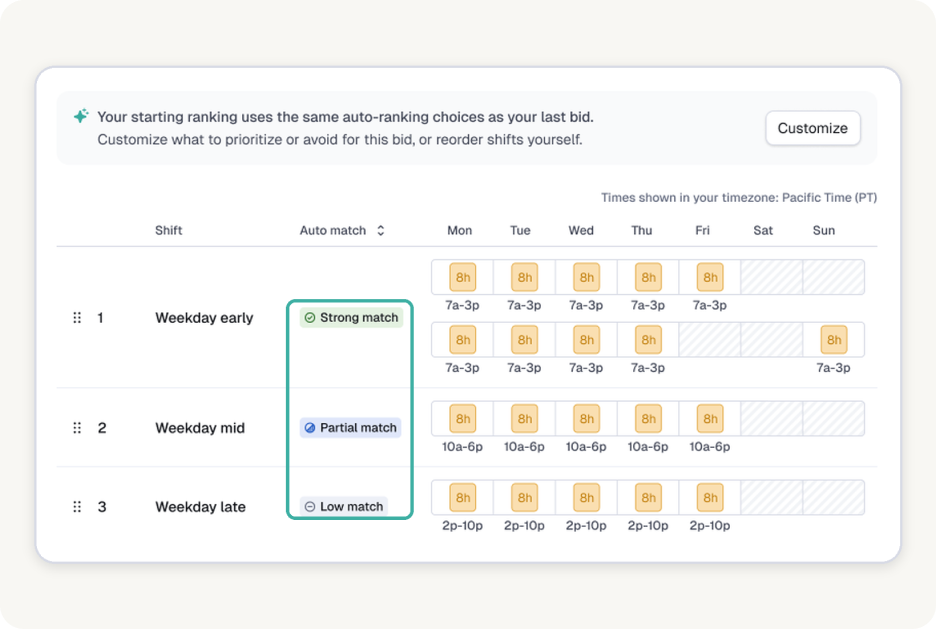
Agents start with a suggested ranking based on their earlier preferences or current shift. They can reorder the shifts themselves or customize the list around times they prefer or want to avoid, and can change their rankings until the bid window closes, when rankings lock.
Assembled works down the priority order, assigning each participating agent their highest available choice. Agents who started or submitted a ranking are matched before agents who didn’t. Agents who didn’t rank any shifts are assigned from the shifts that remain. Assembled requires at least as many seats as participating agents, so everyone gets a shift.
Teams can review assignments, adjust agent priority or remove agents, and rerun matching before publishing approved shifts directly into the schedule. The bid retains the priority order, agent rankings, and assigned shifts, giving the WFM team a record it can use to answer questions and improve future bidding cycles.
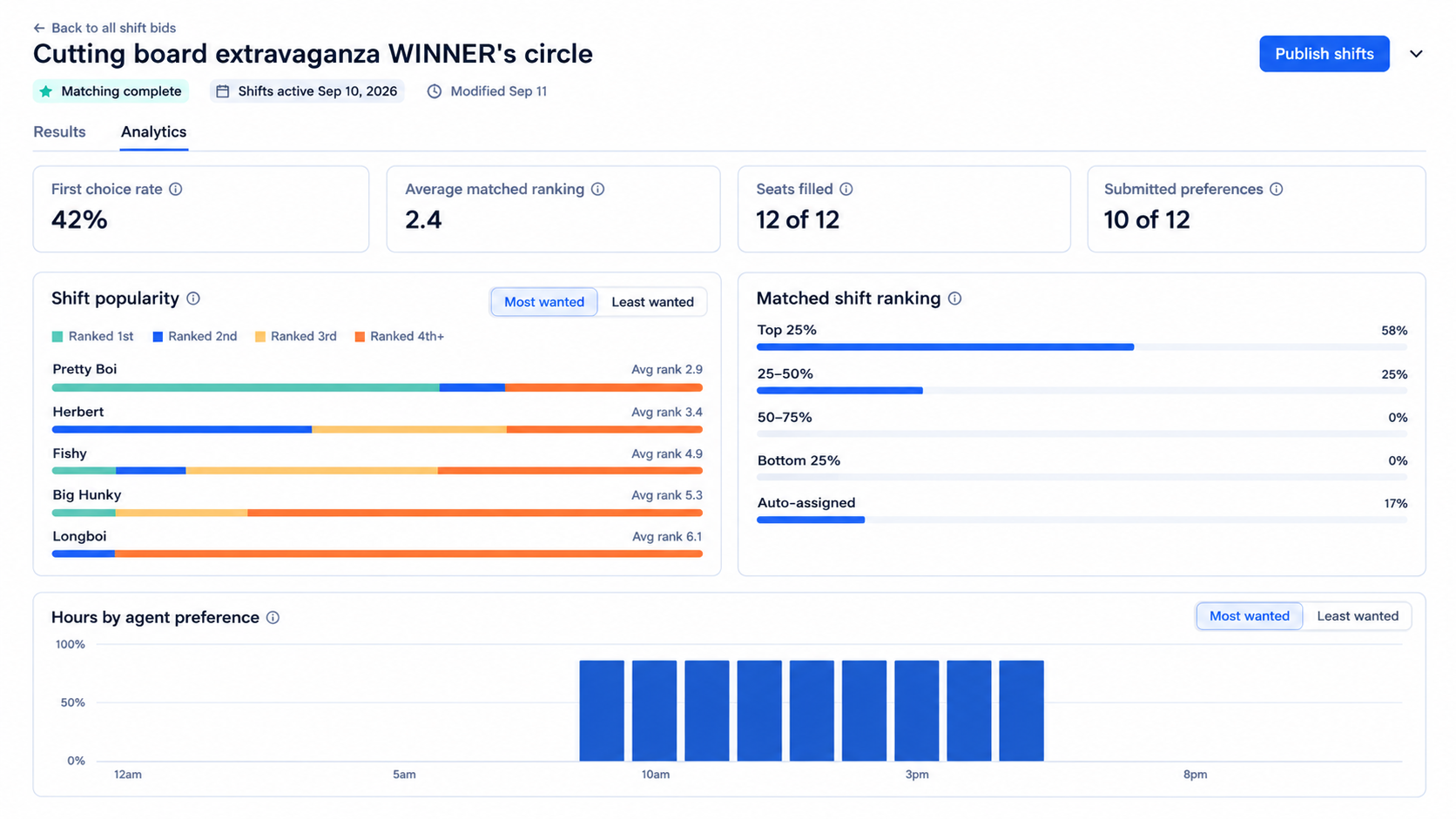
The result is less manual work for the WFM team and a consistent process that's easier to explain to agents.
Shift bids is available in early access. If you're planning an upcoming bid, get in touch to see how it works and discuss access.