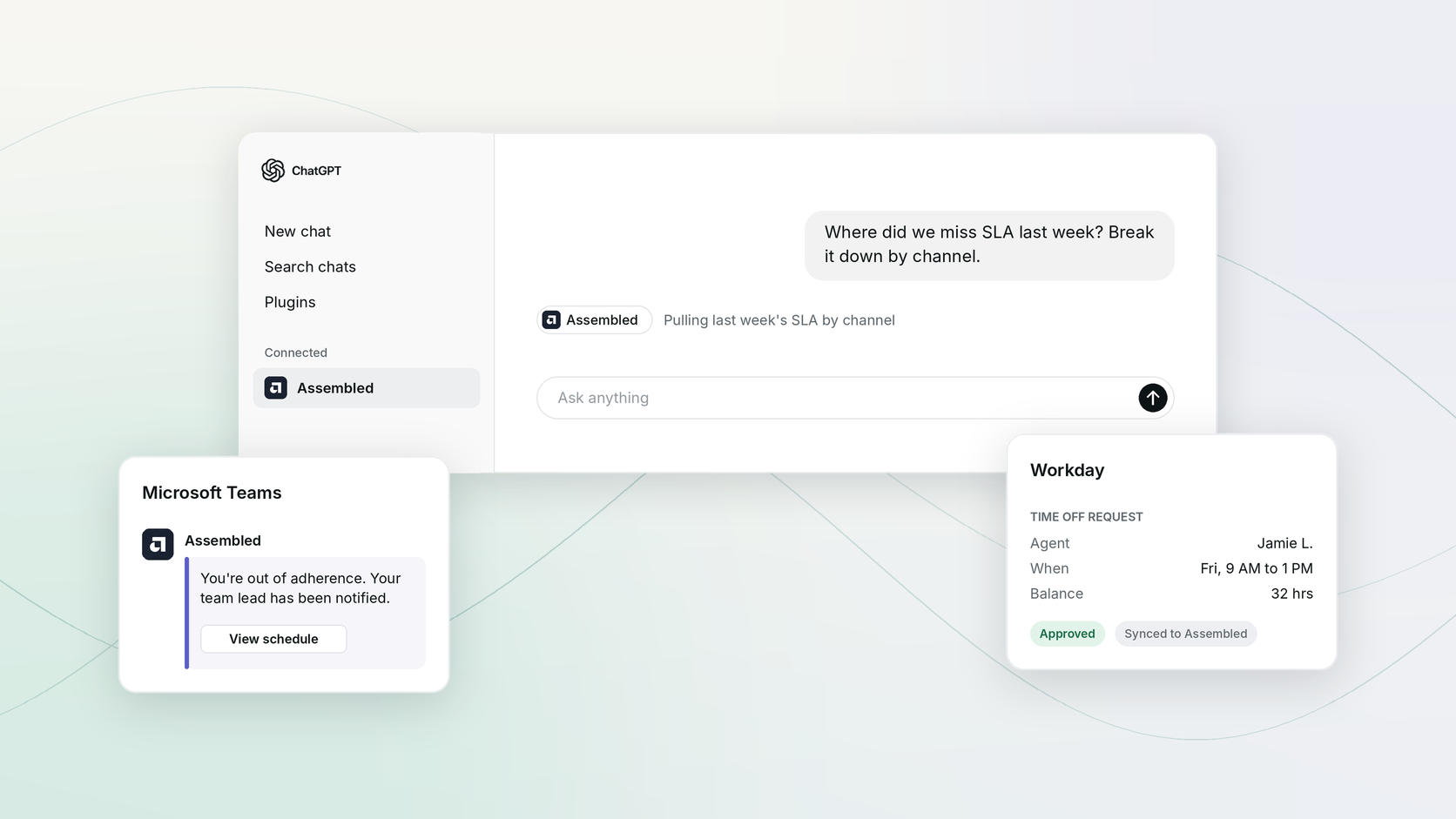
Most of your team's day happens outside Assembled. Agents are in Microsoft Teams, managers approve time off in Workday, and leaders ask questions in ChatGPT. Every time someone leaves one of those to check a schedule in Assembled, or types the same request into two systems, work slows down and records start to disagree. This month, Assembled shows up inside all three.
Assembled is now in the ChatGPT directory
Connecting Assembled to ChatGPT used to mean setting up our MCP server with a custom URL. Now an admin can find Assembled in the directory, install it, and sign in with their Assembled login.
Once it's connected, you can ask about your contact center in plain language and get answers from your own Assembled data, including metrics, forecasts, and schedules. For example, "Where did we miss SLA last week? Break it down by channel." We've also kept adding to what you can ask about:
- Staffing parameters, so you can check the inputs behind your staffing numbers without opening settings
- Agent states, so you can ask who was in which state and when
Admins have access by default and can give it to team leads or managers in Roles and permissions.
Get the app: Assembled in the ChatGPT directory
Learn more here: Introducing the Assembled MCP

Assembled for Microsoft Teams, now in the Microsoft Marketplace
If your agents live in Microsoft Teams, you can stop chasing them about the schedule. The Assembled app is now published in the Microsoft Marketplace and certified through the Microsoft 365 partner program.
When an agent goes past your adherence threshold, Assembled messages them and their team lead in Teams. The nudge goes out on its own, without an RTA sending it by hand. Schedule changes, shift swap requests, and voluntary time-off offers also land in Teams, each with a link to the request in Assembled.
These notifications already go out in Slack and email. Now they go out in Microsoft Teams too.
To set it up, add the app from the Marketplace, then connect the Microsoft Teams integration in Assembled.
Get the app: Assembled in the Microsoft Marketplace
Learn more here: Setting up notifications in Assembled

Two-way Workday sync for time off
If your company runs time off through Workday, your agents have probably been entering the same request twice. Some created a request in Assembled and then again in Workday. Others requested time off in Workday without hours, then went back to Assembled to set the exact shift range.
Time off now syncs both ways, and you decide where agent requests start. If agents request time off in Assembled, your approval rules apply there, the request lands in Workday for the manager to approve, and the decision syncs back into Assembled. If you'd rather agents keep starting requests in Workday, they can, and those requests still sync into Assembled.
Wherever requests start, the sync handles the details. Workday time off types map to Assembled types, so sensitive leave categories stay private, and you don't need to recreate every Workday type in Assembled. Balances sync into Assembled too, including Workday's projection of what an agent will have accrued by a future date, so agents can see it without opening Workday.
Learn more here: Workday two-way sync