Best workforce management software for customer support teams (2026 comparison)

Running WFM for a support team means managing a category of work the software was never fully designed to eliminate. Hours fixing schedules after the system generates them. Hours building the weekly vendor report. Hours auditing BPO billing against actuals. Hours in intraday firefighting that could have been prevented by a forecast you could actually trust.
Most WFM tools were built for a simpler operating environment: single channel, inbound voice, human agents only. The teams running them today are managing email backlogs, live chat, async tickets, and social simultaneously, each with different AHT profiles and staffing math.
And increasingly, they're forecasting capacity across both human agents and AI agents, where a deflection rate that shifts 10 points in a month is a structural change in how much human capacity you need and when. A platform that can't account for that means reconciling two planning processes manually. These aren't edge cases. They show up as chronic over- or under-staffing, missed SLAs, and planning cycles that never quite get ahead of the problem.
What's the difference between WFM and WEM?
Workforce management (WFM) is the operational core: forecasting demand, building schedules, and tracking real-time adherence. Right people, right skills, right time.
Workforce engagement management (WEM) extends that foundation: everything WFM does, plus quality management, performance coaching, and agent engagement tools. Broader scope, typically more complexity.
The distinction matters because the two categories represent different architectural bets. Enterprise vendors like NICE and Verint sell WEM suites, where one platform covers the full stack. The alternative is a best-of-stack approach: purpose-built WFM that integrates with your existing quality management, HRIS, and CCaaS tools rather than replacing them. Neither is wrong. They reflect different views on where operational leverage comes from.
One thing worth separating out: WEM breadth doesn't automatically mean WFM depth. Some enterprise suites have rich engagement tooling built on forecasting engines that predate omnichannel support and AI-native operations. Evaluate the forecasting and scheduling layer on its own merits. It doesn't always move with the rest of the platform.
Three categories, three tradeoffs
The category you choose shapes everything that follows: implementation timeline, integration approach, forecasting depth, and what happens to your data if your needs change.
Modern SaaS WFM
Purpose-built for support operations, fast to implement, and designed to integrate with your existing stack rather than replace it. These platforms are platform-agnostic by design, working alongside your CCaaS, helpdesk, and HRIS regardless of vendor, which means your WFM data and configuration moves with you if your contact platform changes. The tradeoff is breadth: modern SaaS WFM tools typically don't include native quality management or performance coaching. What you get instead is significantly more speed, flexibility, and forecasting depth for omnichannel and blended human-AI operations.
Enterprise WEM suites
Built for scale and complexity. Deep feature sets, multi-site support, extensive compliance tooling, and a single-vendor answer for the full workforce engagement stack. The tradeoffs: implementation timelines that commonly run 6–12 months, significant professional services costs, and architectures that were largely designed for single-channel voice operations. Digital channels and async support are often bolt-ons rather than foundational, which shows up in forecasting methodology when you start pushing on omnichannel accuracy.
CCaaS-embedded WFM
The convenience of one fewer vendor. If you're already on CCaaS tools like Zendesk, Genesys, or Dialpad, using their native WFM module eliminates an integration and a contract. For smaller teams with straightforward scheduling needs, that simplicity is a genuine advantage. The tradeoff is depth: WFM as a feature typically means more limited forecasting, less flexible scheduling, and basic real-time adherence compared with purpose-built tools.
There's also a structural risk that doesn't get enough attention: when your WFM is embedded in your CCaaS platform, your workforce data, historical forecasts, and scheduling configurations live inside that vendor's system. Switch contact platforms, or run more than one, and you start from scratch. Purpose-built WFM tools are platform-agnostic. They move with you.
The right category depends on your team's size, operational complexity, existing tech stack, and how much of your support capacity you're planning to shift to AI.
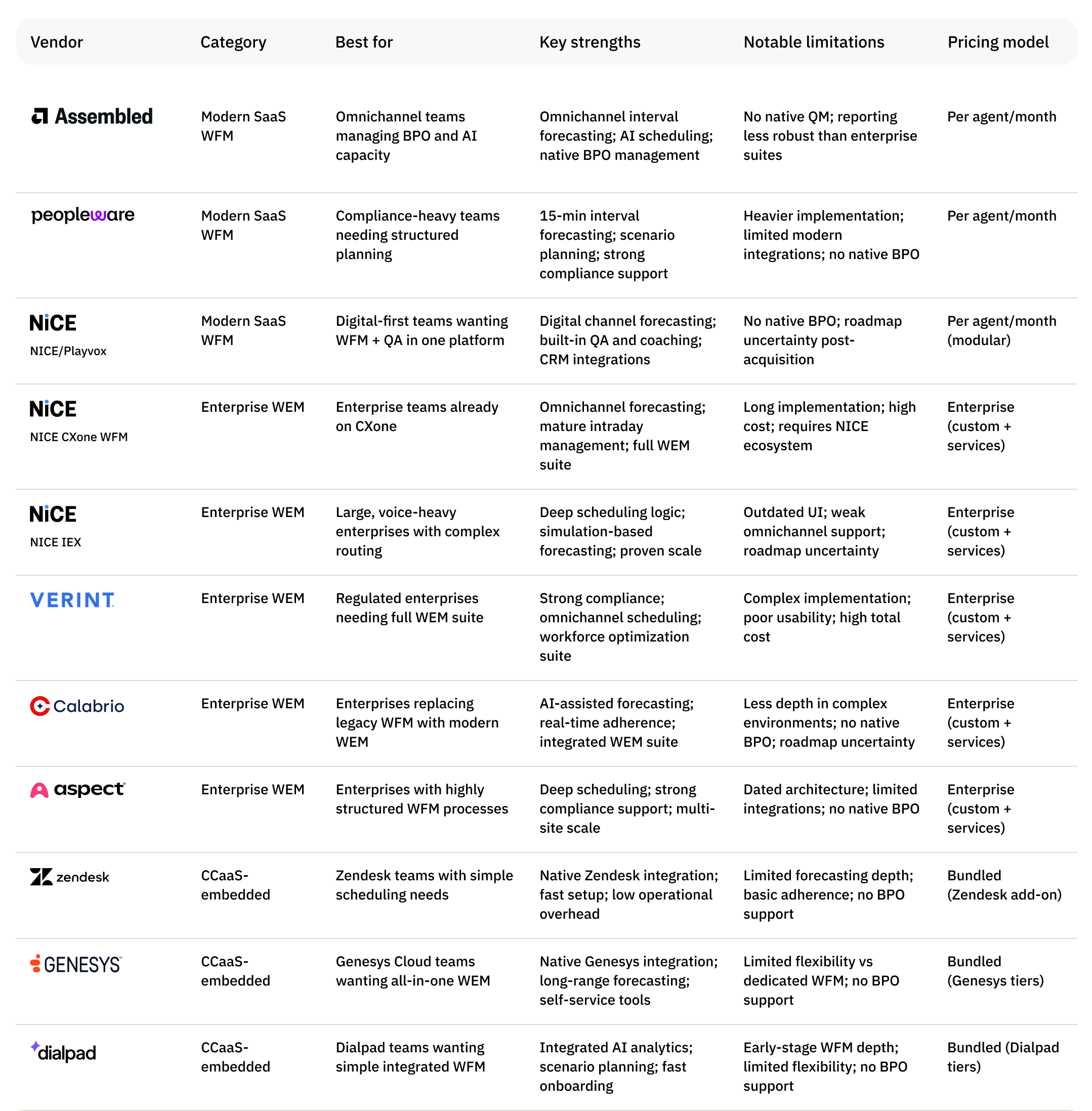
11 platforms at a glance
Modern SaaS WFM platforms
Modern SaaS WFM platforms are built for teams that need real forecasting and scheduling depth without a six-month implementation or a dedicated analyst to run the system day-to-day. They integrate with your existing stack rather than replace it: faster time to value, less organizational disruption, and your data stays portable if your contact platform ever changes.
Assembled

Assembled is a modern SaaS WFM platform built for omnichannel support teams that have outgrown basic scheduling tools. The core architectural differentiator is a unified capacity view that holds human agents, AI agents, and BPO vendors in a single planning model, so deflection rate changes and vendor headcount flow into staffing decisions without manual reconciliation. It also introduces AI-assisted workflows that make it easier for teams to interact with and act on operational data without digging through dashboards. The platform covers forecasting, scheduling, and intraday management across voice, email, chat, and async channels.
For omnichannel support teams on spreadsheets, managing BPO partners, or scaling AI automation alongside human agents, Assembled offers fast implementation, strong native integrations, and forecasting models that account for the full staffing picture. It also makes it easier for teams to analyze performance and act on operational data without constantly navigating dashboards. The Vendor Management add-on is the most purpose-built BPO coordination capability in this category. Two things to know before evaluating: reporting performance can slow under very large data volumes, a recurring theme in user reviews for high-scale deployments, and Vendor Management is a paid add-on. BPO-heavy teams should model total cost before comparing base pricing.
Key features:
- ML-based multi-channel forecasting across voice, email, chat, and backlogs with multiple prebuilt models and custom import support
- AI-powered schedule generation optimized across queues, channels, and SLAs
- Unified human and AI capacity planning with AI deflection rates modeled alongside human staffing
- Vendor Management add-on: real-time BPO schedule and adherence sync, headcount allocation, and automated invoice validation
- Real-time adherence monitoring with Slack and email alerts for out-of-adherence and SLA threshold breaches
- Agent self-service for shift swaps, schedule changes, VTO, and automated PTO approvals
- Native integrations with Zendesk, Zoom, Salesforce Agentforce, ServiceNow, Dixa, and more
Pricing: Per agent, per month starting at $25 plus a platform fee across three tiers; ML forecasting and AI scheduling require Pro or above, and Vendor Management is a separate paid add-on. Learn more →
Pros:
- Only WFM platform with purpose-built BPO management, including real-time adherence sync and invoice reconciliation
- Unified human and AI capacity planning in a single model, so deflection rate changes flow directly into headcount planning
- Fast implementation and high usability scores validated consistently across user reviews
- Strong support model with dedicated resources and shared Slack channel at Enterprise tier
Cons:
- Reporting performance can slow under very large data volumes, a recurring theme in user reviews for high-scale deployments
- Vendor Management is a paid add-on; BPO-heavy teams should include it when modeling total cost
- Less depth in highly customized, enterprise-grade scheduling compared to legacy platforms built for complex, heavily regulated environments
G2 rating: 4.6 ⭐️ (164 ratings)
Best for: Omnichannel support teams managing BPO partners, scaling AI automation alongside human agents, or moving off spreadsheets or lightweight tools like Zendesk WFM, that need modern WFM with fast implementation and unified capacity planning across humans, AI, and vendors. Less well suited for teams that need deep enterprise scheduling configurability, heavy out-of-the-box reporting, or analyst validation as part of their procurement process.
Peopleware
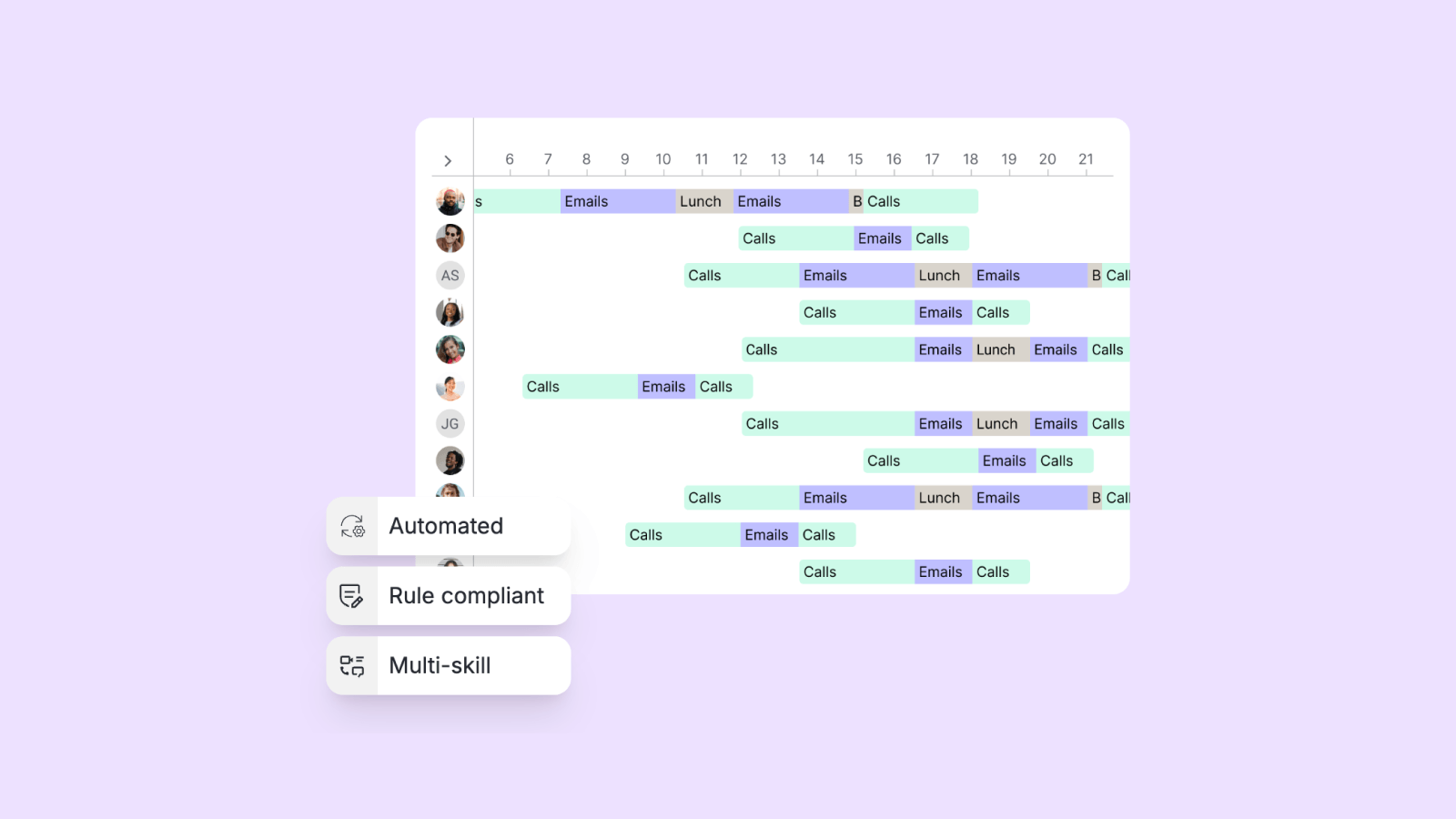
Peopleware is a workforce management platform from InVision AG built for mid-market and enterprise contact centers, particularly BPOs and European operations that need flexible pricing and support for complex labor environments. The platform covers forecasting, scheduling, and intraday management, with BPO-oriented features like multi-client support and integrations with legacy WFM systems. It has a strong European footprint, with deep compliance coverage and localization for regional labor laws.
In practice, Peopleware is best suited to mid-market and enterprise contact centers, particularly BPOs and European operations that need flexible pricing and support for complex labor environments. The tradeoffs are more apparent for modern CX teams: integrations with newer helpdesk platforms are limited, multi-tenant workflows can require manual overhead, and the product is often perceived as a legacy or repackaged solution rather than a modern, fast-evolving platform. Pricing flexibility comes with added complexity across tiers and custom quotes, and buyers should pressure-test whether core capabilities like AI forecasting, real-time adherence, and API access are included in base plans or gated to higher tiers.
Key features:
- AI/ML-based forecasting across short-, mid-, and long-term horizons
- Scheduling optimization accounting for labor laws, skills, and employee preferences
- Real-time intraday management with adherence monitoring and dashboards
- Pay-per-use pricing model designed for fluctuating headcount and BPO environments
- Time-off management, time & attendance, and workforce education modules
- Multi-client support with dashboards for managing BPO operations
- Integrations with legacy WFM systems (Verint, Calabrio, Aspect) and enterprise tools
- Strong compliance coverage (ISO 27001, GDPR) with European data residency options
Pricing: Combination of tiered packages and custom pricing. Entry-level plans start around €329/month but lack key capabilities like AI forecasting, real-time adherence, and API access, which are included in higher tiers. Pay-per-use model available for BPOs.
Pros:
- Flexible pay-per-use pricing model well suited for BPOs and organizations with fluctuating staffing needs
- Strong European compliance posture with GDPR alignment and localized labor law support
- Full WFM feature set including forecasting, scheduling, intraday management, and time tracking
- Established presence in European markets with large user base and enterprise deployments
- Ability to integrate with legacy WFM systems in hybrid environments
Cons:
- Limited integrations with modern helpdesk and CX platforms, requiring manual workflows in some environments
- Multi-tenant and multi-client management can involve manual setup and ongoing operational overhead
- Tiered pricing structure gates key functionality (AI forecasting, API, real-time features) behind higher plans
- Perceived as a legacy or repackaged platform, raising questions about differentiation and innovation velocity
- Pricing lacks transparency, requiring custom quotes for full evaluation
- Less well aligned with modern, omnichannel support operations compared to newer platforms
G2 rating: 4.3 ⭐️ (29 ratings)
Best for: Mid-market and enterprise contact centers, particularly BPOs and European organizations, that need flexible pricing, strong compliance support, and integration with existing WFM systems. Less well suited for modern CX teams running on newer helpdesk platforms, organizations prioritizing ease of use and rapid implementation, or buyers seeking transparent pricing and a clearly differentiated, fast-evolving product roadmap.
Playvox by NICE
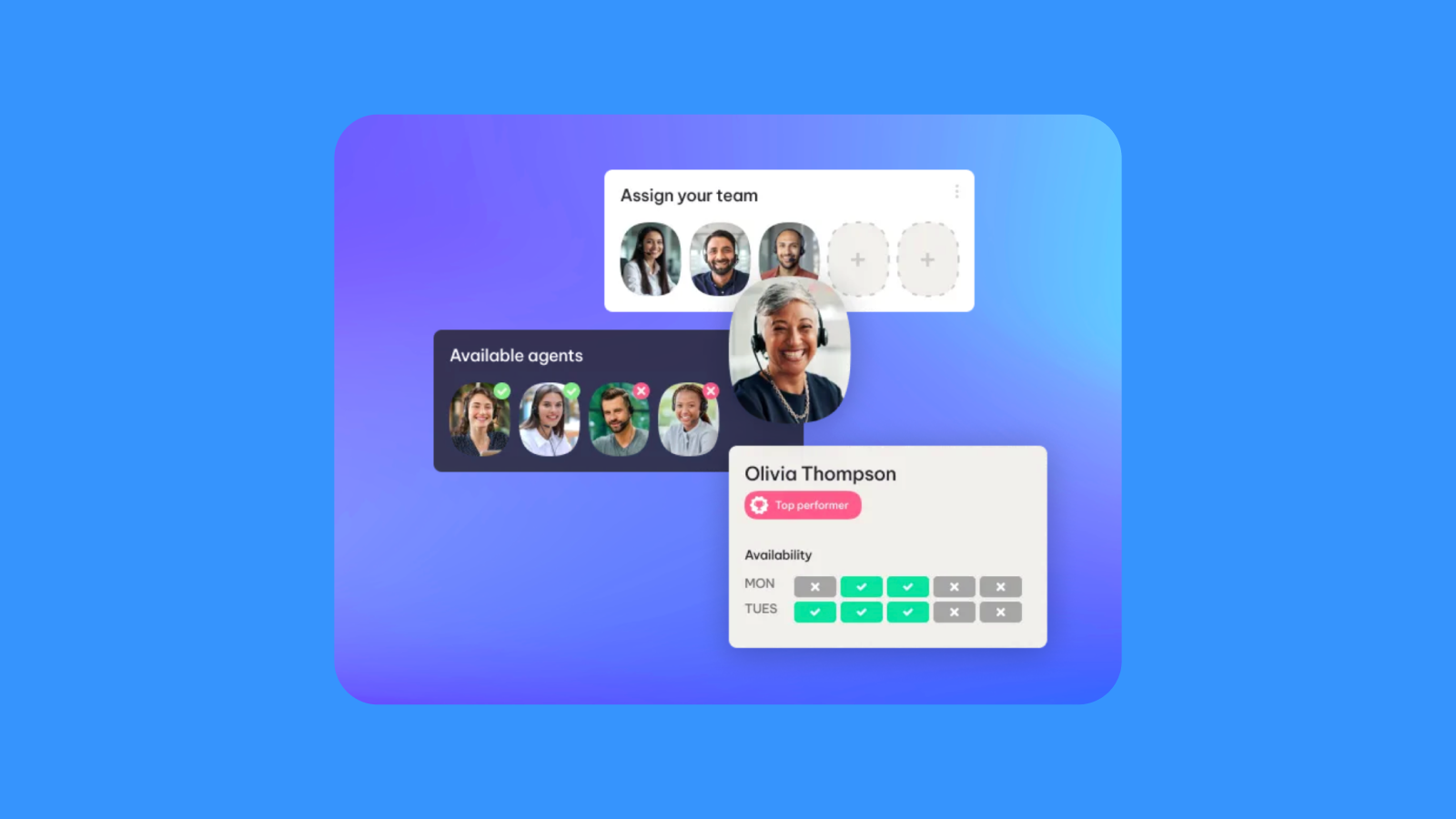
Playvox by NICE built its reputation on quality management: customizable QA scorecards, automated scoring, coaching workflows, and gamified agent engagement. The WFM layer sits on top of that foundation, positioning Playvox as a consolidated workforce engagement platform rather than a purpose-built planning tool. It’s particularly strong in CRM-centric environments, with deep integrations into Salesforce and solid support for digital-first support operations.
For teams looking to combine QA, coaching, performance tracking, and scheduling in one platform, Playvox is a credible consolidation play. As a standalone WFM solution, the tradeoffs are clearer: forecasting is less flexible than purpose-built tools, usability and reporting UX lag modern expectations, and implementation can take longer due to the platform’s breadth. Pricing is also a key watchpoint. While initial contracts are often competitive, renewal costs can increase significantly. The NICE acquisition adds another layer of uncertainty, with potential overlap with CXone WEM and a multi-year integration timeline that buyers should pressure-test directly.
Key features:
- AI-driven forecasting across digital channels with backlog and expiration planning for asynchronous work
- AI-optimized scheduling with multi-skill assignment, scenario modeling, and intraday adherence management
- Back Office product for managing multi-step asynchronous workflows with effort measurement
- Quality Management and Coaching module with customizable QA scorecards and automated scoring
- Performance analytics with configurable dashboards across 60+ metrics
- Agent self-service for schedules, shift swaps, and preferences, plus gamification features like leaderboards and badges
- Native integrations with Salesforce, Zendesk, and Talkdesk, with strong CRM ecosystem support
Pricing: Custom, quote-based. Modular licensing across WFM, QA, and performance tools; initial pricing is often competitive, but renewal costs can increase significantly, making long-term TCO harder to predict.
Pros:
- Strong QA and coaching capabilities, widely validated as best-in-class within the WEM category
- Integrated platform combining WFM, QA, performance management, and analytics in one system
- Deep Salesforce ecosystem integration and solid support for CRM-centric support operations
- Purpose-built back-office and asynchronous workflow support for case-based environments
- High usability scores in onboarding and agent engagement features
Cons:
- Forecasting is less flexible and configurable than purpose-built WFM platforms
- Reporting and UI/UX are consistent friction points, with navigation and usability lagging newer tools
- Implementation can be slower and more complex due to the platform’s breadth
- Pricing can increase significantly at renewal, creating long-term cost unpredictability
- Architecture reflects voice-era design; async and modern omnichannel workflows are less mature than newer platforms
- NICE acquisition introduces roadmap uncertainty, with potential overlap with CXone WEM and slower innovation during integration
G2 rating: 4.8 ⭐️ (1,163 ratings)
Best for: Digital-first support teams, especially those on Salesforce, that want to consolidate quality management, coaching, and scheduling into a single platform. Less well suited for teams prioritizing best-in-class forecasting and scheduling depth, modern UX, predictable long-term pricing, or a clear standalone WFM roadmap post-acquisition.
Enterprise WEM suites
Enterprise WEM suites are built for large, complex contact centers: hundreds or thousands of agents, multi-site operations, dedicated WFM analyst teams, and compliance requirements that demand deep configuration and audit tooling. They offer the most comprehensive feature sets in the market: forecasting, scheduling, quality management, performance coaching, and agent engagement in a single platform. The tradeoff is commitment: long implementation timelines, significant professional services costs, and architectures that require dedicated resources to operate and maintain.
The competitive picture shifted significantly in late 2025. Private equity firm Thoma Bravo completed its acquisition of Verint and merged it with Calabrio, another portfolio company. The combined organization now operates under the Verint corporate name, though Calabrio continues as a distinct product line. The stated strategy positions Calabrio for mid-market and Verint for large enterprise, but independent analysts have noted significant product overlap regardless of customer size, and integration work between the two platforms is still early. Thoma Bravo's portfolio now includes Verint, Calabrio, Medallia, and Aisera.
Buyers evaluating either product should ask directly about long-term roadmap investment, product overlap plans, and what support commitments exist if strategic priorities shift. PE ownership doesn't disqualify a vendor, but it's a factor worth building into a multi-year evaluation.
NICE CXone WFM
NICE CXone WFM is the workforce management module within NICE's broader CXone platform. Forecasting, scheduling, routing, quality management, and AI all operate inside a single system. The value of that consolidation is real for large contact centers already on CXone or evaluating a full CCaaS migration: one data model, one vendor, no integration layer between WFM and everything else.
For large contact centers already on CXone, or evaluating a full CCaaS consolidation, this approach removes an integration layer and provides access to AI-driven forecasting and scheduling within a unified data model. The tradeoffs are significant: adopting CXone WFM effectively means committing to the NICE ecosystem, with WFM only available in higher-tier bundles that include broader platform capabilities. Implementation can be complex, especially for teams not already on CXone, and the platform’s breadth introduces feature overhead for organizations that primarily need WFM. Pricing tiers, add-ons, and usage-based AI features make total cost harder to predict than the base rate suggests. Model it fully before comparing.
Key features:
- AI-powered forecasting and scheduling across voice and digital channels
- Real-time intraday reforecasting and staffing optimization
- Omnichannel routing and unified data model across WFM, QA, and analytics
- Copilot for workforce managers providing recommendations and automated adjustments
- Agent self-service via mobile tools for scheduling, shift bidding, and time-off management
- Long-range capacity planning with scenario modeling and budgeting tools
- Integration with broader CXone platform including AI agents, journey orchestration, and analytics
- Enterprise-grade security and compliance across regulated industries
Pricing: Tiered per-agent pricing within CXone platform, with WFM included starting at higher-tier packages (e.g., Core Suite and above). Additional costs may apply for AI features, integrations, and professional services, making total cost of ownership dependent on full platform adoption.
Pros:
- Unified platform combining WFM, routing, QA, analytics, and AI in a single ecosystem
- AI-driven forecasting and scheduling validated as accurate in enterprise deployments
- Eliminates need for third-party integrations when adopting full CXone stack
- Strong enterprise compliance posture and analyst validation
- Scales effectively for large, multi-site contact center environments
Cons:
- Requires commitment to NICE ecosystem; not viable as a standalone WFM solution
- WFM is bundled within higher-tier packages, increasing cost for teams that only need scheduling and forecasting
- Implementation can be complex, particularly for organizations not already on CXone
- Feature breadth introduces overhead for teams seeking a focused WFM solution
- Pricing can be opaque due to tiers, add-ons, and usage-based AI features
- WFM depth in certain areas (e.g., BPO management, advanced scheduling flexibility) trails purpose-built platforms
G2 rating: 4.3 ⭐️ (90 ratings)
Best for: Large and enterprise contact centers already on CXone or actively consolidating their CCaaS and WFM stack under a single vendor, particularly those prioritizing AI integration and platform unification. Less well suited for teams seeking a standalone WFM solution, organizations prioritizing flexibility across multiple systems, or buyers who want predictable pricing and fast time-to-value without full platform adoption.
NICE IEX
NICE IEX is built for large enterprises with dedicated WFM teams and stable, voice-centric operations. Its forecasting and scheduling models mirror real ACD routing behavior rather than approximating it, which produces accurate staffing plans in complex voice environments. The tradeoffs are significant: usability is a consistent friction point, reporting and data consistency require manual effort, and the architecture shows its age in omnichannel environments.
In practice, IEX is best suited to large enterprises with dedicated WFM teams and stable, voice-centric operations. The platform delivers strong forecasting depth and scalability, but comes with significant tradeoffs: usability is a consistent friction point, reporting and data consistency require manual effort, and implementation is complex and resource-intensive. The architecture also shows its age in modern environments, with weaker support for asynchronous and omnichannel workflows. Total cost of ownership is high, driven by implementation, professional services, and ongoing maintenance. And for buyers evaluating long-term fit, NICE's investment shift toward CXone WFM raises a direct question about where IEX sits on the roadmap going forward.
Key features:
- Simulation-based forecasting and scheduling reflecting real routing behavior and agent skills
- AI-driven forecasting models with multiple statistical approaches and best-fit selection
- Intraday management with automated reforecasting and staffing adjustments
- Real-time adherence monitoring with dashboards and alerts
- Long-range capacity planning with scenario modeling and workforce projections
- Integration with NICE CXone for routing, analytics, and broader WEM capabilities
- Flexible deployment across cloud, hybrid, and on-premises environments
- Enterprise-grade compliance and security for regulated industries
Pricing: Custom, quote-only enterprise pricing. Modular structure with additional costs for advanced planning, employee engagement, and AI capabilities. High total cost of ownership due to implementation, professional services, and ongoing maintenance.
Pros:
- Deepest forecasting and scheduling logic in the category, particularly for complex, voice-heavy operations
- Proven scalability across large, multi-site enterprise deployments
- Strong integration with NICE CXone and ACD data for organizations already in the ecosystem
- Mature feature set covering forecasting, scheduling, intraday management, and long-term planning
- Established enterprise credibility with decades of market presence
Cons:
- Outdated, complex UI with steep learning curve and reliance on specialized WFM expertise
- Reporting and data consistency issues require manual reconciliation across systems
- Weak support for modern omnichannel and asynchronous workflows compared to newer platforms
- High implementation effort and long deployment timelines
- Limited native BPO tooling, with reliance on manual or file-based workflows
- High total cost of ownership with hidden costs across modules, integrations, and services
- Product investment has shifted toward CXone WFM, raising questions about long-term roadmap priority
G2 rating: 4.3 ⭐️ (90 ratings)
Best for: Large enterprises with complex, voice-centric operations and dedicated WFM analyst teams, particularly those already operating within the NICE ecosystem and prioritizing forecasting depth and scale. Less well suited for modern omnichannel support organizations, teams prioritizing ease of use and fast implementation, or buyers seeking a platform with clear forward investment and strong support for asynchronous workflows.
Verint
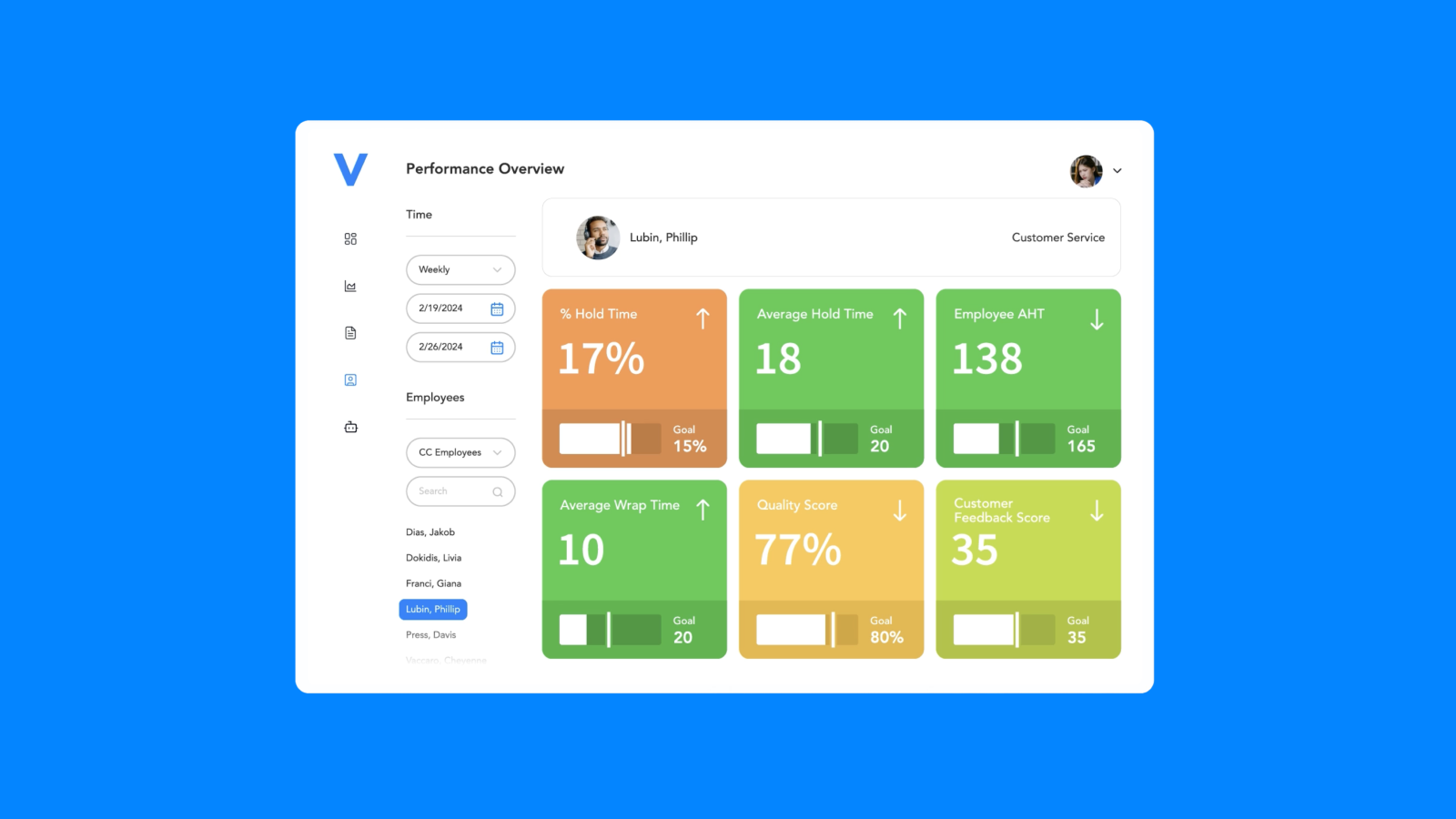
Verint is best suited to large organizations with dedicated WFM and BI teams that can fully configure and maintain the platform. The suite is broad: forecasting, scheduling, quality management, analytics, and AI-driven automation across contact centers, back-office, and branch environments. The tradeoff is significant complexity. Implementation cycles are long, usability is a consistent friction point, and reporting typically requires technical expertise rather than self-service access.
In practice, Verint is best suited to large organizations with dedicated WFM and BI teams that can fully configure and maintain the platform. The tradeoff is significant complexity: implementation cycles are long, usability is a consistent friction point, and reporting often requires technical expertise rather than self-service access. The platform is also less well suited to dynamic, omnichannel environments, with architecture that performs best in stable, voice-heavy operations. Cost is a major consideration, with high upfront implementation fees and ongoing services required to operate effectively. The 2025 Thoma Bravo acquisition and merger with Calabrio adds another layer of uncertainty, introducing multi-year integration risk and raising questions around roadmap clarity, support quality, and long-term product direction.
Key features:
- AI-driven forecasting across voice, digital, back-office, and branch operations with high reported accuracy
- Advanced scheduling engine incorporating skills, labor laws, holidays, and service-level targets
- Real-time adherence monitoring with intraday automation and mid-shift adjustments
- TimeFlex Bot for agent-initiated schedule changes with policy enforcement
- Long-range capacity planning tied to hiring, budgeting, and workforce modeling
- Workforce optimization suite spanning WFM, quality management, performance tracking, and analytics
- Open API architecture supporting integrations across ACD, CCaaS, CRM, and enterprise systems
- Enterprise-grade security and compliance across regulated industries
Pricing: Custom, quote-only enterprise pricing. High total cost of ownership driven by significant implementation fees, professional services, and ongoing maintenance, often requiring multi-year contracts.
Pros:
- Strong forecasting accuracy and intraday automation validated across enterprise deployments
- Comprehensive WFO/WEM suite covering contact center, back-office, and branch operations
- Proven scalability for large, multi-site, global organizations
- Deep integration ecosystem across ACD, CCaaS, and enterprise systems
- Long-standing enterprise credibility with strong analyst recognition and large customer base
Cons:
- Steep learning curve with outdated, non-intuitive UI requiring significant training and specialized expertise
- Long implementation timelines and high upfront costs, including substantial professional services requirements
- Reporting is complex and often requires technical (SQL-level) expertise rather than self-service access
- Architecture is optimized for stable, voice-heavy operations and less effective for dynamic, omnichannel environments
- Total cost of ownership is high, with ongoing pricing increases and maintenance costs cited in user feedback
- Thoma Bravo acquisition and Calabrio merger introduce multi-year integration risk, with potential impact on innovation velocity and support quality
G2 rating: 4.3 ⭐️ (178 ratings)
Best for: Large and enterprise contact centers, particularly in regulated industries or highly stable, voice-centric environments, that need deep forecasting accuracy, global compliance, and a comprehensive workforce optimization suite, and have the internal resources to manage a complex platform. Less well suited for dynamic, digital-first organizations, teams prioritizing fast time-to-value and ease of use, or buyers seeking transparent pricing and a clear standalone WFM roadmap.
Calabrio
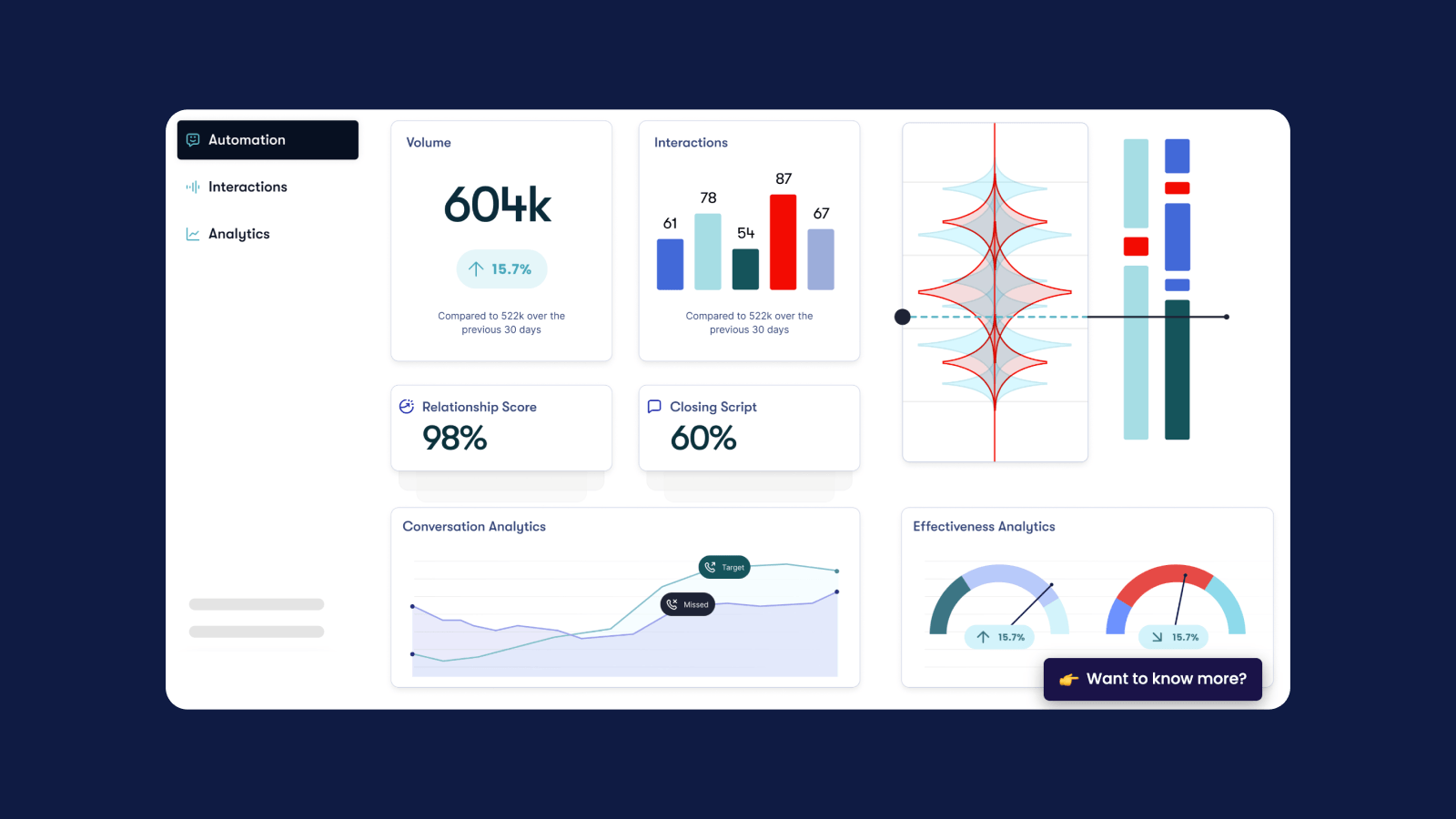
Calabrio's core architectural bet is that WFM works best as part of a broader workforce engagement suite rather than a standalone planning tool. The platform bundles forecasting, scheduling, quality management, interaction analytics, and call recording into a single system, with tight cross-module integration across WFM and agent performance workflows. The vendor’s “Workforce Intelligence” layer positions AI as a shared engine across both planning and performance management.
In practice, Calabrio is best suited to large, voice-heavy contact centers with dedicated WFM and QA teams. It delivers strong forecasting, scheduling, and compliance depth, but comes with clear tradeoffs: implementation is heavy, usability leans toward power users rather than team-wide accessibility, and async or messaging-heavy workflows are less mature than in modern omnichannel-first platforms. Reporting and analytics are a consistent friction point. The 2025 Thoma Bravo acquisition and merger with Verint adds multi-year roadmap uncertainty. Ask directly about product direction before committing.
Key features:
- AI/ML forecasting modeling seasonality, emerging patterns, and sudden volume changes with continuous learning
- Multi-skill scheduling optimization engine accounting for labor rules, demand, and agent preferences
- Real-time intraday adherence monitoring with interval-level drill-down and alerting
- Workforce Intelligence: AI-driven recommendations and proactive intraday actions tied to service level outcomes
- Agent self-service via mobile app: shift swaps, time-off requests, overtime, and schedule management
- Unified WEM suite integrating WFM with quality management, interaction analytics, sentiment analysis, and performance tracking
- FedRAMP-authorized GovSuite and broad enterprise compliance coverage (SOC 2, ISO 27001, PCI, HIPAA)
- Integrations with major CCaaS platforms (Genesys, Cisco, Five9, Amazon Connect) and CRM systems
Pricing: Custom, quote-only. No public rate card. Modular suite structure means pricing varies by modules selected, agent count, and deployment model (cloud or on-premises).
Pros:
- Comprehensive WEM suite combining WFM, quality management, analytics, and call recording in a single platform
- AI-driven forecasting and scheduling validated as accurate and operationally impactful across a large review base
- Strong compliance posture (FedRAMP, SOC 2, ISO, PCI, HIPAA) differentiates in regulated industries and public sector
- Tight cross-module data integration reduces the need for separate tooling across WFM and agent performance
- Proven at enterprise scale with large, voice-centric contact center deployments
Cons:
- Complex, power-user-oriented platform requiring dedicated WFM and QA teams; not well suited for lightweight or team-lead-driven operations
- Reporting and analytics UX is a consistent pain point, with complexity and occasional accuracy concerns called out across reviews
- Architecture is optimized for traditional voice-heavy environments; async, messaging, and back-office workflows are less mature
- Performance can degrade under heavy workloads, with slowness reported during large data operations or complex reporting
- No pricing transparency; bundled model and quote-only approach make early-stage TCO comparison difficult
- Verint-Calabrio merger introduces multi-year integration risk, with potential impact on roadmap clarity, support quality, and long-term product direction
G2 rating: 4.5 ⭐️ (381 ratings)
Best for: Mid-market and enterprise contact centers, particularly in regulated industries or voice-heavy environments, that want a comprehensive WEM suite combining WFM, quality management, and analytics in a single platform and have the dedicated operational resources to fully utilize it. Less well suited for digitally native or omnichannel-first teams, organizations prioritizing fast time-to-value and ease of use, or buyers who need clear standalone WFM pricing and a stable long-term product roadmap without ongoing platform consolidation risk.
Aspect WFM (Alvaria)
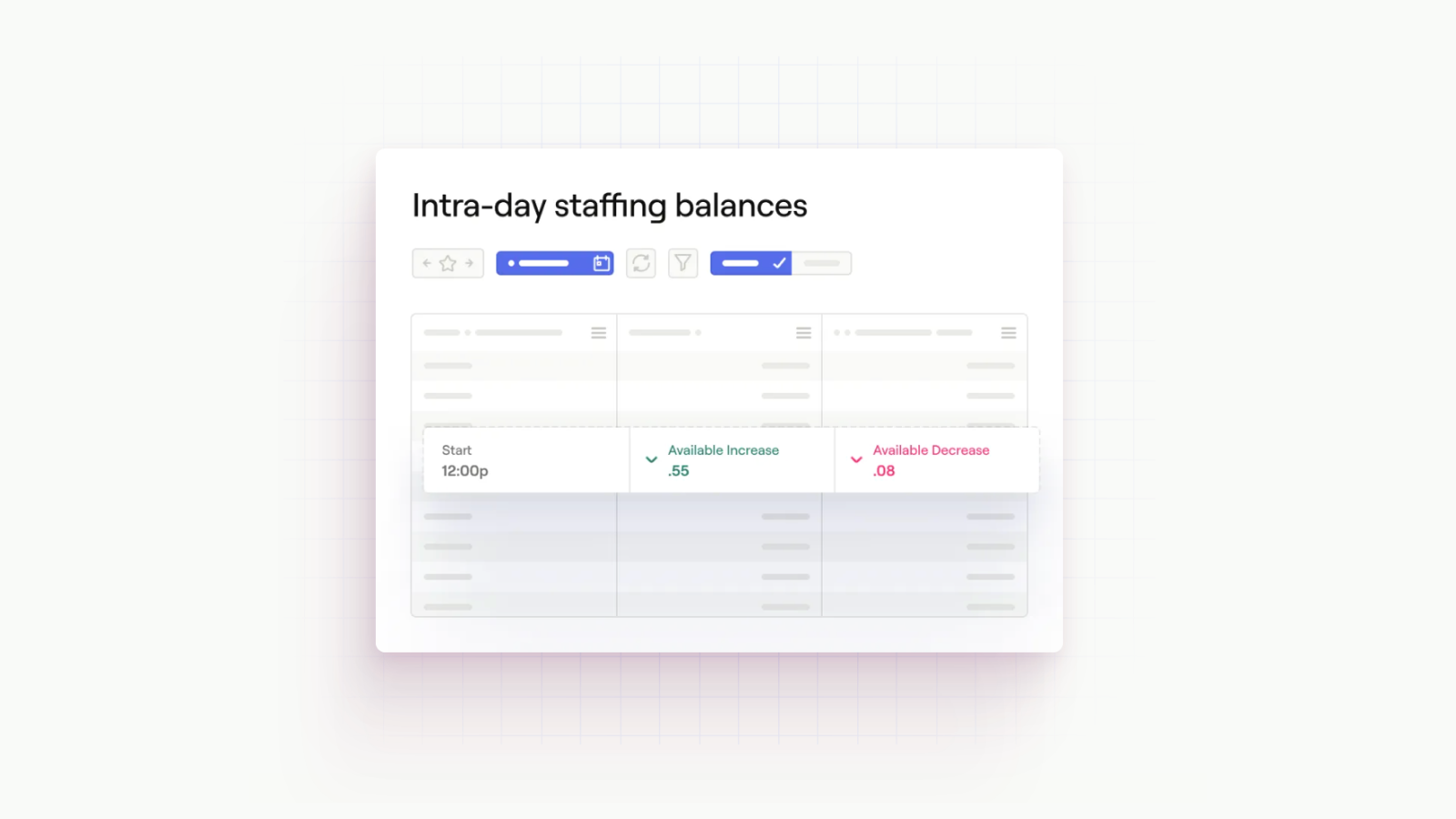
Aspect is one of the original enterprise workforce management platforms, built for large contact centers with complex scheduling, labor compliance, and multi-site operations. The core architectural bet is depth and configurability: forecasting, scheduling, and intraday management designed to handle union rules, regulatory constraints, and highly customized workforce environments. The platform has decades of operational history and remains widely used across industries like telecom, financial services, and healthcare.
In practice, Aspect is best suited to large enterprises with dedicated WFM teams and highly structured operations. It delivers strong forecasting and scheduling capabilities for complex environments, but comes with significant tradeoffs: implementation is lengthy and often requires heavy customization, usability remains a consistent friction point, and reporting and analytics lag modern expectations. Reliability and support concerns have also surfaced in user feedback, alongside limited integrations with newer CX platforms. For most buyers, the question is whether the platform's configurability justifies the operational overhead and cost.
Key features:
- AI-driven forecasting using historical patterns and multi-model approaches
- Advanced scheduling engine supporting union rules, labor laws, and complex shift configurations
- Real-time adherence monitoring with intraday management dashboards
- Scenario modeling and long-term workforce planning capabilities
- Support for multi-site, multi-skill, and large-scale operations
- Workforce engagement features including performance tracking and gamification
- Flexible deployment options across cloud, hybrid, and on-premises environments
- Enterprise-grade compliance for regulated industries
Pricing: Custom, quote-only enterprise pricing. Higher total cost of ownership driven by implementation, customization, and ongoing maintenance, with additional costs for integrations and professional services.
Pros:
- Strong forecasting and scheduling depth for highly complex, regulated, or unionized environments
- Proven scalability across large enterprise deployments with multi-site operations
- Deep configurability for labor compliance, shift rules, and workforce constraints
- Long-standing vendor with extensive domain expertise and enterprise customer base
- Flexible deployment models supporting cloud, hybrid, and on-premises requirements
Cons:
- Legacy UI and usability challenges requiring specialized training and operational expertise
- Lengthy implementation cycles with significant customization and professional services requirements
- Reporting and analytics are difficult to use and less flexible than modern platforms
- Reliability concerns, including reported outages and limited transparency around incidents
- Limited integrations with modern CX and helpdesk platforms
- Higher total cost of ownership compared to newer, more streamlined WFM solutions
- Slower innovation velocity relative to modern, AI-first platforms
G2 rating: 4.2 ⭐️ (305 ratings)
Best for: Large enterprise contact centers with complex scheduling requirements, unionized workforces, or strict regulatory environments that require deep configurability and are equipped to manage a heavy, enterprise-grade platform. Less well suited for mid-market teams, modern omnichannel support organizations, or buyers prioritizing ease of use, fast implementation, and flexible integrations with newer CX systems.
CCaaS-embedded WFM platforms
CCaaS-embedded WFM offers the convenience of one fewer vendor. If you're already on Zendesk, Genesys, or Dialpad, using their native WFM module eliminates an integration project, a contract negotiation, and a vendor relationship to manage. For smaller teams with straightforward scheduling needs and a single contact channel, that simplicity is a genuine operational advantage.
Where embedded WFM breaks down is complexity. Omnichannel forecasting, advanced shrinkage modeling, intraday management at scale, BPO coordination, and blended human-and-AI capacity planning all expose the same architectural gap: these platforms weren't built to make WFM their core competency. It shows when you push on forecasting methodology, scheduling flexibility, or real-time adherence. And when your WFM is embedded in your CCaaS platform, your workforce data, historical forecasts, and scheduling configurations live inside that vendor's system. Switch contact platforms and you start from scratch.
Zendesk WFM
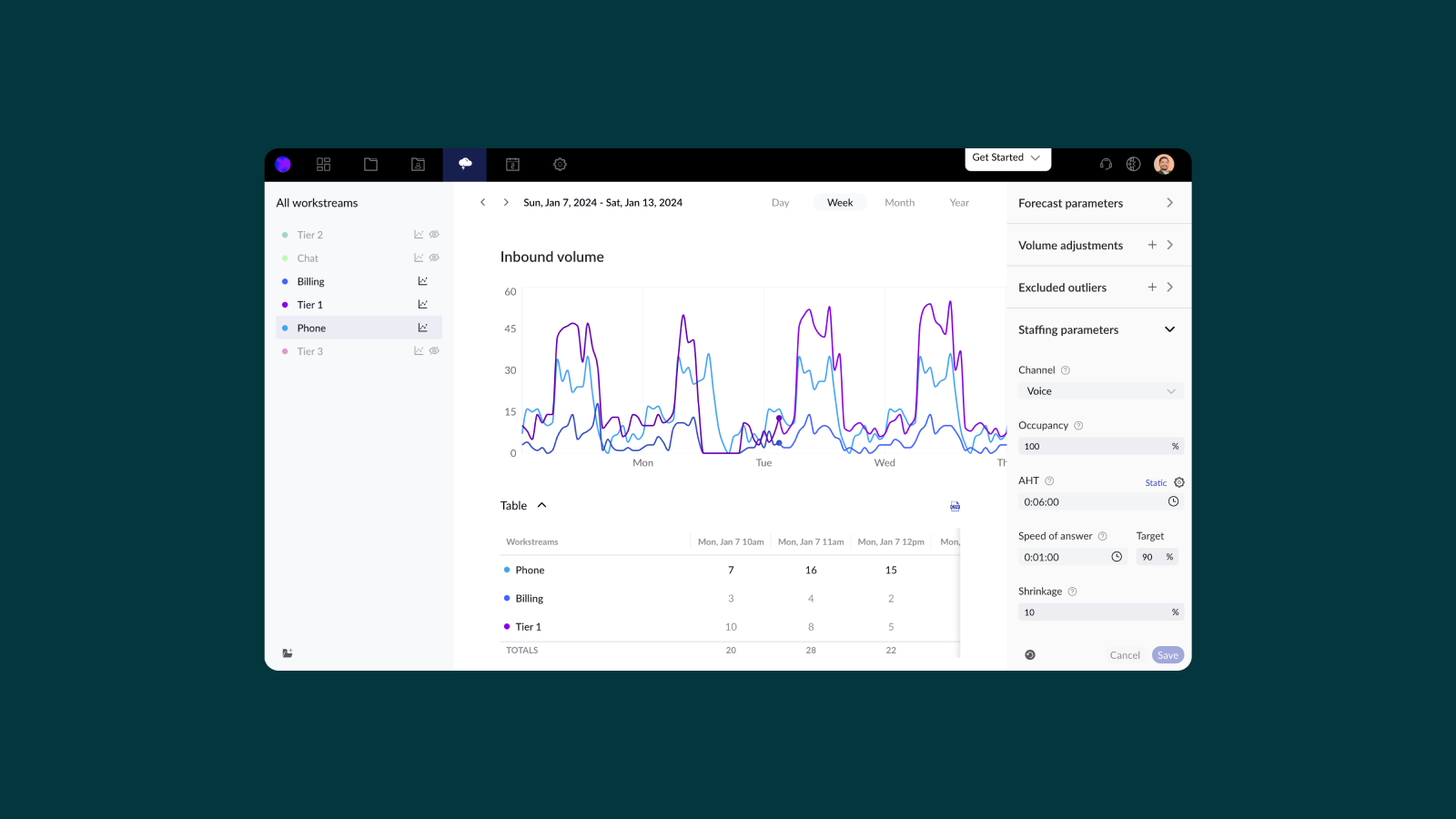
Zendesk WFM is a scheduling and forecasting tool embedded directly within the Zendesk support platform. The core architectural bet is simplicity: forecasting, scheduling, and adherence all run on top of native Zendesk ticket, voice, and chat data, with no integrations or separate systems required. For teams already operating entirely inside Zendesk, that tight coupling removes a layer of operational overhead and enables fast time to value.
In practice, Zendesk WFM is best suited to small-to-mid-sized teams with relatively straightforward scheduling needs. It delivers solid baseline forecasting and auto-scheduling, but the ceiling is clear: forecasting flexibility is limited, reporting depth requires manual work, and the product does not extend beyond the Zendesk ecosystem. Teams with more complex operations — multiple systems, larger agent populations, or deeper workforce analytics needs — tend to outgrow it. Total cost is tied to overall Zendesk licensing and applies to all seats, not just scheduled agents. At scale, that adds up.
Key features:
- AI-driven forecasting using native Zendesk ticket, voice, and chat data
- Automatic schedule generation with support for breaks, meetings, and task types
- Real-time adherence monitoring and manager dashboards
- Forecast scenarios for comparing staffing models before committing
- Agent self-service embedded in Zendesk workspace (shift swaps, time-off, clock in/out)
- Combined workstreams for multichannel agents with unified adherence tracking
- Workforce Engagement bundle option combining WFM with Zendesk QA
Pricing: $25 per agent/month billed annually as an add-on to Zendesk Suite plans; Workforce Engagement bundle (WFM + QA) available at $50 per agent/month. Requires a Zendesk subscription and applies to all licensed seats, not just scheduled agents.
Pros:
- Native Zendesk integration eliminates data pipelines and keeps agents in a single workspace
- Fast time-to-value with straightforward setup for existing Zendesk customers
- Forecasting and auto-scheduling provide meaningful improvements over spreadsheets for simple use cases
- Transparent, publicly listed pricing for baseline WFM functionality
- Strong agent experience with scheduling and adherence embedded directly in daily workflows
Cons:
- Locked to Zendesk ecosystem; cannot support multi-platform environments or teams using multiple CX tools
- Forecasting is limited to a single model with less flexibility than purpose-built WFM platforms
- Reporting and analytics require manual setup and lack depth for advanced operations
- Scheduling edits and workflow management can be cumbersome compared to modern tools
- API and extensibility are limited, constraining customization and data portability
- Pricing applies to all Zendesk seats, not just scheduled agents, which can increase cost at scale
- Best suited to smaller teams; struggles with larger, more complex operations and BPO environments
Best for: Customer support teams already operating fully within Zendesk that want a simple, low-friction way to move off spreadsheets and implement basic forecasting and scheduling. Less well suited for larger or more complex organizations, teams running multiple CX platforms, or buyers who need advanced forecasting, flexible reporting, or long-term portability outside the Zendesk ecosystem.
Genesys Cloud
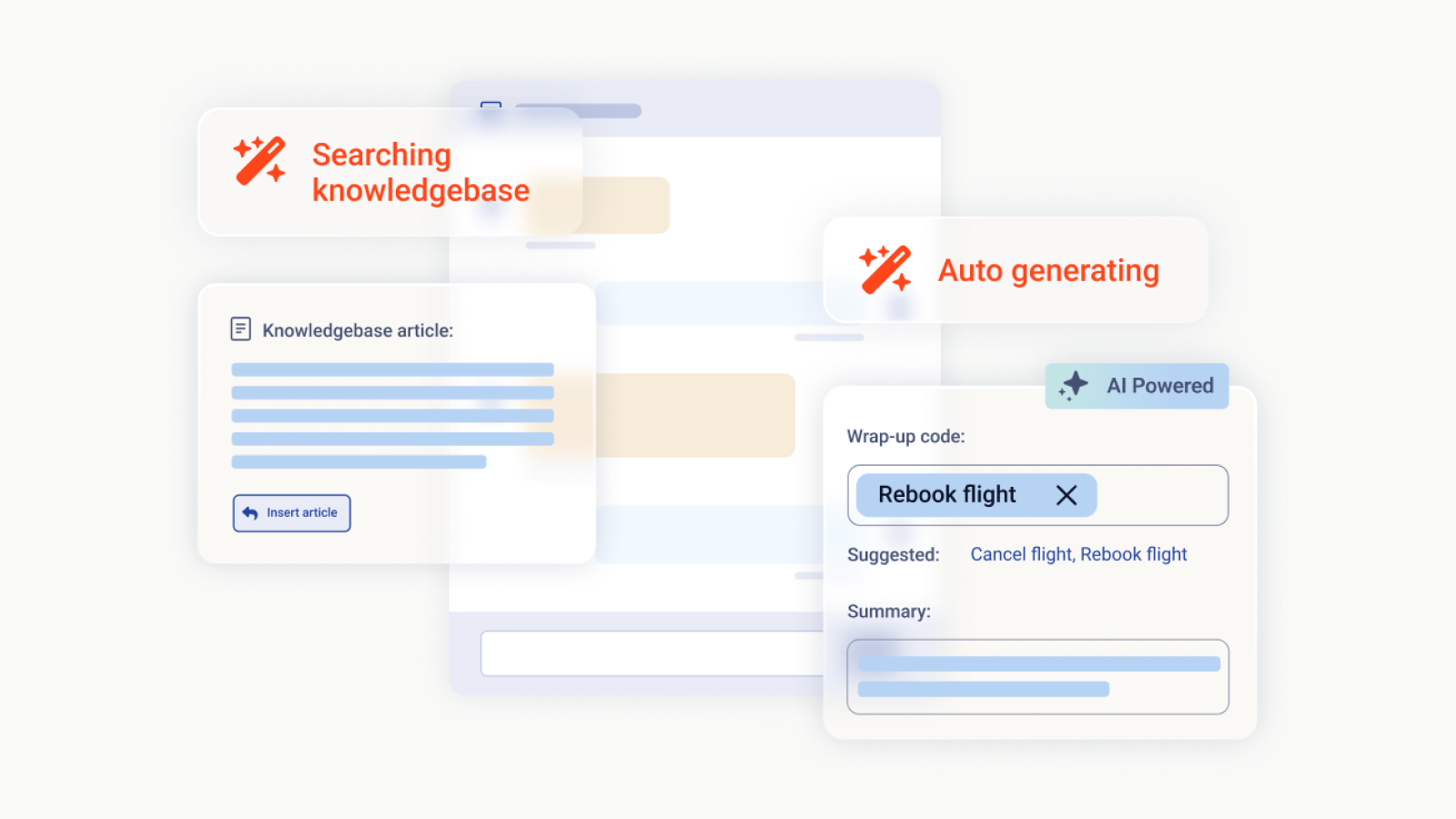
Genesys WEM is architecturally native to Genesys Cloud CX, meaning forecasting, scheduling, routing, and analytics all operate within a shared data model rather than being integrated across systems. The core architectural bet is consolidation: workforce management, quality management, performance coaching, and conversational analytics all run inside a single CCaaS platform, with AI layered across the entire suite.
For enterprise contact centers already on Genesys Cloud CX, WEM is a straightforward consolidation play, replacing separate tools for scheduling, QA, and performance management with one platform and one vendor relationship. The main caveat is that Genesys WEM has no standalone product listings on G2, Capterra, or Trustpilot, which means forecasting accuracy, scheduling usability, and day-to-day admin experience are validated by analyst reports and vendor-curated case studies rather than crowdsourced peer reviews.
Key features:
- AI-driven forecasting and long-range capacity planning with scenario modeling
- Automated scheduling with skills-based coverage, intraday management, and agent self-service via Tempo mobile app
- Integrated quality management with omnichannel recording, AI-powered scoring, and compliance archiving
- Employee performance management with scorecards, gamification, and real-time dashboards
- Conversational analytics across voice and digital interactions for sentiment, topics, and summaries
- AI copilots for agents and supervisors providing real-time guidance and automation
- Native integration with Genesys Cloud CX routing, journey orchestration, and analytics
Pricing: Public per-user/month pricing within Genesys Cloud CX tiers. Full WEM capabilities included in CX 3 ($155/user/month) and above; lower tiers require add-ons. Additional costs may apply for AI features, integrations, and usage-based components.
Pros:
- Architecturally native WEM within Genesys Cloud CX, eliminating integration overhead
- Full workforce engagement suite (WFM, QA, performance, analytics, AI) in a single platform
- Strong enterprise compliance and global deployment capabilities
- Consistent analyst recognition at the highest tier for both CCaaS and WEM-specific innovation
Cons:
- No standalone WFM offering; requires full commitment to the Genesys ecosystem
- No standalone listings on G2, Capterra, or Trustpilot means there is no crowdsourced, module-specific validation of forecasting accuracy, scheduling usability, or implementation experience
- Full WEM functionality gated behind higher-tier pricing, increasing cost for teams that only need scheduling and forecasting
- Implementation and configuration complexity for full-suite deployments
- Feature breadth introduces overhead for teams whose primary need is scheduling and adherence
Best for: Enterprise contact centers already on Genesys Cloud CX, or actively consolidating their CCaaS and WEM stack under a single vendor, that want scheduling, QA, performance coaching, and AI analytics without managing multiple vendor relationships. Less well suited for teams evaluating WFM independently of their CCaaS platform, buyers who rely on peer review platforms to validate solutions, or organizations that need only core scheduling and adherence and can't justify the per-seat cost of a full WEM bundle.
Dialpad WFM
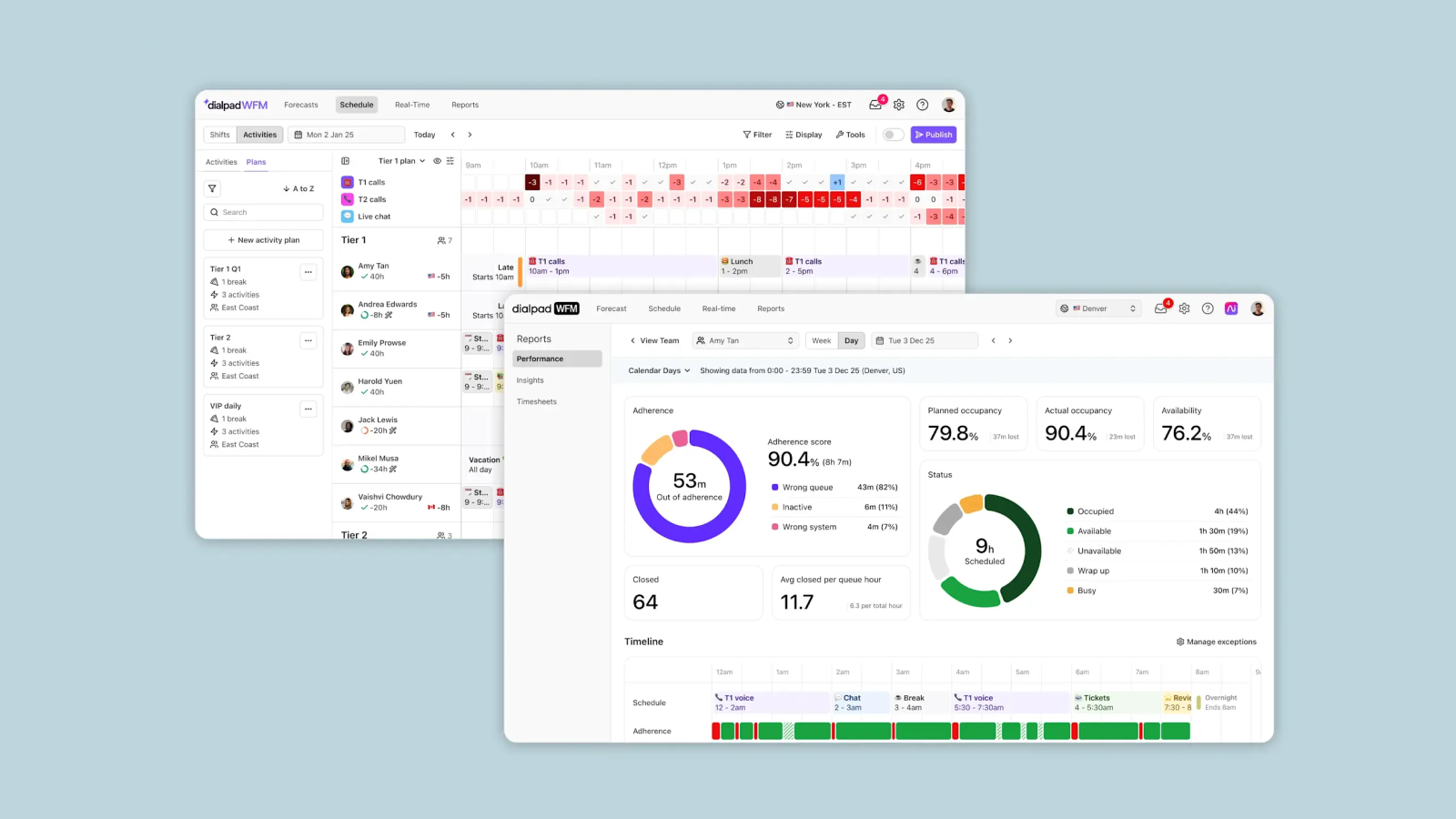
Dialpad WFM is the product formerly known as Surfboard WFM, a purpose-built scheduling and forecasting tool that Dialpad acquired and integrated into its communications platform. That origin matters: Surfboard was built by people who understood WFM as a first discipline, not as a feature, and that practitioner-first sensibility shows in the product. The result is a WFM module that sits inside a unified stack where telephony, CCaaS, AI transcription, sentiment analysis, live coaching, and QA share a single data model, giving scheduling and forecasting access to richer conversation-level signals than queue volumes and time clocks alone.
For teams already running their contact center on Dialpad, WFM activates within the existing admin UI with no separate implementation project required. The peer evidence base is real: G2 reviewers consistently validate fast onboarding, a modern and clean UI, and a support team that ships requested features quickly. The tradeoffs to factor in are architectural rather than operational: adopting Dialpad WFM means standardizing on Dialpad as the contact center platform. Teams evaluating WFM independently of their CCaaS stack, or with complex multi-site scheduling requirements, should weigh whether the module's current depth matches their needs.
Key features:
- Demand forecasting and capacity planning using native Dialpad interaction data, with automated shift planning that accounts for changing inflow levels
- Dynamic scheduling with automatic activity rotation across agents based on configured priorities, designed for coverage balance and schedule fairness
- Intraday management and real-time adherence tracking with multichannel performance visibility
- Agent self-service for shift swaps and time-off requests, with Google Calendar and Slack integrations for schedule visibility and leave management
- WFM embedded within a unified CCaaS platform where AI transcription, sentiment analysis, live coaching, and QA share the same data model as scheduling
- Workforce optimization capabilities including scheduling, coaching, and gamification within the broader Dialpad platform
- SOC 2 Type II, ISO 27001/27017/27018, HIPAA-ready with BAA support, and GDPR tooling covering the platform including WFM
Pricing: WFM is bundled within Dialpad Support (contact center) editions and is not separately priced; exact tier mapping requires a sales conversation. Core platform pricing starts at $15/user/month (Standard) and $25/user/month (Pro) billed annually; enterprise pricing is quote-based.
Pros:
- Surfboard's WFM-first origins give the module more scheduling and forecasting depth than typical CCaaS-embedded WFM tools
- Clean, modern UI that reviewers consistently contrast favorably against legacy WFM platforms
- Fast onboarding validated across G2 reviews, with most teams operational within days
- Support team is responsive and demonstrably acts on product feedback from customers
- Strong compliance posture covering WFM as part of the platform, relevant for healthcare and financial services contact centers
Cons:
- Requires standardizing on Dialpad as the contact center platform; cannot be added to a non-Dialpad CCaaS stack
- Week-view scheduling edits are cumbersome; shift plan adjustments after initial deployment require manual workarounds
- WFM pricing is not publicly itemized, making self-serve TCO comparison against dedicated WFM vendors difficult without engaging sales
- WFM depth is that of an acquired module within a communications platform; organizations with complex multi-site scheduling or advanced intraday management needs may find the feature set less mature than purpose-built tools
- Industry recognition is communications-focused rather than WFM-specific
Best for: Contact center teams already on Dialpad, or willing to consolidate their communications and CCaaS stack onto Dialpad, who want WFM, AI coaching, QA, and analytics in a single environment without a separate implementation. Less well suited for buyers evaluating WFM independently of their CCaaS platform, organizations with complex multi-site scheduling or advanced intraday requirements, or teams whose procurement process depends on analyst-validated WFM-specific recognition.
What you actually need to evaluate
These are the capabilities where platforms diverge in ways that show up in your operation. Work through each against the vendors you're evaluating. The gaps that matter most will depend on your channel mix, headcount, and whether you're coordinating BPO partners or AI agents alongside your internal team.
Forecasting accuracy
Every platform forecasts. The question is whether the model can handle interval-level forecasting across multiple channels simultaneously, and whether it degrades gracefully when actual volume diverges from the forecast.
A more rigorous methodology forecasts discrete units of work: new contacts, transfers, escalations, re-opens, and backlog decay, rather than just inbound arrival volume. Platforms that only forecast inbound arrivals systematically understaff channels with high transfer or backlog dynamics, and the error compounds in omnichannel environments where a single issue generates work across multiple queues.
Two specific capabilities are worth pressing on in any evaluation. First, async channel handling: email and ticket queues don't follow the same arrival-and-handle model as voice. Backlogs accumulate, resolution times vary by queue and agent skill, and inbound volume alone doesn't tell you how much work is actually in the system. Platforms built on voice-native forecasting architectures often struggle here because the underlying model doesn't account for outstanding queue depth. Second, AI deflection modeling: if your team is scaling AI agents, your human staffing needs will shift as deflection rates change. A platform that can't incorporate AI capacity into its staffing model means you're managing two separate planning processes and reconciling them manually.
Async and omnichannel channel depth
This is the criterion most comparison guides skip, and it's where legacy tools break. Email and ticket queues don't follow the arrival-and-handle model voice does. Backlogs accumulate, resolution times vary by queue and skill, and inbound volume doesn't tell you how much work is actually in the system. Chat has a different problem: one agent handling three simultaneous chats can't be modeled with the same concurrency logic as a single voice call. Many platforms are voice-native and treat digital channels as secondary. The underlying forecasting architecture was built for a single-channel world.
When evaluating omnichannel depth, focus on forecasting methodology rather than the integration list. Ask specifically how handle time is modeled for each channel, how the platform accounts for agents working across multiple channels simultaneously, and whether historical data from your specific channels is used to train the model.
Scheduling automation
Can it generate schedules that balance service levels, agent preferences, SLAs, and shrinkage automatically? Modern platforms generate optimized schedules for 500+ agents in minutes. Legacy tools can take hours, which limits how often you can re-optimize and how quickly you can respond to intraday changes.
Beyond raw speed, the relevant questions are about flexibility: split shifts, multi-skill routing, different contract types, BPO coordination. Shrinkage modeling is worth probing specifically. Platforms vary significantly in whether they build planned and unplanned shrinkage into the schedule automatically or treat it as a manual adjustment layer. For a 200-agent team, the difference typically shows up as 4–8 analyst-hours per week of reconciliation work that either happens inside the tool or outside it in spreadsheets.
Real-time adherence
Most teams are currently monitoring adherence through manual checking or Slack-based workarounds. A purpose-built adherence dashboard surfaces deviations automatically, with enough context to trigger a response, without requiring someone to be parked in a dashboard all day.
The practical distinction: a system that sends a Slack or email notification when an agent has been off-schedule for more than 10 minutes is operationally different from one that generates a report the next morning. For multi-site operations or teams with BPO partners, adherence visibility across all queues in a single view is often the gap that separates platforms that work at scale from ones that don't.
BPO and vendor management
If you manage outsourced support teams, this is a qualifying criterion, not a differentiating feature. Either the platform supports unified management of internal and BPO agents, or it doesn't. Most don't.
The reality for most BPO-heavy teams: an hour or more a week building vendor reports, several hours every two weeks auditing billing against actuals, and no live visibility into BPO agent schedules or adherence. That work lives in spreadsheets alongside the WFM tool because the tooling hasn't kept up. When vendors do have a BPO story, it's usually a services engagement rather than a product capability.
The specific capabilities to evaluate: Can the platform ingest real-time schedule and adherence data from the WFM systems your BPOs use (NICE IEX, Verint, Aspect)? Does it provide a unified view of in-house and outsourced teams in a single dashboard? Does it support headcount allocation, adherence monitoring, and billing-grade invoice reconciliation across your vendor network?
Agent self-service
Can agents view their schedules, request time off, and swap shifts without involving a supervisor? Self-service reduces management overhead directly. Every schedule change that requires an analyst to touch it is overhead that scales with headcount. It's also a meaningful signal of how modern the platform's underlying architecture is. Older tools often require an analyst to process every change because the system was never designed for agent-facing interaction.
The mobile experience varies significantly across platforms. Look at the actual agent-facing interface rather than the feature list.
Integration depth and data access
What matters is what data flows automatically versus what requires manual export, and whether the platform gives you open API access, direct BI and warehouse connectivity, and the ability to migrate multi-year history during implementation.
Data portability matters for ongoing operations and for switching costs. Ask what happens to your integrations if you change CCaaS vendors. Purpose-built WFM tools are platform-agnostic and move with you; embedded WFM leaves your data and configuration behind.
AI capabilities
ML-based forecasting and rule-based automation marketed as AI are not the same thing. The former builds statistical models that adapt to novel patterns; the latter applies fixed rules to historical averages. The practical test is how the system handles volume patterns it hasn't encountered before: a new product launch, a channel shift, a sudden AHT change. Rule-based systems require manual adjustment. ML-based systems update their models based on incoming data.
For teams scaling AI agents: can the platform account for AI deflection inside its human staffing model, so that as automation handles more volume, headcount planning adjusts accordingly? This capability is still relatively rare. Most platforms treat AI volume and human staffing as separate planning problems and require manual reconciliation.
Implementation timeline
Modern SaaS platforms typically go live in two to six weeks. Enterprise implementations more commonly run four to nine months, sometimes longer, depending on configuration complexity, data migration scope, and the number of upstream integrations. Single-channel, single-site deployments tend to land at the low end; multi-channel, multi-site, or multi-BPO deployments at the high end.
The implementation timeline is a real cost, not just a scheduling inconvenience. Months without your new WFM platform are months running on your old process. Ask for a specific go-live date with named milestones and an identified implementation lead, and ask for references from customers who have gone through recent implementations at comparable scope.
Pricing model
Per-agent, per-month is the standard structure, but total cost of ownership is typically higher than the base rate suggests. Implementation fees, support tier costs, module fees for specific capabilities, and training costs all contribute. Enterprise implementations may also include professional services fees approaching 50–100% of year-one license spend.
Before comparing vendors on price, get a full year-one and year-three cost estimate that includes all components. The base license comparison is rarely the relevant number.
How to run your WFM evaluation
Most WFM evaluations stall or go sideways for the same reasons: the integration question doesn't get answered until late, the internal business case isn't built until the approver asks for it, and the demo never gets close enough to the team's actual environment to resolve real uncertainty.
Start with integration, not features
Integration fit is a binary gate. Before any other evaluation work matters, confirm that a platform can connect meaningfully to your CCaaS or helpdesk. Not just that it has a logo on an integrations page, but that your actual queue data, agent data, and historical volume can flow into the platform and be demonstrated in a working environment. Platforms that can't show you your own data during the evaluation are telling you something about what implementation will look like.
The CCaaS platforms that come up most frequently in WFM evaluations: Zendesk, Intercom, Five9, Talkdesk, Genesys, Salesforce Service Cloud, and Gladly. If your platform isn't on a vendor's native integration list, ask specifically about API-based connection timelines and what the data model looks like.
Test forecasting in your environment, not theirs
Forecast accuracy is the hardest capability to evaluate in a demo because vendors control the scenario. The more useful test: ask each vendor to model a specific volume anomaly from your own history, such as a product launch spike, a channel shift, or a sudden AHT change. Vendors with genuine ML-based forecasting will engage with this directly. Vendors with rule-based systems will struggle to answer without reverting to generalities.
Build the business case before you need it
The business case your approver needs is operational and concrete: how many analyst-hours per week does your current scheduling process consume? What's the FTE equivalent? What would a 60–80% reduction in scheduling time free up? What's the cost of a missed SLA from a coverage gap that better forecasting would have caught? Build that number from your own inputs before you reach the approval stage. Vendors should be able to help you structure it. If they can't, that's useful signal about what the partnership looks like post-sale.
Structure the demo around your actual environment
Generic product walkthroughs answer whether the platform works in general. They don't answer whether it will work for your team. Push for: forecasting against your channel mix, not a hypothetical; schedule generation for your team size and shift patterns; real-time adherence for a multi-site or BPO scenario if relevant; the agent-facing interface, not just the analyst view. If a vendor won't demo against your environment during the evaluation, factor that into your assessment of implementation risk.
Ask for implementation references at comparable scope
A reference from a 50-agent single-channel team tells you almost nothing if you're a 300-agent omnichannel operation. Ask specifically for references from customers who went live at comparable scope: similar team size, similar channel mix, similar CCaaS platform, within the last 12 months. Ask those references what broke during implementation and what the support structure looked like in the first 90 days.
For modern SaaS WFM platforms, a realistic go-live at mid-market scope is two to six weeks. For enterprise implementations, four to nine months is the realistic range. If a vendor's reference timeline doesn't match what they quoted in the sales process, that's worth pressing before you sign.
Best WFM software by team size and complexity
The right platform depends less on brand preference and more on operational complexity. The criteria that matter shift significantly depending on whether you're managing 50 agents on a single channel or 500 agents across multiple channels, time zones, and BPO partners.
Best WFM for fast-growing support teams
Modern SaaS WFM is typically the right category. These platforms prioritize fast implementation, integrations with modern CX stacks, and forecasting architectures built for omnichannel and blended human-and-AI operations, which matters when headcount, channels, and ticket volume are all changing quickly and a six-month implementation isn't an option.
Within the category, fit depends on your current situation. If you're on Zendesk WFM and have outgrown it — still scheduling manually, working around the platform's limits — Assembled is a common next step. The Zendesk integration is native, historical data transfers directly into the forecasting model, and implementation typically takes weeks rather than months. If you're starting from scratch and still in spreadsheets, the primary evaluation criterion is speed to operational: which platform can you be running forecasts and automated schedules on fastest, with the least implementation risk. If you need deeper long-range planning and operate in a compliance-heavy environment, Peopleware is worth including in the evaluation. If you want WFM and performance coaching in a single platform and are already in the NICE ecosystem, Playvox is the relevant option. Factor in the acquisition context: Playvox users frequently cite roadmap uncertainty as their primary concern. Ask directly whether the product will still exist in two years before you commit.
The common thread across this category: implementations take weeks, not months. If a vendor in this category is quoting a six-month go-live, that's worth probing.
Best enterprise workforce management platform
For large contact centers, typically 500 or more agents, multi-site operations, or highly regulated industries, enterprise WEM suites are still the most common choice. The depth of feature sets, compliance tooling, and multi-site support genuinely justifies the implementation complexity for organizations at this scale.
The market is now effectively a big two: NICE CXone WFM, which integrates tightly with the broader CXone platform and offers strong forecasting and intraday management, and the combined Verint/Calabrio portfolio, with Verint positioned for complex enterprise and Calabrio for modern mid-market. NICE IEX and Alvaria remain widely deployed but are legacy platforms: functional at scale, carrying roadmap uncertainty, and representing an active migration conversation for many of the teams currently running on them.
The tradeoff across all enterprise options: longer implementation timelines, higher operational complexity, and for Verint and Calabrio specifically, the added consideration of PE ownership and an integration roadmap that is still early. Factor that into a multi-year total cost of ownership analysis, not just the license comparison.
Best WFM for Zendesk users
Zendesk WFM (formerly Tymeshift) is the natural starting point. It eliminates integration work, gives managers immediate access to ticket volume data, and requires minimal setup. For smaller teams with straightforward scheduling needs, that simplicity is a real advantage.
The limitation is depth, and the reason behind it matters. Zendesk WFM is a line item for Zendesk, not a core product. Teams feel this in practice: the tool works until operations get more complex, and then the forecasting ceiling, basic real-time adherence, and lack of BPO management become hard constraints. Assembled is a common next step: deeper forecasting and real-time visibility, native Zendesk integration, and historical data that transfers directly into the forecasting model rather than requiring a clean-start implementation.
Best WFM for teams managing BPO or outsourced support
Most WFM platforms have no meaningful product answer for BPO management. For teams that manage outsourced vendors, the weekly reality looks like this: an hour or more building the report to send vendors, several hours every two weeks auditing billing against actuals, and no live visibility into BPO agent schedules or adherence. That work lives in spreadsheets alongside the WFM tool because the tooling hasn't kept up.
Assembled has native BPO management capabilities that most platforms in this category lack. It ingests real-time schedule and adherence data from the WFM platforms your BPOs use — NICE IEX, Verint, Aspect — and provides a unified view of internal and outsourced teams for planning, intraday management, and invoice reconciliation. For teams where BPO coordination represents a meaningful share of weekly analyst time, this capability alone often decides the evaluation.
Best WFM for teams migrating off legacy systems
A growing number of support teams are actively replacing NICE IEX or Aspect WFM. The triggers are consistent: the tool hasn't evolved, the UI is the same as it was at original implementation, and the manual workarounds that accumulated over years have become the actual workflow. Teams on these platforms know the difference between a tool that has stagnated and one that's keeping pace, and they're evaluating accordingly.
The evaluation usually comes down to a single question: is the goal modernization or like-for-like capability replacement? Teams that want faster implementation, simpler day-to-day operations, and a platform built for omnichannel and AI-native environments tend to land on Assembled. Teams that still need the full WEM stack — native quality management, performance coaching, compliance tooling — tend to land on Calabrio or Verint.
Frequently asked questions
What is the best workforce management software for contact centers?
It depends on team size and operational complexity. Fast-growing support teams managing omnichannel operations or blended human-and-AI capacity typically choose modern SaaS WFM platforms. Assembled is a common choice in this category. Large enterprises with hundreds or thousands of agents and multi-site operations are generally better served by enterprise WEM suites from NICE or the combined Verint/Calabrio portfolio. Teams already on a CCaaS platform like Zendesk or Genesys may start with embedded WFM and move to a purpose-built tool as complexity grows.
What's the difference between WFM and WEM software?
Workforce management (WFM) covers the operational core: forecasting demand, building schedules, and tracking real-time adherence. Workforce engagement management (WEM) includes all of that plus quality management, performance coaching, and agent engagement tools. Enterprise vendors like NICE and Verint sell WEM suites. Purpose-built WFM platforms focus on forecasting and scheduling depth and integrate with the rest of your stack rather than replacing it. WEM breadth doesn't automatically mean WFM depth. Evaluate each layer separately.
Are Verint and Calabrio the same company now?
Yes, as of November 2025. Private equity firm Thoma Bravo completed its acquisition of Verint and merged it with Calabrio under the Verint corporate name. Calabrio continues as a distinct product line, positioned for mid-market and Verint for large enterprise, but the products overlap significantly and integration work between them is still early. Buyers evaluating either product should ask directly about long-term roadmap investment and what support commitments exist if strategic priorities shift under PE ownership.
Do I need a standalone WFM tool if I already use Zendesk or Genesys?
Not necessarily at first. Embedded WFM works well for teams with straightforward scheduling needs and limited operational complexity. It tends to hit its limits when you add channels, scale headcount, bring on BPO partners, or need to forecast AI agent capacity alongside human agents. A purpose-built tool gives you meaningfully more depth at that point, and won't leave your workforce data locked inside a platform you might eventually change.
How long does WFM software implementation take?
Modern SaaS platforms typically go live in two to six weeks. Enterprise WEM suites more commonly run four to nine months, sometimes longer depending on configuration complexity, data migration scope, and the number of upstream integrations. Single-channel, single-site deployments tend to land at the low end; multi-channel, multi-site, or multi-BPO deployments at the high end. Ask any vendor for a specific go-live date with named milestones and an identified implementation lead.
How much does WFM software cost for contact centers?
Base pricing is per-agent, per-month across most platforms, but the number that matters is total cost of ownership. Implementation fees, support tier costs, module fees, and training all contribute. Enterprise implementations often include professional services fees approaching 50–100% of year-one license spend. Get a full year-one and year-three cost estimate that includes all components before comparing vendors.
Does WFM software support BPO management?
Most platforms don't, in any meaningful product sense. The majority require BPO coordination to happen outside the tool: reports built manually, billing audited in spreadsheets, no live visibility into vendor agent schedules or adherence. Assembled has native BPO management capabilities: it ingests real-time schedule and adherence data from the WFM platforms your BPOs use — NICE, Verint, Aspect — and provides a unified view of in-house and outsourced teams for planning, intraday management, and invoice reconciliation.
What should I look for when migrating off NICE IEX or Aspect WFM?
Four things matter most: whether the new platform can import your historical forecast data, how realistic the go-live timeline is at your team's scope and complexity, who owns the migration and what the support structure looks like post-launch, and whether the goal is modernization or like-for-like capability replacement. The answer to that last question usually determines the category: modern SaaS WFM if you want faster implementation and a platform built for today's operating environment, enterprise WEM if you still need the full native quality management and engagement stack.