AI contact center (AI call center): How it works and how to choose software
An AI contact center (also called an AI call center) is a customer support operation that uses AI across phone, chat, email and messaging. AI agents resolve routine requests end to end, AI copilots help human agents during live conversations, and AI-driven routing, quality review and workforce planning decide who handles each contact.
AI takes the repeatable work. Human agents spend their time on the conversations that need judgment, and the operation can grow without adding headcount at the same pace as volume.
This guide covers how an AI contact center works, what AI should and shouldn’t handle, the features and types of software to compare, how pricing works, and how to roll it out and staff for it.
Last updated November 17, 2026. Assembled makes AI agents, an AI copilot, and workforce management software, which are among the tools discussed here.
What is an AI contact center?
A traditional contact center routes every contact to a person, with an IVR menu or a basic chatbot in front. An AI contact center adds three layers on top of that:
- AI agents that answer customers directly on voice, chat, email and SMS, and take actions such as checking an order, resetting a password or issuing a refund within policy.
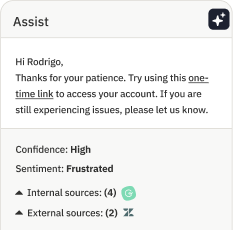
- AI copilots that sit beside human agents, surfacing knowledge, drafting replies, summarizing conversations and handling after-call work.
- AI-driven operations that route contacts, review quality across every conversation, and forecast and schedule the human team around what AI resolves.
AI call center vs. AI contact center
An AI call center and an AI contact center use the same technology, and the terms are often used interchangeably. The difference is mostly about channels: an AI call center is phone first, while an AI contact center covers phone, chat, email, SMS and messaging.
Most support teams now run several channels, so this guide uses “AI contact center” for both.
How an AI contact center works
Every contact moves through the same path, whatever the channel:
- The customer reaches out by phone, chat, email or messaging.
- An AI agent responds first. It works out what the customer needs, verifies their identity where required, and looks up or changes data in connected systems such as the helpdesk, CRM, order management or billing.
- It resolves the issue or hands off. If the request is outside policy, too complex, or the customer asks for a person, the AI agent escalates and passes along the transcript, a summary and what it already tried.
- Routing picks the right person. The contact goes to the queue, skill group or BPO partner best placed to handle it, ideally based on who is actually available right now.
- A copilot assists the human agent with suggested answers, drafted replies, translations and an automatic wrap-up.
- The operations layer closes the loop. Quality review scores AI and human conversations, reporting shows what AI resolved, and workforce management forecasts the volume left for people and schedules them to meet it.
What AI handles, and what people handle
The best results come from drawing a clear line between the two. A common split:
Core features of AI contact center software
Whichever tools you choose, these are the capabilities to check, and the questions that separate strong vendors from demos.
Types of AI contact center software
No single category covers everything, and most teams combine two or three. The main types:
For head-to-head comparisons, see our guides to the best AI voice agents, the best AI chat agents and the best workforce management software, or our explainers on Sierra, Decagon and PolyAI.
Voice AI in the call center
Phone is still where the most urgent and emotional contacts arrive, and it’s the hardest channel to automate well. Voice AI agents combine three technologies:
- Speech recognition turns the caller’s words into text, including accents, background noise and spoken account numbers or email addresses.
- Language understanding works out what the caller wants and decides what to say or do next, usually with a large language model connected to your knowledge and systems.
- Speech synthesis turns the response back into natural-sounding speech.
What separates good voice AI from frustrating voice AI is mostly practical: how quickly it responds after the caller stops talking, whether callers can interrupt it, how it handles poor lines, and how cleanly it transfers to a person. Unlike an IVR menu, a voice AI agent understands open-ended speech and can resolve the request on the call instead of only routing it.
Learn more about Assembled’s AI voice agent, or compare vendors in our AI voice agents buyer’s guide, which also covers AI voice agents vs. IVR.
What results look like
Results depend on which contacts you automate and how well AI and people work together. These Assembled customers show the range:
How AI contact center software is priced
Pricing models vary more than features do, and they change what you pay as volume and call length grow.
For example, Assembled’s AI agents start at $0.65 per conversation, with per-resolution pricing available for AI Voice. For the questions to ask any vendor, see how AI support tools are priced.
How to implement AI in your contact center
- Pick a narrow starting point. List your top contact reasons and choose two or three that are high volume and low risk, such as order status or password resets.
- Get your knowledge and policies in order. AI agents are only as good as what they can read. Fix gaps and conflicting articles before launch.
- Connect your systems. Link telephony or your CCaaS platform, the helpdesk, CRM and the backend tools the AI needs to take action. If you need SIP connections for voice, allow a few weeks for setup and testing.
- Design the handoff before the automation. Decide when the AI must escalate, what context it passes along, and what happens after hours. Customers should always be able to reach a person.
- Test before customers see it. Run the AI against past conversations and simulated calls, and fix what it gets wrong.
- Launch small and review often. Start with one queue or a share of traffic, read transcripts weekly, and expand once quality holds.
- Re-plan staffing. Forecast the contacts that still reach people, adjust schedules, and retrain agents for the more complex work they’ll take on.
Staffing an AI contact center
When AI resolves the simple contacts, the work that reaches your team changes. People get fewer but harder conversations, so handle time can rise even as volume falls. Forecasts built on last year’s total volume stop being accurate.
Teams that get this right plan in-house agents, BPO partners and AI agents as one workforce. They forecast the demand left after AI resolution, schedule people against it, and tune when AI escalates based on who is available.
Thrasio works this way. Its team checks volume and staffing requirements in Assembled workforce management, then adjusts how confidently its AI agent sends replies on its own. In peak seasons, that lets them lean on automation instead of hiring as many temporary staff.
For the basics, see how WFM software works and how to balance AI agents with your human team. When workforce management can also act on the plan through APIs and MCP, that’s agentic workforce management.
Common challenges, and how to avoid them
- Customers stuck in loops. The fastest way to lose trust is an AI that won’t hand off. Set clear escalation rules and always offer a path to a person.
- Measuring the wrong thing. Containment counts conversations that never reached a person, even if the customer gave up. Track resolution and CSAT for AI conversations instead.
- Integration gaps. An AI agent that can’t see orders or accounts can only answer FAQs. Confirm integrations early in the evaluation.
- Knowledge drift. Policies change and articles go stale. Assign owners and review AI answers regularly.
- Agent concerns. Involve agents early, show how AI removes repetitive work, and create paths into higher-skill roles such as AI quality review and workflow building.
- Data and compliance. Check certifications, data retention and how customer data is used before launch, especially in regulated industries.
How Assembled fits
Assembled is AI-native workforce management with AI agents and an AI copilot built in. AI agents resolve contacts across voice, chat, email and SMS. The AI copilot drafts replies, surfaces knowledge and summarizes conversations for human agents. Workforce management plans in-house agents, BPO partners and AI in one system, so staffing reflects what AI actually resolves.
It works with the contact center and helpdesk platforms teams already run, including Five9, Genesys, Amazon Connect, Talkdesk, NiCE CXone, Nextiva, Zendesk and Salesforce Service Cloud, so you can add AI without replacing your stack. Five9 resells Assembled as a Select ISV partner. Assembled is also an open platform: teams build workflows on its API, and its MCP server connects live workforce data to AI assistants such as Claude and ChatGPT.
DailyPay shows what that looks like in practice. It plans 450+ agents and two BPOs in Assembled, and added the AI copilot and a voice AI agent so callers can check on transfers and payments without waiting on hold.
Book a demo to see how Assembled runs AI and human support in one place.
Frequently asked questions
What is an AI contact center?
An AI contact center is a customer support operation that uses AI across phone, chat, email and messaging. AI agents resolve routine requests end to end, AI copilots help human agents during live conversations, and AI-driven routing, quality review and workforce planning decide who handles each contact.
What is the difference between an AI call center and an AI contact center?
An AI call center usually means phone support, where voice AI agents answer and resolve calls and AI assists live phone agents. An AI contact center applies the same capabilities across phone, chat, email, SMS and messaging, with shared knowledge, workflows and reporting. The terms are often used interchangeably.
How does an AI contact center work?
An AI agent responds to the customer first, works out what they need and takes action in connected systems. If it can’t resolve the request, it hands off to a person with the transcript and a summary. Routing picks the right agent, a copilot assists them, and quality review and workforce management use the results to improve the next round.
Will AI replace contact center agents?
AI takes over repeatable requests, but people still handle complex, emotional and high-stakes contacts, and someone has to set guardrails, review quality and improve workflows. Most teams use AI to absorb growth and reduce repetitive work rather than to remove their support team.
How long does it take to implement AI in a contact center?
A focused pilot on two or three contact reasons can launch in a few weeks. Rollouts across several channels, regions and backend systems usually take a few months, and voice deployments that need SIP or telephony integration take longer than chat or email.
How much does AI contact center software cost?
Vendors charge per agent seat, per minute, per conversation, per resolution, or a platform fee plus usage. Per-conversation and per-resolution pricing tie cost to AI activity rather than headcount. For example, Assembled’s AI agents start at $0.65 per conversation, with per-resolution pricing available for AI Voice.
How do you staff a contact center that uses AI agents?
Forecast the contacts that still reach people after AI resolves its share, rather than last year’s total volume. Expect fewer but harder conversations, so plan for longer handle times. Then schedule in-house agents and BPO partners against that forecast, and adjust when AI escalates based on who is available.
What metrics should you track in an AI contact center?
Track AI resolution rate, escalation rate and CSAT for AI conversations alongside human ones, plus cost per resolution, service level and wait times, and how accurately you forecast the volume that still reaches people.