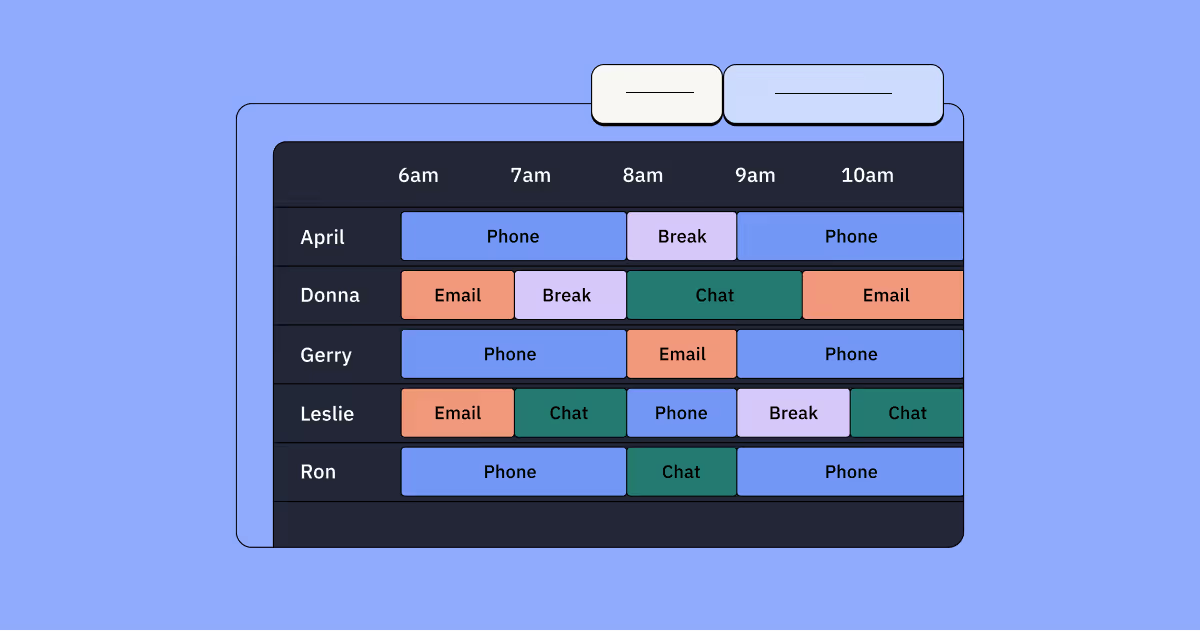
Workforce management (WFM) scheduling is the strategic process of aligning employee shifts with customer demand to optimize both service quality and labor costs. It's more than just creating schedules — it's forecasting staffing needs, managing real-time attendance, and ensuring you have the right people with the right skills at the right time.
Most organizations face a common set of challenges: juggling staff schedules, dealing with last-minute call-outs, and trying to keep both employees and customers happy. These scheduling challenges quickly spiral into unexpected overtime costs, frustrated team members, and customers left waiting when you're shorthanded.
The right workforce management and shift scheduling software can transform these daily challenges into opportunities — unlocking precise labor forecasting, improving employee satisfaction, reducing administrative burdens, and ensuring regulatory compliance.
Below, we'll walk you through everything you need to know about workforce management scheduling: what it is, why it matters, how to calculate staffing requirements, the steps to build a durable schedule, and where software and AI can help your team scale with confidence.
What is workforce management (WFM) scheduling?
Workforce management scheduling is the strategic process that aligns employee shifts and tasks with business demand patterns. When done right, it delivers reduced labor costs, enhanced employee satisfaction through balanced workloads, and consistent service quality.
The process involves four core components:
Forecasting labor requirements based on historical data and predictive analytics
Creating optimized staff schedules that balance operational needs with employee preferences
Managing real-time attendance, time-off requests, and shift swaps
Ensuring compliance with labor regulations and company policies
Why WFM scheduling matters for your business
WFM scheduling is the operational backbone that determines whether your support organization can meet customer expectations without burning out your team or your budget:
Financial health: Accurate schedules prevent chronic overstaffing, curb overtime, and align labor to real demand.
Customer experience: The right people, at the right time, on the right channels means faster responses and more consistent resolution.
Agent well-being: Predictable, fair schedules reduce stress and turnover, and create space for development and coaching.
In practice, great scheduling blends clear demand signals with human context — the realities of skills, preferences, and policies — so your team can deliver reliably, even when conditions change.
How to calculate WFM scheduling requirements
Calculating staffing needs takes structure and clarity. While modern WFM tools do the heavy lifting, every support leader should understand the core components of the math:
Forecast your volume: Use historical data and known drivers to project contacts by channel, broken down into small time intervals.
Set your service level goal: Define the experience you’re aiming to deliver and the response targets you will hold.
Calculate base staffing: Use an accepted queueing model to translate volume and handle time into required heads per interval.
Account for shrinkage: Layer in breaks, meetings, training, coaching, and paid time off to get to the total people you must schedule.
With this foundation in place, the rest of your schedule becomes a matter of careful orchestration.
The WFM scheduling process: Six key steps
Scheduling is a repeatable rhythm. High-performing teams follow a clear loop from forecast to publish, then monitor and refine.
Step 1: Confirm the forecast
Validate drivers and exceptions before you schedule. Consider events, campaigns, product changes, and seasonality that could shift demand.
Step 2: Manually add activities
Block fixed events first: all-hands, training, coaching, and 1:1s. These are your non-negotiables and prevent late-stage conflicts.
Step 3: Run the schedule
Create the initial schedule using your WFM system. Respect availability, skills, time zones, and contractual rules.
Step 4: Verify the schedule
Pressure-test coverage against the forecast. Identify gaps, hotspots, and overstaffed windows before you publish.
Step 5: Optimize the schedule
Fine-tune with smart break placement, lunch moves, and offline work to smooth intraday coverage while staying compliant.
Step 6: Finalize and publish the schedule
Share early and clearly. From here, intraday management keeps you aligned to plan as reality unfolds.
Key factors that influence WFM scheduling decisions
Great schedules balance coverage, quality, cost, and human needs. The details that matter most:
Arrival patterns: Understand peaks and valleys by interval, day, and week across channels.
Agent skills and proficiencies: Skills-based routing, language needs, and tiered work shape who goes where.
Compliance and labor rules: Build schedules that meet legal, contractual, and policy requirements by design.
Agent preferences and availability: Incorporate preferences where possible to create agent-friendly schedules that improve fairness and retention.
Business goals: Know whether you are optimizing for speed, quality, or cost, and schedule accordingly.
Who is workforce management scheduling for?
WFM scheduling software is particularly valuable for businesses managing complex staffing requirements and dynamic scheduling needs — typically organizations with 25 to 500+ support agents operating across multiple channels, time zones, or locations.
Regardless of your industry, effective workforce management scheduling delivers measurable ROI: reduced labor costs, improved employee retention, enhanced customer satisfaction, and streamlined compliance. The difference is whether you're managing that complexity with spreadsheets or with purpose-built tools.
Support centers
Support centers face continuous challenges with fluctuating call volume. Workforce management scheduling ensures precise alignment between call volume and agent availability, reducing customer wait times and enhancing overall service effectiveness.

Software as a service (SaaS)
SaaS companies often experience rapid scaling, global customer bases, and omnichannel support demands, which complicate traditional scheduling approaches. Workforce management scheduling software helps SaaS teams forecast and adjust staffing dynamically, ensuring consistent service across chat, email, social, and phone support, while managing distributed teams effectively.

Healthcare
Healthcare companies face unique challenges like unpredictable shift lengths, regulatory compliance, and potential burnout. WFM scheduling software addresses these complexities by efficiently managing shifts, adhering to labor regulations, and safeguarding patient care quality.

Retail and ecommerce
Whether in-person or online, retailers often struggle with staffing accuracy due to variable customer traffic patterns. Workforce management scheduling software helps these businesses forecast customer demand, ensuring appropriate staffing levels during busy periods and reducing unnecessary labor expenses during quieter times.
Hospitality
Hotels and restaurants regularly experience fluctuating guest volumes, making staffing difficult to manage manually. Workforce management scheduling dynamically adjusts staffing according to real-time demand, enabling consistent service quality without unnecessary labor costs.
Manufacturing and logistics
In industries where production and logistics timing are critical, workforce management scheduling ensures productivity by accurately forecasting labor requirements, minimizing downtime and maximizing efficiency.
Bonus use case: Scaling WFM scheduling for enterprise needs
For larger businesses or those operating with highly complex scheduling demands across multiple teams and locations, traditional scheduling methods often reach their limits. As your workforce grows, so does the complexity of managing varied shift rotations, ensuring compliance, and maintaining consistent service quality.
Enterprise-grade workforce management solutions like Assembled’s Enterprise WFM are built specifically for these scenarios. Advanced features such as schedule templates, event optimizations, and automated shift placements enable organizations to handle intricate staffing requirements effortlessly — even as they scale rapidly or deal with fluctuating demand patterns.
This level of automation and optimization not only streamlines administrative tasks but also ensures that your workforce remains compliant, efficient, and capable of delivering consistent service at scale.

Signs your organization needs better WFM scheduling software
Most support leaders know their scheduling isn't working. What they don't know is whether the pain they're feeling is normal growing pains or a signal that manual processes have reached their limit. These seven indicators suggest it's time to evolve your approach.
Excessive overtime costs
When overtime expenses consistently exceed 10% of your total labor costs, it signals inefficient scheduling. Not only does this drain your budget, but it often indicates employee burnout is on the horizon.
WFM software can identify scheduling patterns that contribute to overtime and suggest alternatives that maintain coverage while reducing extra hours.
Above-average employee turnover
If your turnover rates exceed industry benchmarks, scheduling practices may be contributing to employee dissatisfaction. Exit interviews often reveal that unpredictable schedules or work-life balance issues drive departures. WFM tools provide more consistent and fair scheduling, addressing a key retention factor.
Contact centers are particularly prone to high employee turnover, with numbers averaging 30–45% annually versus about 15% across all industries. If you’re operating a contact center, workforce management scheduling is something you can’t afford to ignore.
Increasing customer complaints
When customers regularly mention long wait times or inconsistent service quality, it typically indicates a mismatch between staffing levels and demand patterns. WFM scheduling matches your staffing to actual customer traffic patterns, ensuring you have appropriate coverage during peak times without overstaffing during lulls.
Time-consuming manual scheduling
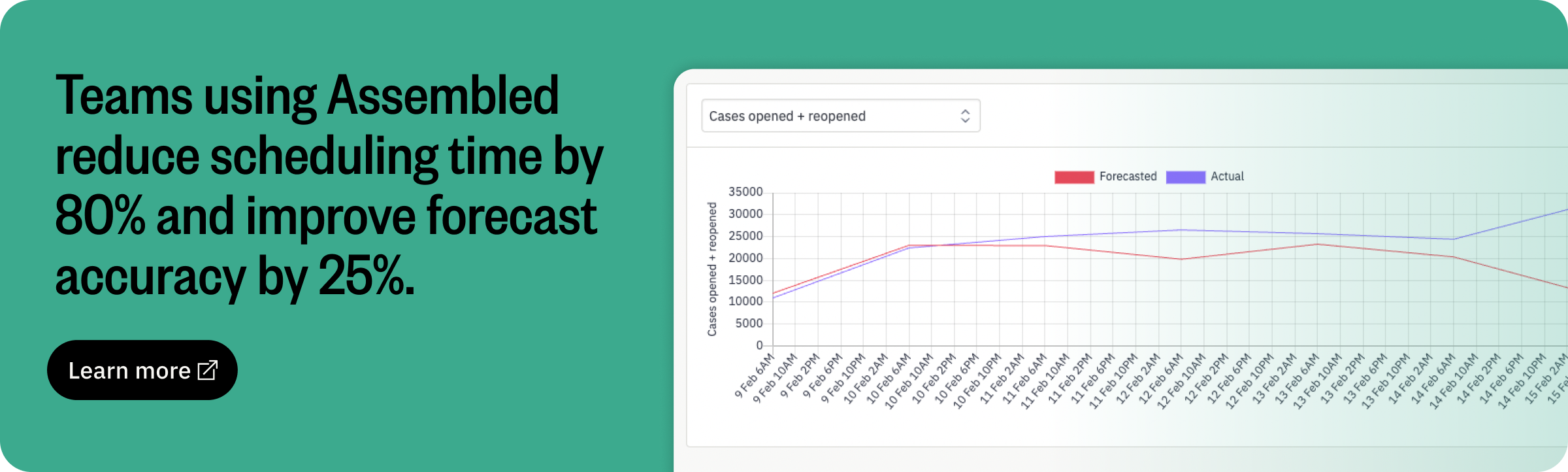
If your managers spend more than 5 hours weekly creating, adjusting, and communicating schedules, they're losing valuable time that could be spent on coaching, development, and strategic initiatives. WFM solutions can reduce scheduling time by up to 80%, freeing managers to focus on business growth.
Compliance concerns
Organizations facing difficulties tracking meal breaks, managing minor work restrictions, or ensuring adequate rest periods between shifts risk significant penalties. Modern WFM systems automatically flag potential compliance issues before they become violations, protecting your business from costly fines and litigation.
Skills-to-shift misalignment
When you struggle to match employees with specialized skills (like language fluency, technical certifications, or product expertise) to the shifts that need those abilities, customer experience suffers. WFM scheduling software tracks employee skills and certifications, automatically matching qualified staff to appropriate shifts.
Persistent under/overstaffing issues
If you regularly have either idle employees during slow periods or insufficient coverage during busy times, you're either wasting labor budget or sacrificing service quality. WFM solutions use historical data and predictive analytics to recommend optimal staffing levels that align precisely with your business needs.

How can workforce management scheduling software help?
Workforce management scheduling software transforms manual, error-prone scheduling processes into automated, data-driven operations. Instead of spending hours building schedules in spreadsheets, you get real-time forecasting, automated shift optimization, and compliance monitoring — all in one platform.
The tangible benefits include:
Improved employee productivity and satisfaction
WFM scheduling software optimizes shifts according to employees’ skills and preferences, reducing burnout and enhancing job satisfaction. Happy employees are productive employees, leading to higher quality service and reduced turnover. An impressive case study: when retail giant Gap implemented a scheduling optimization solution, sales increased by 7%.
Optimized labor costs and budgeting
Accurate forecasting and real-time scheduling adjustments help organizations eliminate costly overstaffing or understaffing. Businesses can better manage budgets, control overtime expenses, and allocate resources efficiently.
Better compliance and reduced risk
Advanced WFM solutions automatically track compliance with labor laws and regulations. This significantly reduces the risk of costly fines and legal complications from labor violations.
Enhanced customer experience through consistent staffing
Reliable scheduling ensures optimal staffing levels, leading to better service quality and consistency. Customers experience fewer delays and receive prompt service, fostering loyalty and repeat business.
Streamlined operations and reduced administrative burden
Automated scheduling tools drastically reduce administrative time spent on manual scheduling processes. This allows managers to focus on strategic activities, increasing overall operational efficiency.
Core capabilities of workforce management scheduling software
Effective workforce management scheduling software typically includes functionalities designed to simplify scheduling, optimize labor allocation, and improve compliance:
Advanced analytics and forecasting capabilities
Advanced forecasting tools use historical data and predictive analytics to anticipate future staffing requirements with precision — often down to 15-minute intervals. Instead of guessing at next week's volume based on last month's average, you're modeling demand based on trends, seasonality, day-of-week patterns, and even external factors like marketing campaigns.
The result: you prevent both staffing shortages and unnecessary labor expenditures before they happen.
AI-driven recommendations and automation
AI-driven scheduling automation handles routine tasks that typically consume hours of manager time. Tools like Assembled use predefined business rules to automatically place breaks and lunches at optimal times, flag potential compliance violations before schedules are published, and proactively suggest shift adjustments when forecasted demand changes.
The system learns from your constraints — minimum rest periods between shifts, meal break timing requirements, maximum consecutive work days — and applies them consistently across every schedule.
Integrations with existing HR and payroll systems
Integration capabilities ensure that scheduling software communicates seamlessly with existing HR and payroll systems. This connection eliminates manual data entry, reduces errors, and streamlines payroll processes.
Real-time alerts and notifications
Immediate communication of schedule changes or staffing issues is critical for smooth operations. Solutions such as Assembled deliver instant notifications and updates, helping managers rapidly address potential compliance risks or staffing shortages and maintain consistent service levels.
Employee self-service portal
Giving employees more control over their schedules can significantly enhance job satisfaction and reduce administrative workloads. Self-service portals, like those offered by Assembled, enable staff to manage time-off requests, swap shifts, and integrate schedules with tools like Google Calendar and Slack for greater engagement and transparency.
Workforce management scheduling best practices
Adopting workforce management scheduling software is a strategic decision that requires thoughtful planning and careful execution. Follow these best practices to maximize the effectiveness of your implementation:
Assess your current workforce scheduling challenges
Begin by identifying specific scheduling challenges your organization faces, which helps target your implementation efforts effectively.
Three ways to surface the real issues:
Gather direct feedback: Conduct interviews or surveys with employees and managers to understand day-to-day scheduling frustrations
Review historical patterns: Analyze past scheduling data to identify recurring issues like excessive overtime, chronic understaffing periods, or compliance violations
Connect to customer impact: Review satisfaction surveys and support metrics to pinpoint service issues directly tied to staffing gaps
Define clear objectives and KPIs
Clearly defined objectives and measurable KPIs guide your implementation and allow you to track success.
Start with specific, measurable goals:
Cost reduction: "Reduce overtime expenses from 15% to under 10% of total labor costs within 6 months"
Service improvement: "Increase schedule adherence from 85% to 92% and reduce average speed of answer by 20%"
Employee satisfaction: "Improve schedule satisfaction scores from 6.5 to 8.0 and reduce voluntary turnover by 15%"
Then align your KPIs with broader organizational goals to ensure that scheduling supports overall business objectives.
Engage employees early in the process
Employee involvement is essential to ensure successful adoption and to build support for new processes.
Involve staff in software demonstrations and allow them to provide input on scheduling preferences.
Clearly communicate how the new system will benefit their day-to-day work.
Establish regular forums or communication channels for employees to ask questions, express concerns, and provide ongoing feedback.
Provide ongoing training and support
Continuous education ensures your team remains confident and comfortable using the new scheduling system.
Build a training plan that scales with adoption:
Initial onboarding: Provide hands-on training sessions for schedulers and managers before launch
Agent enablement: Create simple guides for self-service features like shift swaps and time-off requests
Ongoing skill development: Schedule quarterly refreshers as new features roll out and processes evolve
Support channels: Establish clear escalation paths for technical questions and process issues
Regularly review and optimize your scheduling practices
Regular performance reviews help identify areas for improvement and enable ongoing optimization of scheduling practices.
Build a review cadence that catches issues early:
Weekly: Quick check-ins on schedule adherence, overtime trends, and service level performance
Monthly: Deep-dive analysis of forecasting accuracy, employee satisfaction with schedules, and compliance metrics
Quarterly: Strategic review of business changes, seasonal adjustments, and tool optimization opportunities
Use collected data to make informed adjustments proactively, not just when something breaks.
Level up your workforce management scheduling with Assembled
Efficient workforce management scheduling is more than a logistical necessity — it's the cornerstone of operational excellence and employee well-being. When you move from manual spreadsheets to intelligent automation, you don't just save time. You meet service-level agreements consistently, boost employee morale through predictable schedules, reduce operational costs through optimized staffing, and maintain compliance without constant monitoring.
Your scheduling needs to evolve from reactive firefighting to proactive planning. Book a demo to see how Assembled turns scheduling from your biggest operational headache into your competitive advantage.
Frequently asked questions about WFM scheduling
What does a WFM scheduler do?
A WFM scheduler creates and manages employee schedules by forecasting staffing needs, assigning shifts based on skills and availability, monitoring real-time adherence, and adjusting schedules to maintain service levels while controlling costs.
What is the difference between forecasting and scheduling in WFM?
Forecasting predicts future staffing requirements based on expected customer demand and historical patterns. Scheduling assigns specific employees to shifts based on those forecasted requirements, employee availability, skills, and business constraints.
How far in advance should WFM schedules be created?
Most contact centers publish schedules 2–4 weeks in advance to balance operational stability with employee flexibility. Industries with more predictable demand may extend to 6–8 weeks, while high-variability environments may use rolling 2-week schedules with frequent updates.
What is the most important metric for measuring scheduling success?
Schedule adherence — the percentage of time agents work their assigned schedules — is the foundational metric. High adherence (typically 90%+) indicates accurate forecasting, realistic scheduling, and strong operational discipline. Without it, even perfect schedules fail.
Can WFM scheduling work for remote and hybrid teams?
Yes. Modern WFM scheduling software handles remote and hybrid teams by tracking digital presence instead of physical location, supporting flexible schedule preferences, and integrating with collaboration tools like Slack and Zoom to monitor availability across distributed workforces.